
Enterprise architecture is a discipline built on clarity, structure, and communication. At the heart of this discipline lies the ArchiMate modeling language, a standard designed to represent complex organizational structures and processes. However, even the most robust language can become a source of confusion if not applied correctly. One of the most critical areas where errors occur is in the design of viewpoints. A viewpoint defines how information is presented to a specific audience. When this definition is flawed, the resulting models fail to serve their purpose.
Many architects spend hours refining a model, only to find that stakeholders do not understand the diagrams. This disconnect often stems from overlooking common viewpoint pitfalls. By understanding these traps, you can streamline your modeling efforts and ensure your architecture documentation is effective. This guide explores the common errors in ArchiMate viewpoint design and provides practical strategies to avoid them.
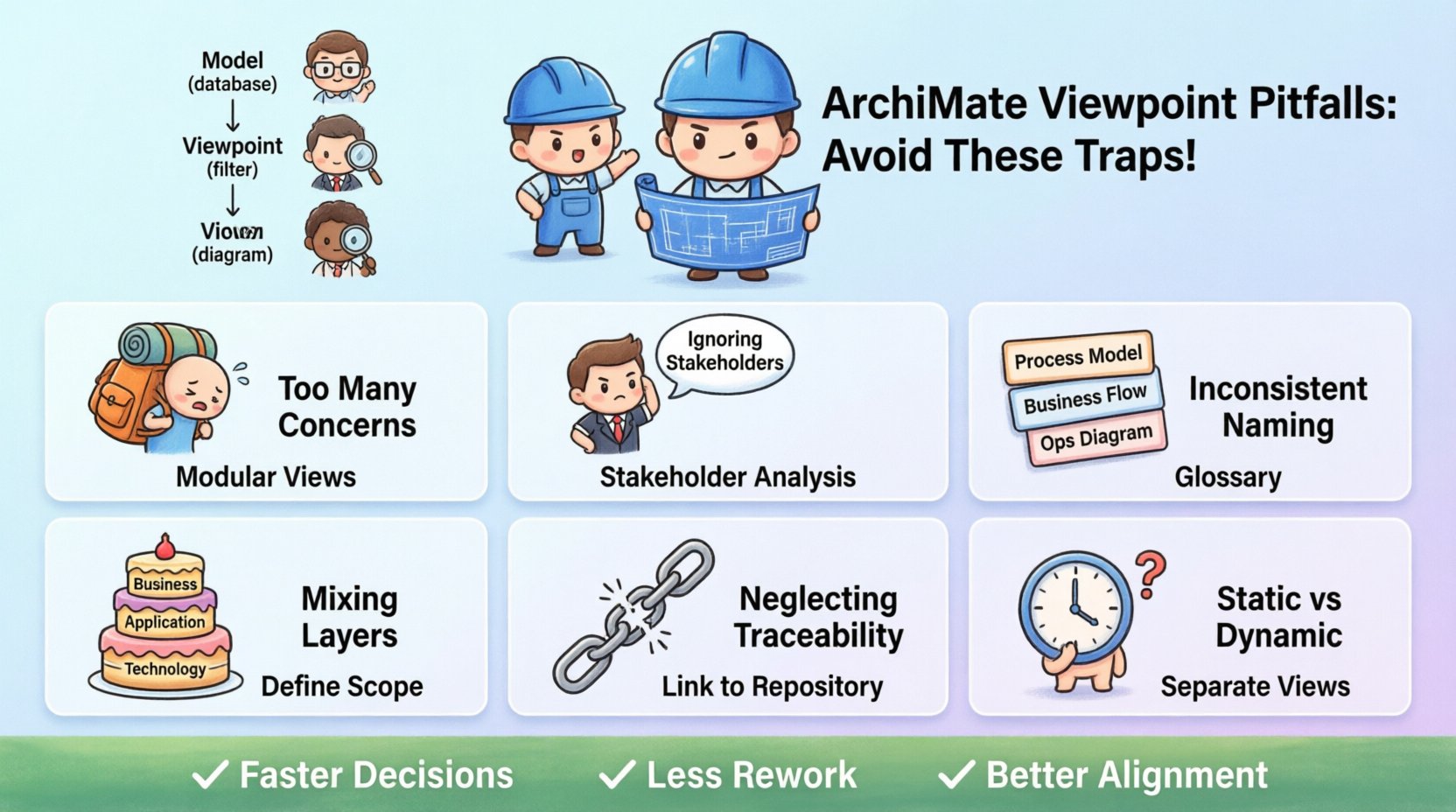
Understanding the Viewpoint Concept 🧩
Before diving into the pitfalls, it is essential to establish a clear understanding of what a viewpoint actually is within the ArchiMate framework. A viewpoint is not a diagram itself. Rather, it is a template or a set of rules that dictates which elements and relationships from the underlying model are visible to a specific user. It acts as a filter.
Consider the architecture model as a complete database of the enterprise. A viewpoint is the query that retrieves specific data relevant to a specific question. Without a proper viewpoint, stakeholders are presented with the entire database, leading to information overload. Properly defined viewpoints ensure that the right information reaches the right person at the right time.
- View: The actual representation of a system or part of a system from a specific perspective.
- Viewpoint: The definition of the concerns, the stakeholders, and the rules for the view.
- Model: The comprehensive repository containing all the architecture elements.
When these three concepts are confused, modeling becomes inefficient. Architects often create views that do not align with the intended viewpoint, resulting in diagrams that mix concerns or omit critical details.
Why Pitfalls Matter 💸
Errors in viewpoint design are not merely cosmetic issues. They have tangible consequences on the project timeline and budget. When a viewpoint is unclear, the time spent explaining the diagram increases. Stakeholders may misinterpret the architecture, leading to poor decision-making during implementation.
Furthermore, maintenance becomes a burden. If a viewpoint is too complex or poorly defined, updating the model to reflect changes in the enterprise requires reworking the entire view. This creates a cycle of technical debt where the documentation falls behind reality. Avoiding these pitfalls is a direct investment in the longevity and utility of your architecture repository.
Common ArchiMate Viewpoint Pitfalls 🛑
There are several recurring mistakes that architects make when defining viewpoints. These errors often stem from a lack of alignment with stakeholder needs or a misunderstanding of the language semantics. Below is a detailed breakdown of the most significant traps.
1. Overloading the Viewpoint with Too Many Concerns ⚠️
One of the most frequent errors is attempting to solve every problem with a single viewpoint. A viewpoint should focus on a specific concern. If you try to address business processes, technology infrastructure, and security compliance in one view, the diagram becomes cluttered and unreadable.
Consequences:
- Stakeholders cannot find the information they need quickly.
- The diagram loses its narrative flow.
- It becomes difficult to maintain consistency across the model.
Solution: Adopt a modular approach. Create distinct viewpoints for different layers of the architecture. For example, have one viewpoint for the Business Layer and another for the Technology Layer. This separation ensures that each audience sees only what is relevant to their role.
2. Ignoring Stakeholder Needs 👥
Architects often design viewpoints based on what is technically interesting rather than what is useful for the audience. A technical architect might prefer a view that details every interface and connection. However, a business manager needs a high-level view of processes and value streams.
Consequences:
- Low adoption rates of the architecture repository.
- Stakeholders request alternative documentation that bypasses the standard models.
- Reduced trust in the architecture function.
Solution: Conduct stakeholder analysis before defining a viewpoint. Interview the audience to understand their questions. If they ask about cost implications, the viewpoint must include cost attributes. If they ask about process flow, the viewpoint must emphasize sequence relationships.
3. Inconsistent Naming Conventions 📝
Consistency is the backbone of any modeling language. If one diagram uses “Application Service” and another uses “Application Function” for similar concepts, confusion arises. This inconsistency often happens when different architects work on the same model without a shared vocabulary.
Consequences:
- Ambiguity in model interpretation.
- Increased time spent clarifying terminology.
- Difficulties in automated reporting or analysis.
Solution: Establish a glossary at the start of the project. Ensure that every viewpoint adheres to the same naming standards. Use the ArchiMate specification definitions strictly to avoid creating custom terms that do not align with the language.
4. Mixing Layers Without Justification 🔄
ArchiMate defines specific layers: Business, Application, and Technology. While cross-layer relationships are valid, a viewpoint should not mix layers arbitrarily. A business process should not be drawn alongside a physical server unless the relationship is explicitly defined and relevant to the concern.
Consequences:
- Violation of the separation of concerns principle.
- Models that are too dense to analyze.
- Confusion regarding the scope of the architecture.
Solution: Clearly define the scope of each viewpoint. If a cross-layer view is necessary, explicitly document why it is needed. Ensure that the relationships crossing layers are meaningful and add value to the decision-making process.
5. Neglecting Traceability 🔗
Models are not static; they evolve. A common pitfall is creating a viewpoint that does not maintain traceability to the underlying model elements. If a stakeholder clicks on an element in the view and cannot find its details in the repository, the model loses credibility.
Consequences:
- Breakdown in the link between strategy and execution.
- Inability to perform impact analysis.
- Loss of audit trails for compliance.
Solution: Ensure that every element in a view is linked to a persistent object in the repository. Maintain metadata that allows for easy navigation from the visual representation to the detailed attributes.
6. Static vs. Dynamic Confusion ⏳
ArchiMate supports both static structures and dynamic behaviors. A common error is depicting a dynamic behavior (like a flow) on a static structure diagram, or vice versa. This confusion blurs the distinction between “what exists” and “how it works”.
Consequences:
- Models that fail to communicate process logic.
- Incorrect assumptions about system behavior.
- Rework during the design phase.
Solution: Use distinct viewpoints for structural and behavioral aspects. If a process flow is required, ensure the viewpoint explicitly allows for flow relationships. Do not mix structural connections with flow connections unless the context demands a hybrid view.
Pitfall Comparison Table 📊
To provide a quick reference for these common issues, the following table summarizes the pitfalls, their impact, and the recommended mitigation strategy.
| Pitfall | Impact | Mitigation Strategy |
|---|---|---|
| Overloading Concerns | Information overload, confusion | Segment views by layer or topic |
| Ignoring Stakeholders | Low adoption, distrust | Conduct stakeholder analysis |
| Inconsistent Naming | Ambiguity, maintenance issues | Establish a strict glossary |
| Mixing Layers | Scope creep, complexity | Define clear layer scopes |
| Neglecting Traceability | Loss of audit, impact analysis failure | Link all view elements to repository |
| Static vs. Dynamic Confusion | Behavioral misinterpretation | Separate structural and behavioral views |
Governance and Review Process 🛡️
Even with the best intentions, errors can slip through. A robust governance process is necessary to catch viewpoint pitfalls before they affect the wider organization. This process should not be bureaucratic but should serve as a quality gate.
Key Steps in Governance:
- Peer Review: Have another architect review the viewpoint design. They may spot inconsistencies that the creator missed.
- Stakeholder Validation: Show the draft viewpoint to a representative of the target audience. Ask them if the diagram answers their questions.
- Compliance Check: Ensure the model adheres to the ArchiMate specification. Check for forbidden relationships or misused elements.
- Version Control: Maintain a history of viewpoint changes. This helps in understanding why a specific decision was made.
Regular reviews prevent the accumulation of technical debt. If a viewpoint is changed, the impact on dependent views must be assessed. This ensures that the entire architecture documentation remains coherent.
The Impact on Efficiency 📉
Investing time in correct viewpoint design yields significant returns in efficiency. When viewpoints are well-defined, the time spent creating new models decreases. You can reuse templates and styles across different projects. This standardization allows architects to focus on the actual architecture rather than the presentation.
Moreover, efficient viewpoints reduce the friction between the architecture team and the business. When stakeholders can easily understand the diagrams, they are more likely to engage with the architecture function. This engagement leads to better alignment between IT investments and business goals.
Efficiency Gains:
- Reduced rework due to miscommunication.
- Faster onboarding for new architects.
- Improved decision-making speed.
- Higher quality of the architecture repository.
Long-term Maintenance Considerations 🔄
Architecture is not a one-time activity. It is a continuous process. Viewpoints must be maintained as the enterprise evolves. A viewpoint that was perfect five years ago may now be obsolete. Regular audits are required to ensure that the viewpoints still serve their purpose.
Maintenance Checklist:
- Are the stakeholders still relevant?
- Do the concerns addressed by the viewpoint still exist?
- Has the underlying model changed significantly?
- Is the naming convention still consistent?
If the answer to these questions is no, the viewpoint should be updated or retired. Retiring a viewpoint is as important as creating one. It prevents the repository from becoming a graveyard of outdated information.
Conclusion on Viewpoint Design 🎯
Designing ArchiMate viewpoints is a critical task that requires attention to detail and a deep understanding of the language. By avoiding the common pitfalls outlined in this guide, architects can ensure their models are effective tools for communication rather than sources of confusion. The key lies in focusing on the audience, maintaining consistency, and adhering to the principles of separation of concerns.
Remember that the goal of architecture is not just to document the current state but to guide the future state. Well-designed viewpoints make this guidance clear and actionable. Take the time to get the viewpoint design right, and the rest of the modeling process will flow more smoothly.
Start by reviewing your current viewpoints against the pitfalls discussed here. Identify areas for improvement and implement the mitigation strategies. Over time, these small changes will compound into a significant improvement in the quality and utility of your enterprise architecture.
By prioritizing clarity and stakeholder alignment, you build a foundation for sustainable architecture management. This approach saves time, reduces effort, and ultimately delivers better business value.