
Enterprise architecture demands clarity. Stakeholders require specific information to make decisions, yet a single model rarely satisfies every need. The ArchiMate specification addresses this complexity through the concept of Viewpoints. Understanding how to leverage these viewpoints is essential for maintaining effective communication between business leadership, technical teams, and IT operations. This guide serves as a comprehensive reference for selecting and applying the correct ArchiMate viewpoints in your daily workflow.
Architecture is not merely about drawing diagrams. It is about structuring information so that the right people see the right details at the right time. A viewpoint defines the purpose, the audience, and the specific elements used to represent the architecture. By mastering these definitions, you ensure that your models remain relevant, readable, and actionable.
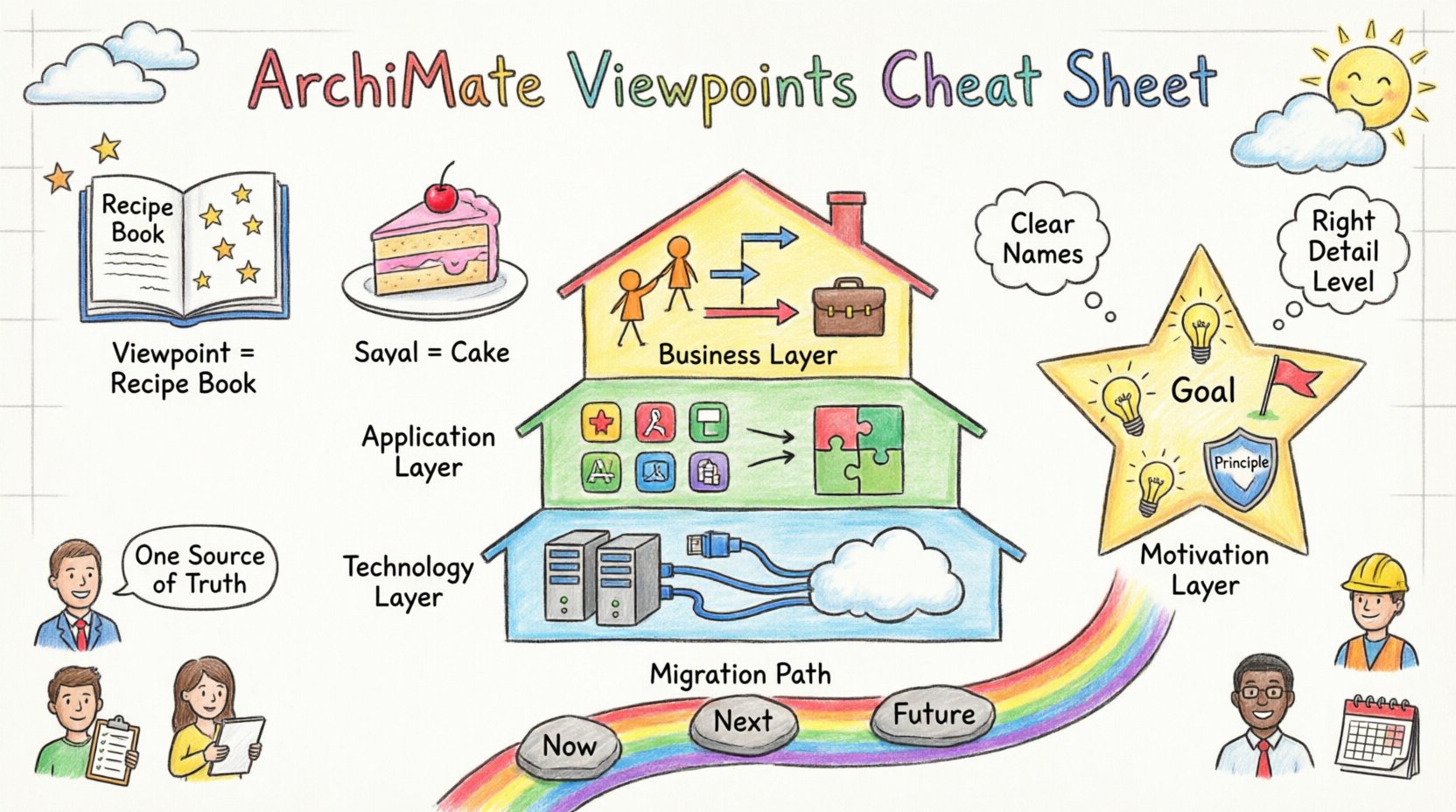
Understanding the Difference Between View and Viewpoint 👁️
Before diving into specific types, it is crucial to distinguish between two often confused terms. While they sound similar, they serve distinct functions in the modeling process.
- Viewpoint: A template or specification that defines how to present architecture information. It specifies the stakeholders, the concerns to be addressed, the language (constructs) to be used, and the notations. Think of this as the ruleset.
- View: The actual representation of the architecture created according to a specific viewpoint. It is the concrete output, such as a specific diagram or report, tailored to a specific audience. Think of this as the result.
If you are creating a document for a CFO, you use a Business Architecture Viewpoint. If you are creating a diagram for a CTO, you might use a Technology Architecture Viewpoint. The underlying data (the model) remains the same, but the Viewpoint filters that data to show what is relevant to the specific View.
Core Architectural Layers and Their Viewpoints 🏗️
The ArchiMate standard divides architecture into three main layers: Business, Application, and Technology. Each layer has its own set of viewpoints designed to address specific concerns within that domain.
1. Business Architecture Viewpoints 💼
The Business layer focuses on how the organization achieves its goals. It deals with processes, roles, and organizational structures. Common concerns include efficiency, compliance, and service delivery.
- Business Process View: Ideal for operational managers. It visualizes the flow of activities and processes. It answers the question: How does work get done?
- Business Service to Business Function View: Used to map services provided by the organization to the functions that deliver them. This helps in understanding capability dependencies.
- Role View: Focuses on who is involved. It maps actors and roles to business processes. This is vital for organizational design and responsibility allocation.
- Business Collaboration View: Shows interactions between organizations or business units. It is useful for supply chain or partnership mapping.
2. Application Architecture Viewpoints 💻
The Application layer represents the software systems that support business processes. It concerns itself with data management, functionality, and system integration.
- Application Usage View: Maps business processes to the applications that support them. This is the most common link between Business and Application layers. It answers: Which software supports which process?
- Application Interaction View: Shows how applications communicate with each other. This is critical for integration architecture and API management.
- Application Function View: Focuses on the logical grouping of application functions. It helps in understanding the internal structure of a software system without getting bogged down in code.
- Application Deployment View: (Note: Often overlaps with Technology) Shows the logical mapping of application components to logical nodes.
3. Technology Architecture Viewpoints ⚙️
The Technology layer describes the physical infrastructure. It covers hardware, networks, and operating systems that host applications.
- Technology Deployment View: Shows how artifacts (software) are deployed onto physical devices. This is essential for infrastructure planning and capacity management.
- Technology Network View: Focuses on the communication infrastructure. It maps nodes and network connections. Useful for security and network topology planning.
- Technology Function View: Describes the logical functions of the technology layer, such as processing or storage capabilities.
Motivation Layer Viewpoints 🎯
Why do we build this architecture? The Motivation layer provides the context for decisions. It captures the drivers, goals, principles, and assessments that justify architectural changes.
- Driver View: Identifies the external or internal forces pushing for change. This includes market trends, regulatory requirements, or new technologies.
- Goal View: Defines the specific objectives the architecture aims to achieve. Goals must be measurable and aligned with business strategy.
- Principle View: Documents the guiding rules that constrain design choices. For example, “Use cloud-native technologies for new services”.
- Assessment View: Evaluates the current state against desired goals. It highlights gaps and risks.
Using Motivation Viewpoints ensures that technical decisions are traceable back to business value. Without this layer, architecture risks becoming a technical exercise disconnected from organizational strategy.
Implementation and Migration Layer Viewpoints 🚀
Architects often need to plan the transition from the current state to the target state. This layer provides the mechanisms to describe change over time.
- Implementation and Migration View: The primary tool for roadmap planning. It structures the transition into phases, projects, and work packages. It answers: When will we move to the new system?
- Gap View: Compares the As-Is state with the To-Be state. It highlights missing capabilities or technologies that need to be addressed during the transition.
- Path View: Defines the sequence of steps required to move from one state to another. It helps in sequencing projects logically.
These viewpoints are critical for project management and portfolio planning. They translate architectural vision into actionable work packages.
Selection Matrix for Viewpoints 📊
Choosing the correct viewpoint can be challenging when stakeholders have overlapping concerns. Use the following matrix to guide your selection process.
| Stakeholder | Primary Concern | Recommended Viewpoint | Key Constructs |
|---|---|---|---|
| Business Executive | Strategic Alignment | Motivation View | Goal, Driver, Principle |
| Process Owner | Operational Efficiency | Business Process View | Process, Activity, Role |
| Application Manager | System Integration | Application Interaction View | Application Service, Interface |
| Infrastructure Lead | Deployment & Hosting | Technology Deployment View | Device, Node, Path |
| Project Manager | Transition Planning | Implementation & Migration View | Phase, Work Package, Path |
Best Practices for Maintaining Viewpoint Consistency ✅
Consistency across views is the hallmark of a mature architecture capability. When multiple viewpoints exist for the same system, they must not contradict one another.
- Centralize the Model: Ensure all views are derived from a single source of truth. Do not create separate diagrams in different tools that diverge in data.
- Standardize Naming Conventions: Use consistent naming for constructs across layers. For example, if a business process is named “Order Processing,” the supporting application service should reflect this clearly.
- Define Scope Explicitly: Every view should state its scope. Does it cover the entire enterprise or just one department? Clarity prevents scope creep.
- Review Relationships: Ensure relationships (dependencies, associations) are valid across layers. A business process should not depend on a technology node without an application layer in between.
- Version Control: Maintain version history for your viewpoints. Changes in requirements should be reflected in the model updates.
Integrating Viewpoints with Stakeholder Needs 🤝
Architecture is a communication tool. The value of a viewpoint is determined by how well it answers the stakeholder’s questions.
- Identify the Audience: Before drawing, ask who will read this. A developer needs detail; an executive needs abstraction.
- Filter Information: Use the viewpoint to filter out noise. Do not show a technology server detail if the stakeholder only cares about business service availability.
- Provide Context: Include legends and explanatory text. A diagram without context is often ambiguous.
- Iterate: Stakeholder feedback should refine the viewpoint. If a view is consistently misunderstood, adjust the constructs or the layout.
Regular engagement with stakeholders ensures the architecture remains aligned with evolving business needs. This feedback loop is essential for maintaining the relevance of the architecture repository.
Common Pitfalls to Avoid ⚠️
Even experienced architects can fall into traps when defining and using viewpoints. Awareness of these common issues helps in maintaining quality.
- Mixing Layers Indiscriminately: Avoid combining Business and Technology constructs in the same view unless there is a clear reason. This creates cognitive overload.
- Ignoring the Motivation Layer: Focusing only on the structural layers (Business, App, Tech) without capturing the Why (Motivation) leads to solutions that lack strategic justification.
- Over-Detailing: A view should not try to show everything. Detail belongs in specific technical views, not high-level strategy views.
- Lack of Traceability: Ensure that elements in a view can be traced back to the underlying model. If you cannot click or link to the data, the view is static and less useful.
- Static Documentation: Viewpoints should not be created once and forgotten. They must be updated as the architecture evolves.
Conclusion on Daily Architecture Work 📝
Utilizing ArchiMate Viewpoints effectively transforms architecture from a documentation exercise into a strategic asset. By selecting the correct viewpoint, you ensure that the right information reaches the right people. This precision reduces ambiguity, accelerates decision-making, and aligns technical delivery with business objectives.
Remember that a viewpoint is a lens. It does not change the underlying reality of the architecture, but it changes how that reality is perceived. By mastering the selection and application of these lenses, you empower your organization to navigate complexity with confidence.
Keep this reference handy during your modeling sessions. When a stakeholder asks a question, identify the concern, select the appropriate viewpoint, and generate the view that provides the answer. This disciplined approach builds trust and demonstrates the value of your architectural work.
Continuous refinement of your viewpoints based on feedback ensures that your architecture remains a living document. It evolves alongside the enterprise, providing consistent guidance through periods of change and growth.