
Effective quality assurance relies on understanding how information moves through a system. Without a clear map, testing becomes a guessing game. Data Flow Diagrams (DFDs) provide the necessary blueprint for this journey. They illustrate the flow of data between processes, data stores, external entities, and data flows. When you anchor your QA planning in these diagrams, you ensure that every piece of information is accounted for, validated, and secured. This approach shifts testing from reactive debugging to proactive assurance. 🛡️
This guide explores how to leverage DFDs to structure your testing strategy. We will move beyond simple functionality checks to examine data integrity, transformation accuracy, and storage reliability. By treating the DFD as the source of truth for your test cases, you create a robust framework that catches issues early. Let us examine the mechanics of this integration.
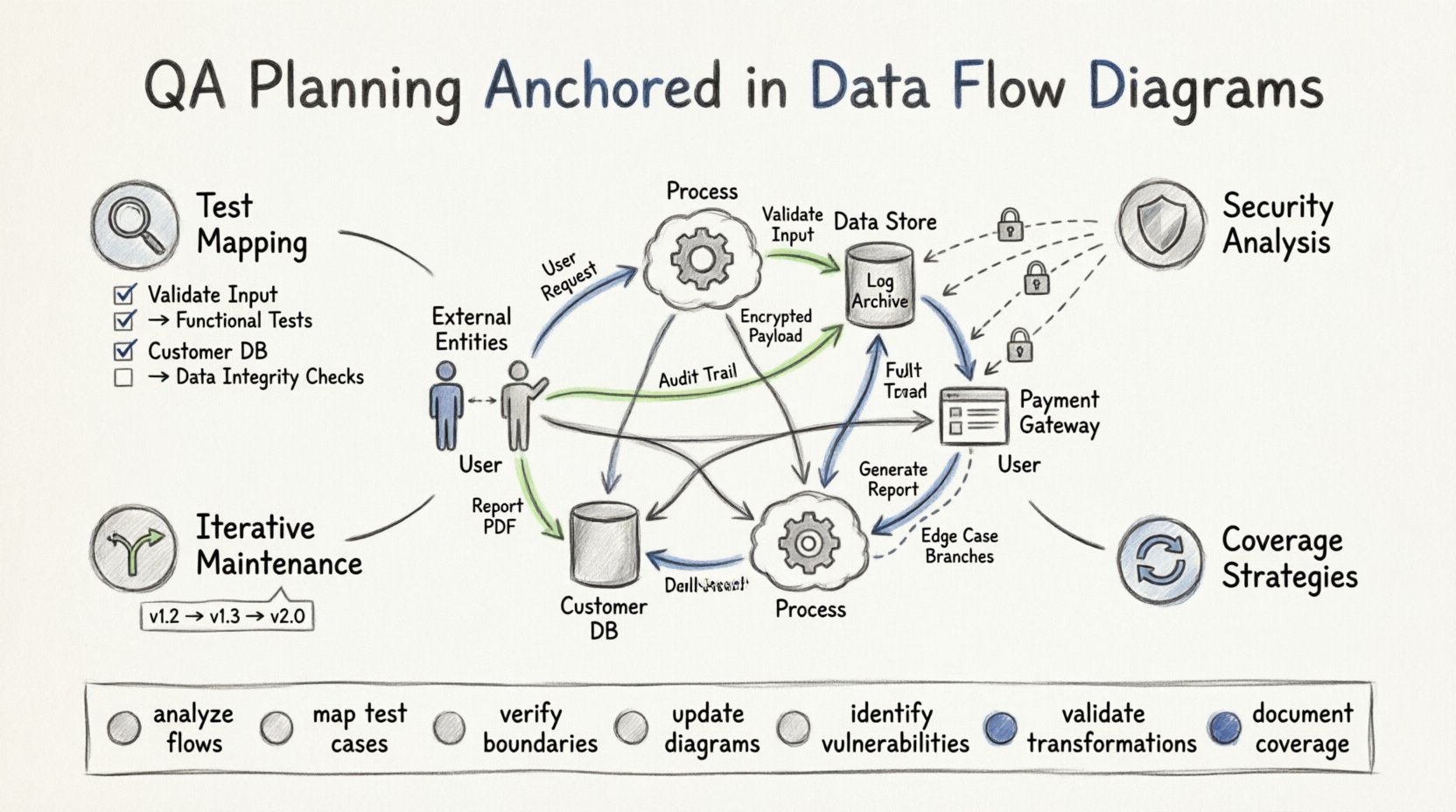
Foundations: Why DFDs Matter in QA 🧩
Quality assurance is often viewed as a phase that occurs after development. However, true quality begins with understanding the system architecture. A Data Flow Diagram is not just a design artifact; it is a logical model of the system behavior. It strips away physical implementation details to focus on the movement of data. This abstraction is crucial for testers.
When planning QA activities, you need to know where data enters, how it changes, and where it exits. DFDs answer these questions visually. They highlight the boundaries of the system and the dependencies between internal components. Here are the core reasons to prioritize DFDs in your planning:
- Visibility into Hidden Paths: DFDs reveal indirect data flows that might be missed in code reviews.
- Process Validation: They define the expected transformation of input into output.
- Boundary Definition: They clearly mark where the system ends and external entities begin.
- Data Store Integrity: They identify where data persists, requiring specific storage testing.
- Error Traceability: If data is corrupted, the diagram helps trace the origin of the fault.
Without this visual anchor, test cases often rely on surface-level requirements. This leads to gaps in coverage where data anomalies slip through. Anchoring your plan in DFDs ensures comprehensive coverage based on logical flow rather than just feature lists. 🎯
Deconstructing the DFD for Testing 🧐
To plan effectively, you must understand the specific components within a Data Flow Diagram. Each element represents a testing target. Let us break down the four primary components and their implications for quality assurance.
1. External Entities (Sources and Destinations) 🏢
External entities represent users, other systems, or organizations that interact with the software. In QA planning, these are your inputs and outputs.
- Input Validation: Every flow entering an entity requires validation checks. What happens if the data type is wrong?
- Permission Checks: Does the entity have the right to access this specific data flow?
- API Contracts: If the entity is another system, the data flow represents an interface contract.
2. Processes (Transformations) ⚙️
Processes are where data changes. They take input, apply logic, and produce output. This is the core logic of the application.
- Logic Verification: Ensure the transformation matches the business rules.
- Boundary Conditions: Test the limits of the process. What happens with empty data? What happens with massive data?
- Dependency Checks: Does Process A rely on the output of Process B?
3. Data Stores (Persistence) 🗄️
Data stores represent databases, files, or queues where information is saved. Quality assurance here focuses on consistency and security.
- Read/Write Access: Verify that only authorized processes can modify the store.
- Data Consistency: Ensure that updates do not corrupt existing records.
- Recovery: If the store fails, can the system recover the data state?
4. Data Flows (Movement) 🔄
Data flows are the arrows connecting the components. They represent the actual transmission of information.
- Format Compliance: Does the data maintain its structure during transit?
- Security: Is sensitive data encrypted while flowing?
- Latency: Does the flow meet performance requirements?
Mapping DFD Elements to Test Cases 📝
Once you understand the components, the next step is mapping them to specific QA activities. This ensures that no part of the diagram is left untested. The following table outlines the relationship between DFD elements and required testing actions.
| DFD Element | QA Focus Area | Key Testing Questions |
|---|---|---|
| External Entity | Interface & Access | Can the user authenticate? Is the input sanitized? |
| Process | Logic & Transformation | Does the calculation match the formula? Is output correct? |
| Data Store | Integrity & Storage | Is data saved correctly? Is it retrievable? |
| Data Flow | Transmission & Security | Is data encrypted? Is the format valid during transfer? |
| Decomposed Process | Sub-process Validation | Do sub-processes contribute correctly to the main goal? |
Using this matrix, you can generate a checklist for your test suite. If a row in the table is unchecked, you have a gap in your coverage. This method prevents the common issue where testers focus only on the happy path. They force you to consider the negative path as well.
Strategies for Data Flow Coverage 🕸️
Coverage in QA is not just about hitting lines of code. It is about hitting the logical paths defined in your DFD. There are specific strategies to ensure you cover the data movement comprehensively.
1. Path Coverage Testing
Trace every unique path from an external entity to a data store or back out to another entity. This involves creating test scenarios that follow the arrows in the diagram. If a process splits into two branches, you must test both branches. This ensures that conditional logic is verified.
- Start Point: Identify the entry point in the DFD.
- End Point: Identify the exit point or final data store.
- Branching: Map out decision points where the flow might diverge.
2. Data Transformation Validation
Processes transform data. You must verify that the transformation logic holds true throughout the system. This is often overlooked in high-level testing.
- Input/Output Matching: Compare the input data against the final output after processing.
- Intermediate States: Check data at intermediate data stores to ensure it hasn’t been altered incorrectly.
- Format Conversion: Verify that data types are converted correctly (e.g., string to integer, date formatting).
3. Error Propagation Analysis
What happens when data fails at a specific point? A DFD helps visualize where errors can occur and how they might propagate. You need to plan tests that introduce faults at various stages.
- Invalid Input: Send malformed data to a process. Does it fail gracefully?
- Missing Data: Remove a required field from a data flow. Does the system alert the user?
- Store Failure: Simulate a database unavailability. Does the process halt or retry?
Identifying Vulnerabilities via DFD Analysis 🔍
Security is a critical component of quality assurance. Data Flow Diagrams are excellent for spotting security weaknesses before code is even written. By analyzing the flow, you can identify where data might be exposed.
1. Unauthorized Access Points
Look for data flows that cross system boundaries without clear authentication. If a process reads from a sensitive data store, ensure the flow indicates a security check.
- Privilege Escalation: Can a low-level user trigger a high-level process?
- Direct Store Access: Ensure users cannot bypass processes and access data stores directly.
2. Data Leakage Risks
Identify where sensitive information (PII, financial data) flows. Ensure that these flows are marked for encryption or masking.
- Logging: Does the system log sensitive data flows? This should be prohibited.
- Third-Party Transfer: If data leaves the system, is it sent securely?
3. Denial of Service Vectors
Some data flows might be susceptible to volume attacks. If a process consumes large amounts of data, it could be a vector for resource exhaustion.
- Load Testing: Simulate high-volume data flows on critical processes.
- Queue Management: Ensure data stores can handle spikes in incoming flows.
Iterative Refinement and Maintenance 🔄
Software is not static. As requirements change, the system changes. Your DFD must evolve alongside the application. Static diagrams lead to outdated test plans. QA planning anchored in DFDs requires a maintenance strategy.
1. Version Control for Diagrams
Treat your DFDs as code. They need versioning. When a process changes, the diagram updates, and the test plan updates. This ensures alignment between design and testing.
- Change Logs: Record every modification to the DFD.
- Impact Analysis: When a change occurs, identify which test cases are affected.
- Review Cycles: Schedule regular reviews of the DFD against the current codebase.
2. Integration with Development Cycles
DFDs should be part of the development workflow, not just a documentation exercise. They help developers understand the testing expectations.
- Early Feedback: Developers can spot logical gaps in the flow before coding.
- Shared Understanding: QA and Dev teams use the same visual language.
- Documentation Sync: User manuals and technical docs should reference the current DFD.
3. Handling Complex Systems
For large systems, a single DFD is rarely enough. You will likely need a hierarchy of diagrams (Context, Level 0, Level 1).
- Context Diagram: Defines the system boundary for high-level testing.
- Level 0 Diagram: Breaks down the main processes for functional testing.
- Level 1 Diagram: Details sub-processes for unit testing and integration testing.
Using this hierarchy allows you to scale your QA planning. You do not need to test every detail in one pass. You can plan high-level integration tests first, then drill down into specific flows.
Common Pitfalls in DFD-Based QA Planning ⚠️
Even with a solid plan, teams can stumble. Being aware of common mistakes helps you avoid them.
- Over-Complexity: A DFD with too many nodes becomes unreadable. Keep it clean and focused on data, not control logic.
- Ignoring Control Flows: DFDs focus on data, but control signals matter. Ensure your testing accounts for state changes not shown in the flow.
- Static Mindset: Assuming the diagram never changes. Adaptability is key to modern QA.
- Skipping External Entities: Testing internal processes is useless if the external inputs are invalid. Always test the boundaries.
- Assuming Perfect Data: Real-world data is messy. Your tests must reflect dirty, incomplete, or duplicate data flows.
Building a Robust QA Framework 🏗️
Integrating DFDs into your quality assurance process creates a framework that is resilient and scalable. It moves the conversation from “does this feature work?” to “does the data move correctly?”. This distinction is vital for complex systems where data integrity is the primary value proposition.
Start by auditing your current documentation. If you do not have DFDs, begin creating them. Involve your stakeholders. Architects, developers, and testers should all contribute to the accuracy of the diagram. This collaboration ensures that the map is accurate and the testing plan is reliable.
Remember that the goal is not perfection in the diagram, but clarity in the plan. A simple diagram with clear boundaries is better than a complex one with ambiguity. Use the DFD to drive your test case generation, your risk assessment, and your security reviews. By anchoring your QA efforts in the flow of data, you ensure that the system performs as intended under all conditions. 🚀
Summary of Key Actions 📋
- Analyze every data flow for format and security compliance.
- Map test cases directly to DFD processes and stores.
- Verify boundary conditions at external entities.
- Update the diagram whenever the system architecture changes.
- Use the diagram to identify potential security vulnerabilities.
- Ensure all data transformations are validated logically.
- Document the rationale for test coverage based on the flow.
Adopting this structured approach elevates the reliability of your software. It provides a clear line of sight from requirement to execution. When your quality assurance is built on the foundation of data flow, you build systems that are not just functional, but trustworthy. Trust is the ultimate currency in software, and data integrity is the proof of that value. 💡