


The C4 Model has become a widely accepted way to document software architecture because it delivers something most teams struggle with: a clear, layered, and scalable way to describe complex systems without overwhelming detail. Instead of relying on one giant diagram, the C4 approach breaks architecture into four interconnected levels that reveal the right amount of information at the right time.
This article focuses on the relationship between the four C4 levels—Context, Containers, Components, and Code—and how they work as a structured ecosystem. It provides a high-level understanding of why C4 matters, how the four diagrams complement one another, and when the model helps you communicate architecture more effectively.
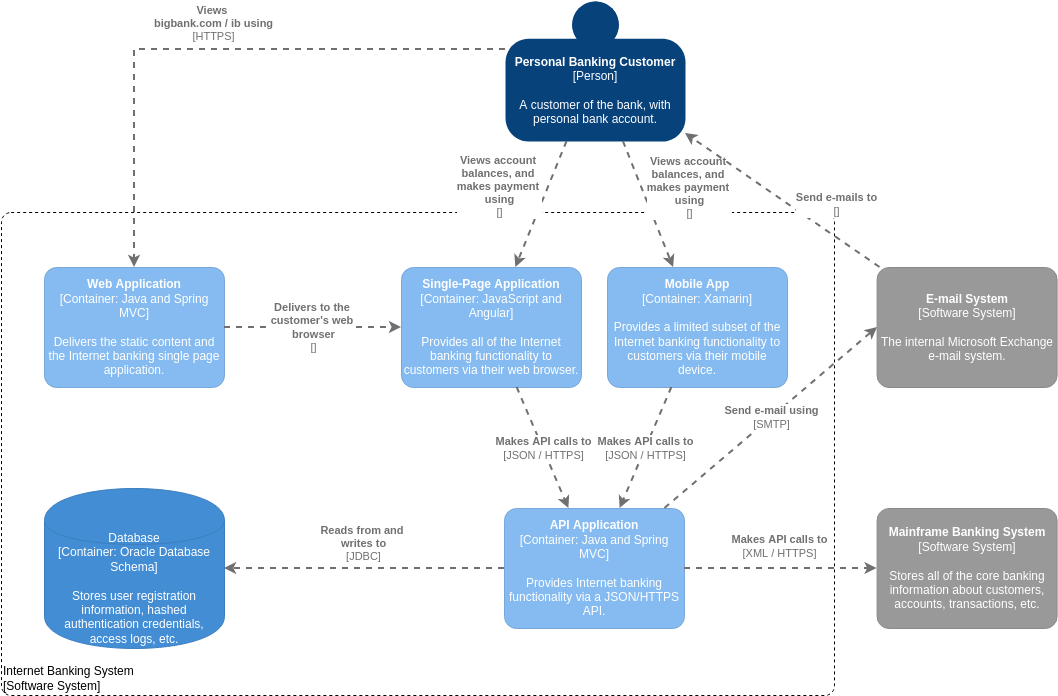
Why the C4 Model Is Designed as a Layered Structure
Instead of treating architecture as a single picture, C4 spreads information across four levels so that each audience sees only the detail they need. This prevents confusion, keeps documentation maintainable, and ensures a natural flow from strategic understanding to technical detail.
The Layered Logic Behind C4
- Start with broad relationships (Context)
- Move into system structure (Containers)
- Zoom into internal organization (Components)
- Finish with code-level detail (Code)
Each level becomes the foundation for the next. This “zooming in” approach makes complex systems easier to teach, analyze, and maintain.
How the Four Levels Connect to Each Other
Instead of thinking about four separate diagrams, imagine a single architectural story that unfolds gradually:
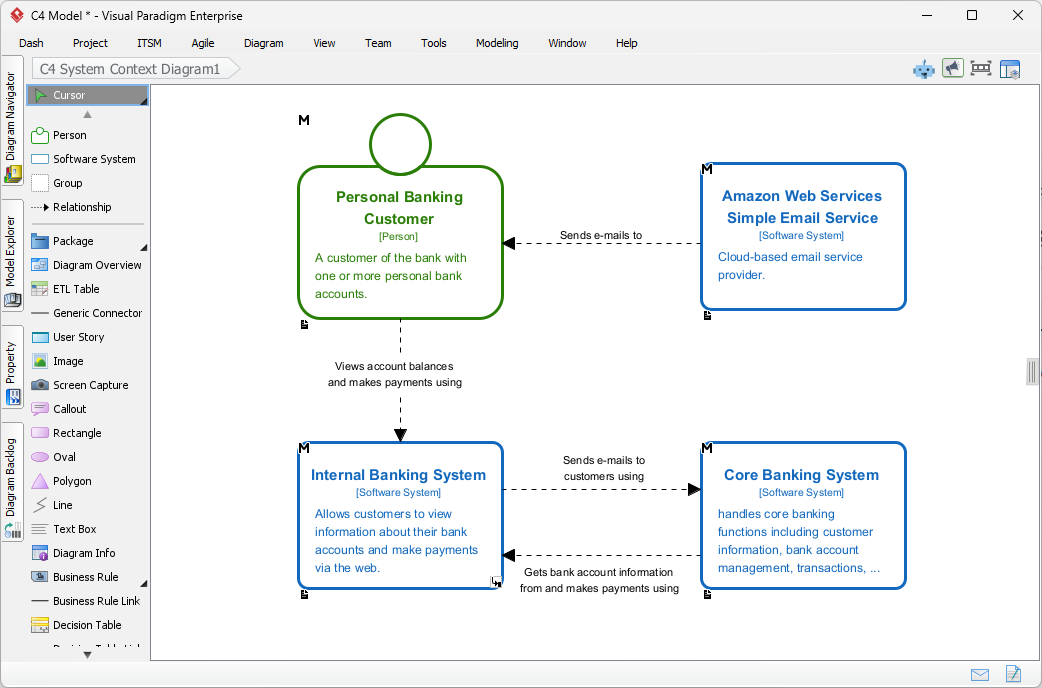
1. Context Defines the System’s Place in the World
The Context level explains what the system is and who or what it interacts with.
It sets the stage for everything that follows. Without this clarity, deeper diagrams lose meaning. (Note : The image being is prepared with Visual Paradigm’s C4 modeling software tool)
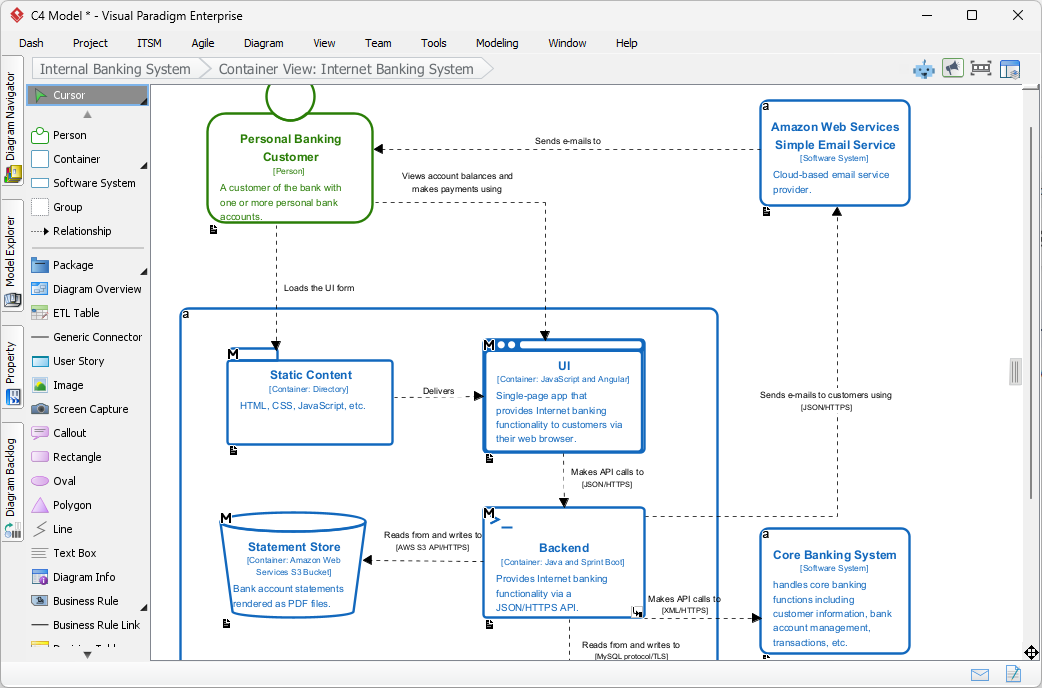
2. Containers Explain How the System Works at a High Level
Once the environment is clear, the model transitions into the internal structure of the system.
The Container level shows how the system is divided into applications, services, databases, or interfaces, and how these units communicate.
This level is directly constrained by what the Context diagram defines.
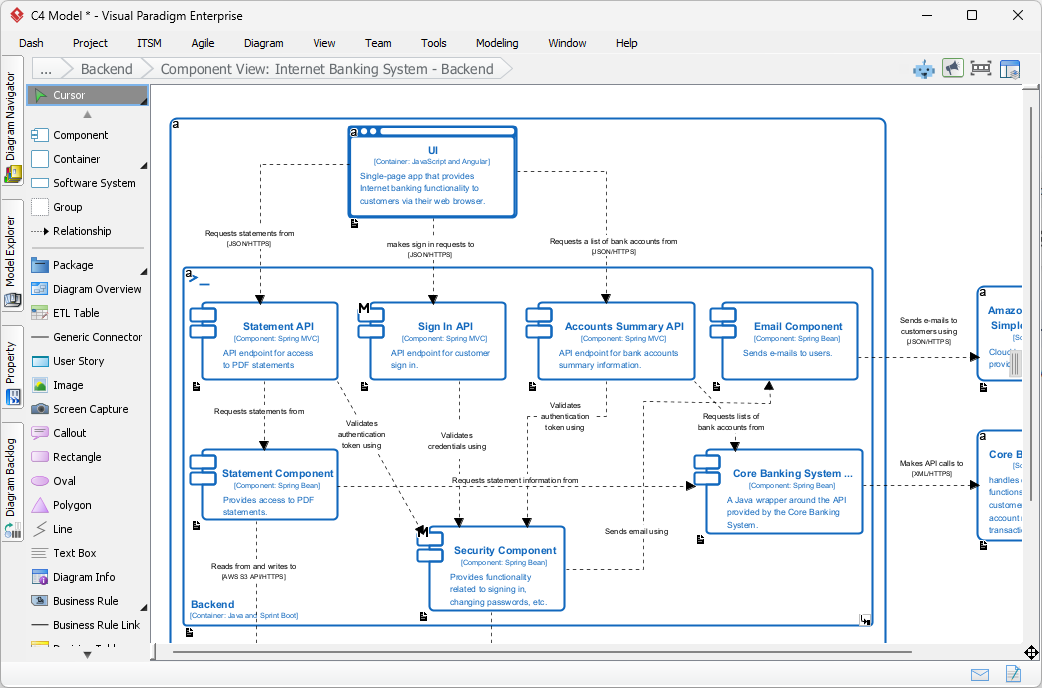
3. Components Reveal the Internal Shape of Each Container
Containers are high-level; Components show the detailed responsibilities inside one container.
Every Component diagram answers the question:
“How is the logic inside this container organized?”
This creates a smooth transition from system architecture to developer-oriented structure.
4. Code Diagrams Show the Implementation Behind a Component
The Code level is where abstractions become actual classes, interfaces, or functions.
It translates Component-level concepts into the real implementation that developers work with.
This final level is optional, because code changes frequently, but when needed, it ties architecture directly to the software itself.
Why C4 Works: Consistency Across Audiences
Each level is designed with a specific audience in mind:
| Level | Audience | What They Need |
|---|---|---|
| Context | Stakeholders, business teams | A big-picture understanding |
| Containers | Architects, senior developers | System structure and technology choices |
| Components | Developers | Module-level organisation |
| Code | Developers | Detailed implementation clarity |
This layered audience alignment is one of the biggest reasons C4 succeeds.
It prevents everyone from being forced into the same overly complex chart.
How C4 Improves Communication in Real Projects
1. Helps teams avoid “one giant diagram” confusion
Without C4, many architecture diagrams cram everything together.
C4 encourages separation so that complexity is introduced gradually.
2. Supports discussions at different technical levels
- Executives can discuss the Context diagram.
- Architects reference the Container diagram.
- Developers focus on Components and Code.
This enables productive conversations without losing alignment.
3. Provides a roadmap for onboarding new team members
- New developers often feel lost when joining a large project.
- C4 provides a structured way to understand the system step by step.
4. Improves documentation maintainability
- Lower-level diagrams can change without affecting top-level ones.
- This reduces the burden of keeping everything updated.
How the C4 Model Fits a Modern Technology Stack
The C4 Model is flexible enough to describe any architecture:
- Monoliths
- Microservices
- Serverless systems
- Cloud-native platforms
- Hybrid environments
Because each level is independent but connected, the model adapts as your system grows or shifts.
Tools like Visual Paradigm Online make it easier to keep these related diagrams aligned.
For example, AI Diagram generation in Visual Paradigm Online can produce consistent shapes, vocabulary, and relationships across all levels, helping maintain a single architectural narrative even when diagrams are created at different times.
How C4 Diagrams Support Continuous Development Practices
In agile and DevOps environments, architecture evolves continuously. C4 supports this by:
- Keeping the high-level picture stable
- Allowing lower-level diagrams to adapt easily
- Making code-level documentation optional or auto-generated
- Encouraging tight feedback loops between architecture and implementation
This makes C4 a practical model rather than a theoretical one.
Frequently Asked Questions About C4 as a Whole
1. Do I need to create all four C4 diagrams?
Not always. Many teams focus on Context and Container diagrams. Component and Code diagrams are created only when needed.
2. Should each level use the same notation?
Yes. Consistency is part of C4’s strength. Using the same symbols and labeling conventions across all levels makes the narrative easy to follow.
3. How does C4 compare to UML?
C4 is simpler and more architecture-focused. UML offers many diagram types, while C4 focuses on just four hierarchical views. Many teams use UML for the code-level detail underneath C4 Components.
4. Can I build C4 diagrams in Visual Paradigm?
Yes. You can create all four levels, keep them visually consistent, and generate them using AI. Here are the C4 toolset offered by Visual Paradigm:
- Visual Paradigm Online
- AI Chatbot for C4 Diagram Generation
- AI-Powered C4 PlantUML Studio
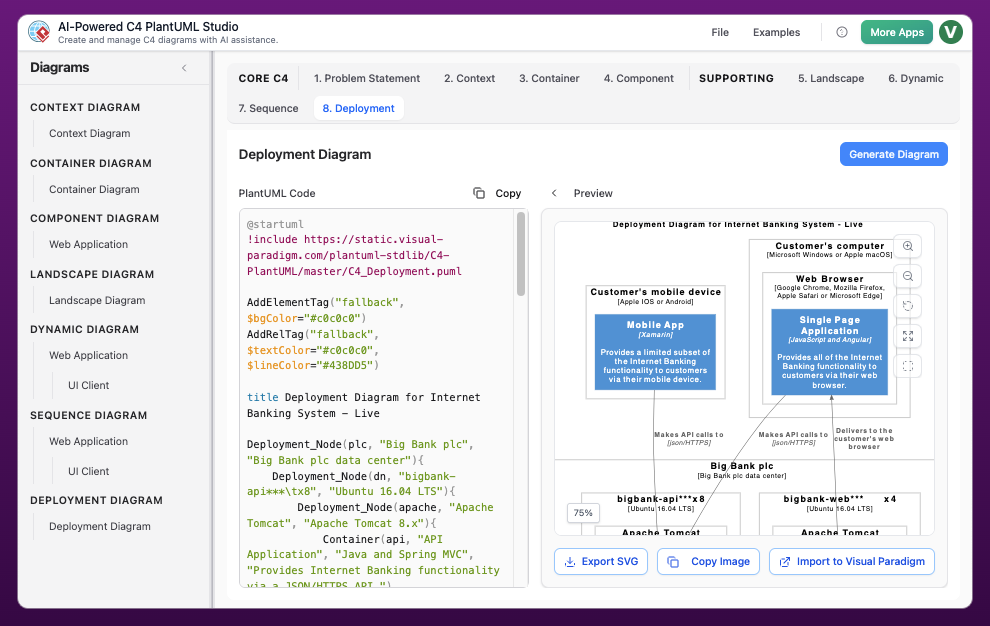
- Visual Paradigm
- C4 Modeling Tool
- AI C4 diagram generator
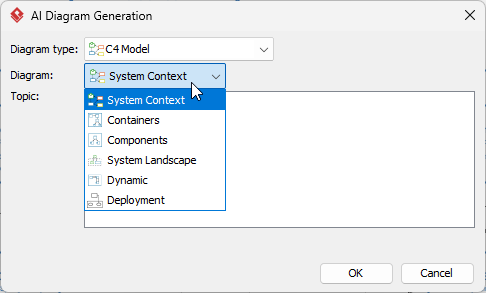
You can learn more about Visual Paradigm’s C4 solution by visiting here.
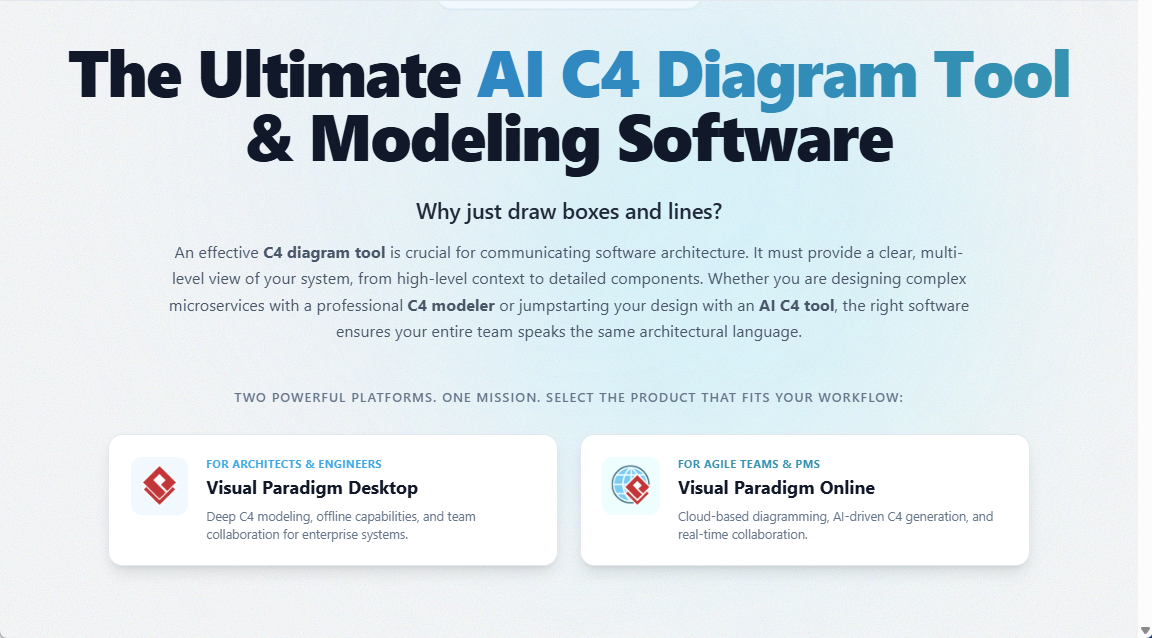
This helps you maintain the relationships across levels without manual rework.
Final Thoughts
The C4 Model thrives because it treats architecture as a story told in four chapters, not a chaotic mass of symbols. Its strength lies in the relationships between levels:
- Context frames the problem
- Containers describe the architecture
- Components organize functionality
- Code implements the logic
Together, they provide a complete, multi-level view of any software system. This approach improves clarity, communication, onboarding, collaboration, and long-term maintainability.