


For decades, UML has been the standard for describing software systems. It offers a rich set of diagram types, supports formal modeling, and provides a detailed view of system structure and behavior. However, as software teams have become more agile, distributed, and fast-moving, UML’s complexity and maintenance overhead have become increasingly challenging.
This shift has led many modern teams to adopt the C4 Model, a simpler and more scalable approach to architecture documentation. Rather than discarding UML entirely, C4 focuses on the big picture and provides a clear hierarchy of views, while still allowing UML to fill in the details when deeper modeling is needed.
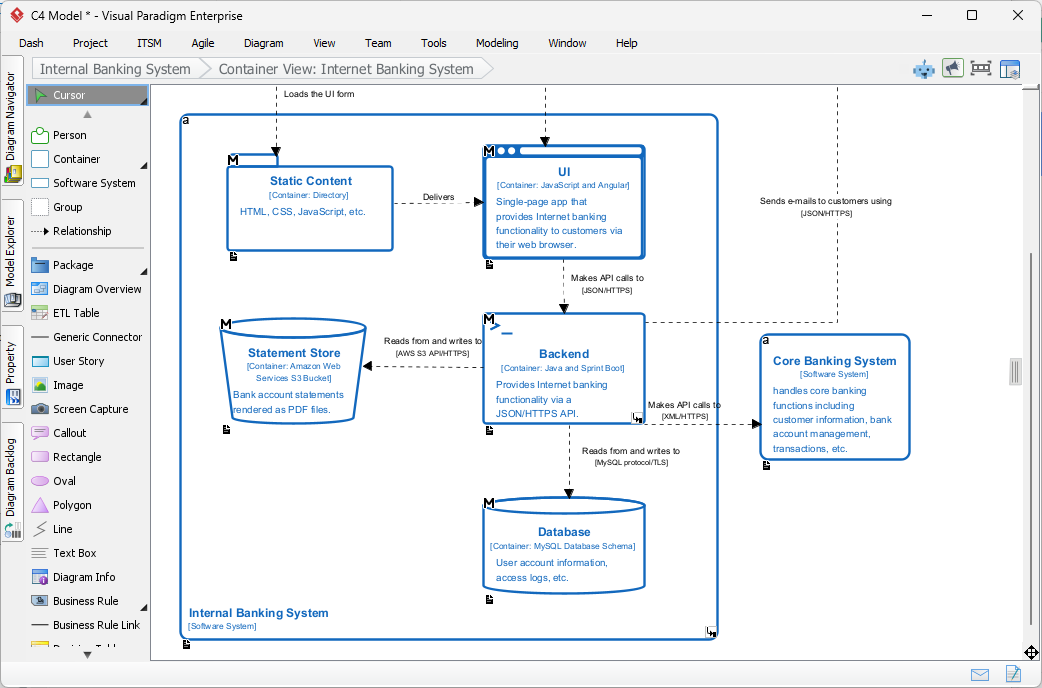
This article explores how C4 and UML relate, where they complement each other, and why C4 is sometimes preferred as a replacement for traditional modeling—especially for high-level architecture work.
Why Comparing C4 and UML Matters Today
Software development has evolved.
Teams today need documentation that is:
- Easy to understand
- Easy to maintain
- Aligned with agile workflows
- Helpful for onboarding
- Useful for cross-team communication
UML still offers value, but its complexity and formality can slow teams down. C4 fills this gap with a lightweight, audience-friendly approach focused on clarity before detail.
C4 Is Not Meant to Replace UML Entirely—But It Often Replaces UML for Architecture
UML contains more than a dozen diagram types. Many of them attempt to model every aspect of a system:
- Class diagrams
- Sequence diagrams
- Activity diagrams
- Deployment diagrams
- State machine diagrams
- Component diagrams
- And more…
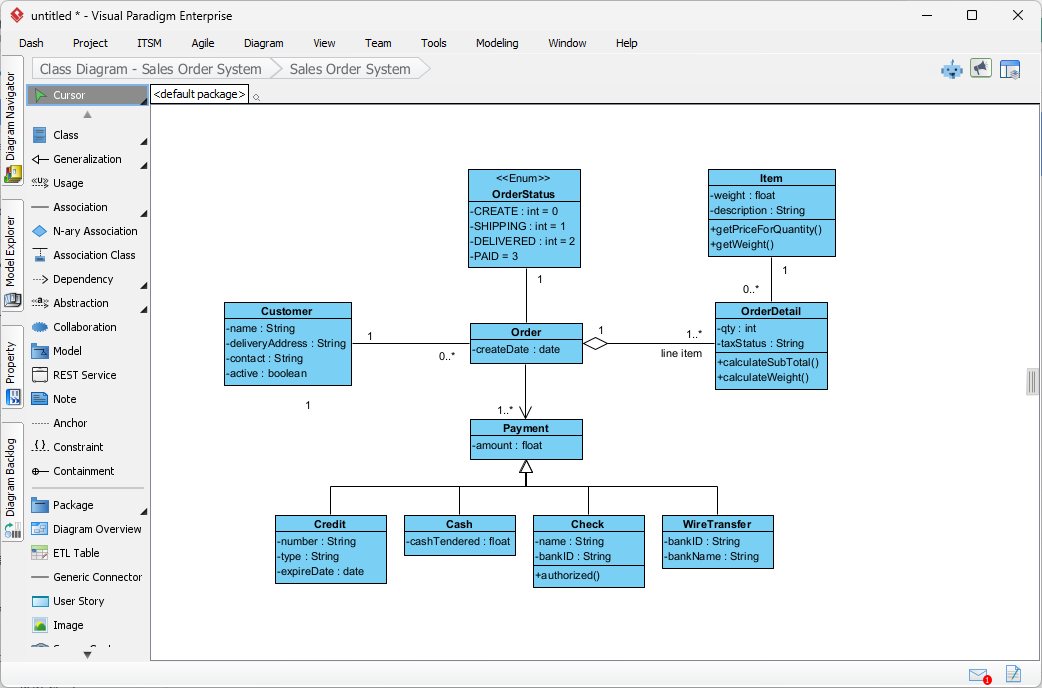
The breadth is powerful—but also overwhelming.
C4 was created specifically to simplify the architecture layer by defining only four views:
- System context
- Containers
- Components
- Code
This makes C4 an excellent replacement for high-level UML diagrams like:
- UML Component Diagrams
- UML Package Diagrams
- UML Deployment Diagrams
- High-level Class Diagrams
Teams get the clarity they need without the complexity they do not.
How the C4 Model Complements UML
While C4 excels at architecture, UML remains valuable for modeling behavior.
1. C4 handles structure; UML handles behavior
C4 focuses on “what the system is made of.”
UML is strong at describing “how things behave,” particularly through:
- Sequence diagrams
- State machine diagrams
- Activity diagrams
A common workflow is:
- Use C4 for system and design discussions.
- Use UML when behavior, workflow, or state transitions need precise definition.
2. C4 creates a roadmap that UML diagrams can plug into
UML diagrams can exist independently, but they often lack a clear place within the system hierarchy.
C4 provides a navigational structure.
Once you identify a container or component in C4, you can attach a UML behavior diagram to it for detailed modeling.
3. C4 simplifies communication for non-technical stakeholders
Many non-engineers struggle with UML’s notation and syntax.
C4 diagrams are:
- Simpler
- More visual
- More intuitive
- Easier to explain in meetings
UML can remain in use internally for engineering discussions.
Why Teams Move Away From UML Toward C4 for Architecture
1. UML is comprehensive but too heavy for everyday work
It is excellent for formal modeling, but most agile teams do not need that level of formality on a daily basis.
2. UML diagrams are time-consuming to maintain
Because they often mirror low-level structure, they become outdated quickly as code evolves.
C4 decouples high-level diagrams from code structure, making them easier to keep up to date.
3. UML is difficult for newcomers to understand
New developers can read a C4 model much faster than a UML class diagram or a complex sequence diagram.
4. C4 aligns well with modern tooling and AI
AI tools and cloud-based diagramming platforms can generate and update C4 diagrams more reliably because the structure is simpler and more predictable.
This is why many teams using Visual Paradigm Online rely on AI to generate:
- Context diagrams
- Container diagrams
- Component diagrams
Then add UML diagrams only when deeper detail is truly necessary.
When C4 Should Replace UML
C4 is often used instead of UML when you need to:
- Communicate architecture across teams
- Onboard new developers quickly
- Create documentation for non-technical audiences
- Support agile development where speed matters
- Avoid UML’s steep learning curve
- Maintain diagrams over long product cycles
For many organizations, C4 completely replaces UML for high-level architecture planning.
When UML Is Still Valuable
UML remains the preferred choice when:
- You need precise behavioral modeling
- Regulatory standards require formal documentation
- You are designing complex object-oriented systems
- Engineering teams want highly detailed specifications
- Sequence timing or state transitions matter
C4 does not attempt to replicate these functions.
C4 + UML: The Best of Both Worlds
Instead of thinking in terms of “C4 vs UML,” many teams find that the two approaches complement each other extremely well.
A practical workflow:
- Use C4 to explain the system architecture clearly.
- Drill down with UML for areas that require behavioral or implementation detail.
- Use AI diagramming tools to keep both synchronized and up to date.
The result:
Clean architecture clarity with detailed modeling where it matters.
Final Thoughts
C4 and UML serve different—but complementary—purposes in software design.
C4 simplifies the architecture layer and creates a clear narrative about how a system is structured. UML enriches that narrative by providing the behavioral and implementation details that C4 intentionally avoids.
Used together, they form a complete documentation ecosystem that is understandable, maintainable, and scalable for modern software teams.
Looking for a C4 Modeling Tool?
Visual Paradigm features a C4 modeling tool as well as a bunch of C4 supporting toolset. Download Visual Paradigm and try it free. Or learn more about Visual Paradigm’s comprehensive C4 solution.