


Are you tired of manually writing up detailed descriptions for your use case diagrams? The Use Case Diagram Report Generator from Visual Paradigm is an AI-powered tool that transforms your PlantUML code into a structured, comprehensive textual report in seconds. This online tool streamlines the process of documenting system functionality, making it easier for business analysts, project managers, and software architects to create consistent, high-quality specifications. By simply inputting your PlantUML code, you can generate a detailed Markdown report that explains actors, use cases, and their relationships, all derived directly from your visual model. This saves significant time and ensures your documentation is always up-to-date with your diagrams.
Quick summary
-
Generate a detailed textual report from your PlantUML use case diagram in two simple steps.
-
Get an AI-powered analysis of actors, use cases, and their relationships.
-
Receive a structured Markdown document ready for export and integration.
-
See your diagram visually rendered in real-time as you input the code.
-
Use the tool to document new systems, validate existing diagrams, or share information with stakeholders.
How the Use Case Diagram Report Generator Works
The process is designed to be simple and intuitive, guiding you through a clear 2-step workflow. The first step, shown in:
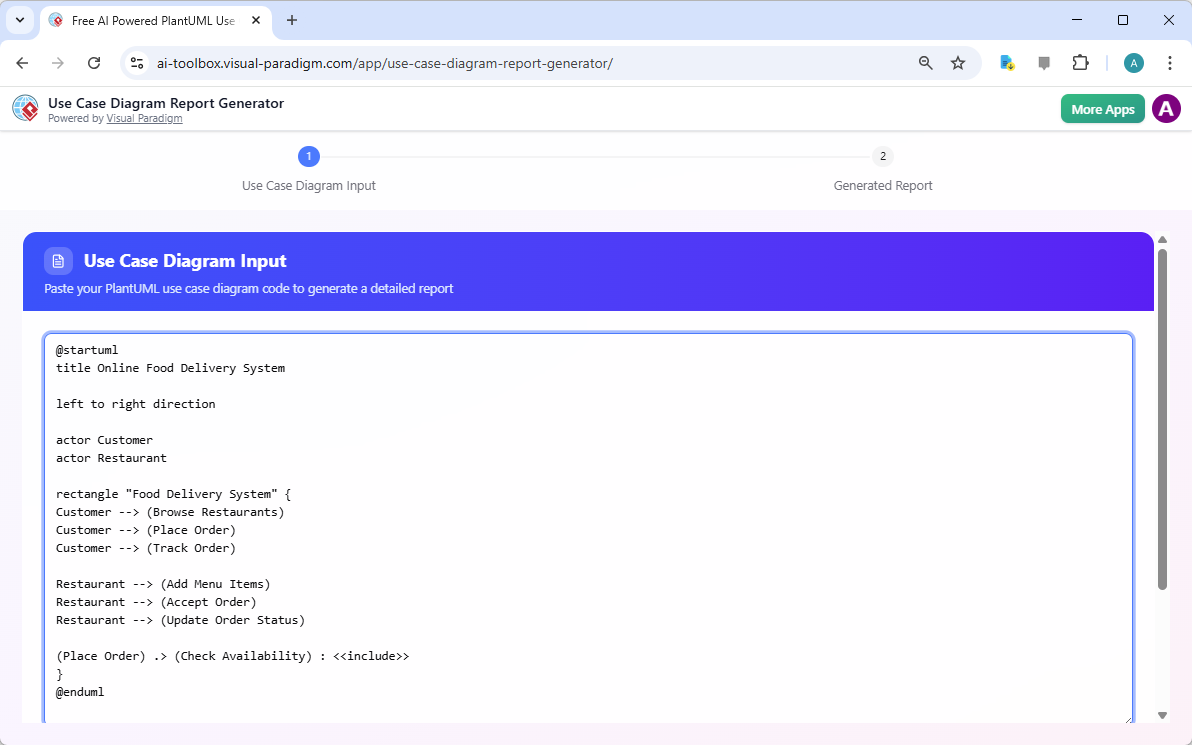
It is the “Use Case Diagram Input” section. Here, you paste your PlantUML code into a text area. The tool immediately renders a live, visual preview of your diagram on the right side, allowing you to verify that your code is correct and the diagram is rendering as expected. For example, the image shows a diagram for an “Online Food Delivery System” with actors like “Customer” and “Restaurant” and use cases such as “Browse Restaurants” and “Place Order.” This real-time feedback is a key feature that prevents errors before the report is generated.
Once you have your diagram input ready, the second step, displayed in:
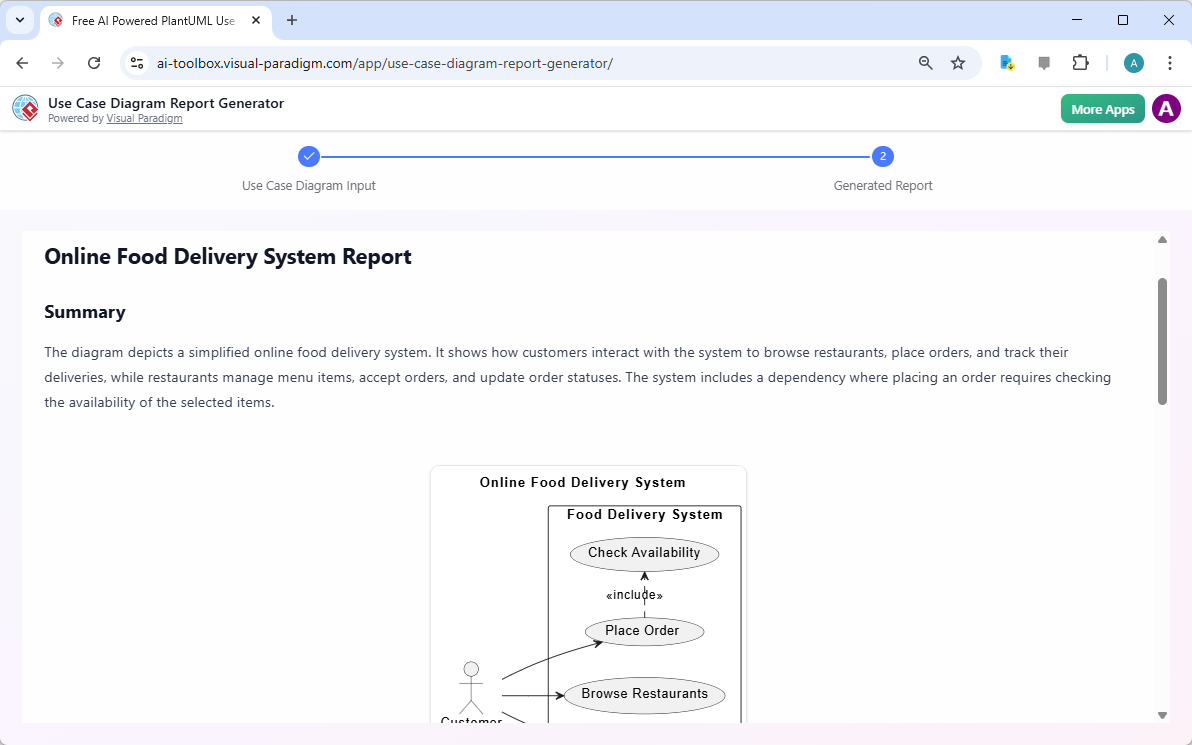
It is the “Generated Report” section. After clicking the “Generate with AI” button, the tool analyzes your PlantUML code and produces a comprehensive report. The report includes a summary of the system, a list of actors and use cases, and details on their relationships. In the example, the report clearly explains the interactions between customers and restaurants, highlighting that placing an order depends on checking availability. The final output is a well-structured Markdown document that you can easily export and use in your project documentation.
Key Features and Benefits
The AI-powered report generator offers several key features that make it a valuable tool for any team working with UML diagrams. The core benefit is the ability to automate documentation, which eliminates the tedious and error-prone task of writing reports by hand. The AI ensures that the report is consistent and complete, covering all the elements in your diagram. This is especially useful for complex systems where manual documentation can easily miss details.
Another major advantage is the structured 2-step workflow. This guided process ensures that users don’t get lost in a complex interface. The live preview in the first step provides immediate visual confirmation, while the second step delivers a polished, ready-to-use report. The tool also includes a “Load Sample” button, which helps new users understand the required input format by providing a working example. This makes the tool accessible even to those who are new to PlantUML.
Who Can Benefit from This Tool?
This tool is designed for a wide range of professionals who need to document system functionality. Business Analysts can use it to quickly generate detailed textual documentation from their use case diagrams, enhancing their requirements specifications. Project Managers can produce clear reports for project documentation and stakeholder communication. Software Architects can automatically translate their visual designs into structured text, supporting the development process. Even students and educators can use it as a learning tool to understand how to document use case diagrams.
For anyone who needs to share system functionality with non-technical stakeholders, the ability to export the report as a Markdown file is invaluable. Markdown is a simple, widely supported format that can be easily converted to PDF or HTML, making it easy to share and integrate into various documentation systems. This ensures that everyone, regardless of their technical background, can understand the system’s functionality.
Getting Started with the Use Case Diagram Report Generator
Using the tool is straightforward. First, launch the application and navigate to Step 1: Use Case Diagram Input. You can either type or paste your PlantUML code into the text area. As you type, the live preview will render your diagram. If you’re unsure about the syntax, click the “Load Sample” button to see a working example. Once your code is ready, click “Generate with AI.” The tool will process your diagram and advance to Step 2, where you can review the generated Markdown report. Finally, click “Export Markdown” to save the report as a `.md` file on your computer.
For those who want to learn more about the tool, its features, and best practices, you can visit the official documentation at https://ai.visual-paradigm.com/tool/use-case-diagram-report-generator/.
Ready to streamline your documentation process? Try the Use Case Diagram Report Generator today and experience the power of AI-driven documentation. Start using it now.
Related Links
-
Free AI Use Case Diagram Report Generator – Visual Paradigm AI: Transform PlantUML use case diagrams into detailed, structured reports instantly with our free AI-driven tool. Input your code, generate with AI, and receive a comprehensive analysis in one click. Try it now!
-
What is a Use Case Diagram Report Generator and Why You Need One: The Use Case Diagram Report Generator is just one of the many AI-powered tools available in Visual Paradigm . We’re committed to providing you with the most advanced and user-friendly modeling software on the market.
-
Mastering the Use Case Diagram Report Generator – Visual Paradigm Guides: Conclusion The Use Case Diagram Report Generator simplifies the creation of detailed reports from PlantUML diagrams , making it an essential tool for system analysis and documentation. With its intuitive interface, real-time previews, and AI-powered analysis, it empowers users to produce professional reports efficiently.
-
Free AI Use Case Diagram Report Generator – Visual Paradigm Product Updates: The Use Case Diagram Report Generator provides the automated assistance you need to create clear, complete, and consistent textual reports from your visual models, accelerating your analysis and improving communication. Learn More: Discover more about the Use Case Diagram Report Generator and how it can enhance your system documentation process.
-
Free AI Powered PlantUML Use Case Diagram Report Generator: Transform PlantUML use case diagrams into detailed, structured reports instantly with our free AI tool. Input your code, generate with AI, and receive a comprehensive analysis in one click. Try it free now!
-
Free AI Use Case Description Generator – Visual Paradigm AI: Generate detailed and professional use case descriptions and diagrams with the free AI-Powered Use Case Description Generator in Visual Paradigm Online.
-
Comprehensive Guide: Generating Reports from Use Case …: The Use Case Diagram Report Generator by Visual Paradigm is an AI-powered tool that automates this process, transforming PlantUML use case diagrams into structured, detailed reports .