
Mastering Flowcharts with Visual Paradigm: The Universal Language of Process Logic
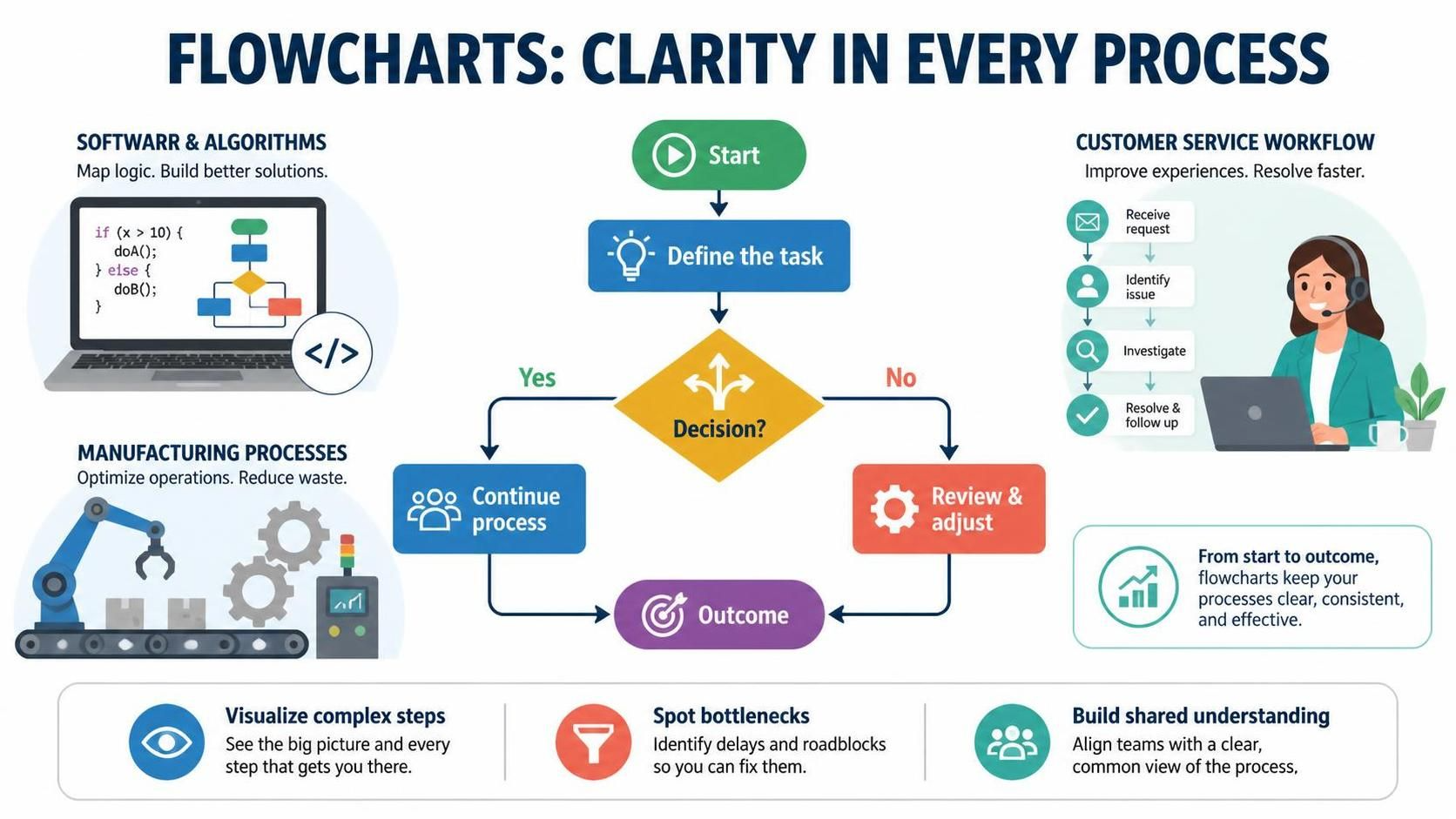
In today’s fast-paced business and technical environments, clarity is king. Whether you are designing a complex software algorithm, mapping out a customer service workflow, or optimizing a manufacturing assembly line, the ability to visualize steps clearly can be the difference between success and confusion. This is where flowcharts come in.
A flowchart is more than just a diagram; it is a universal language of logic and process. Originating from computer science as a tool for representing algorithms, flowcharts have evolved into essential instruments for business analysis, project management, and operational efficiency. They help teams visualize complex processes, identify bottlenecks, and ensure everyone shares a common understanding of how work gets done.
This guide walks you through the fundamental components of flowcharts, their applications across different industries, and how to model them effectively.
Why Flowcharts Are Essential for System Architecture
Flowcharts serve as the blueprint for understanding how data or materials move through a system. Unlike static diagrams, flowcharts capture dynamics—the flow of control, decision points, and potential loops.
1. Software & Algorithms
In computer science, flowcharts are used to map the logic of a program before it is written. They allow developers to visualize branching logic (if/else statements) and loops (for/while) visually.
Consider a simple logic structure used in software development:
if (x > 10) {
    doA();
} else {
    doB();
}
In a flowchart, this translates to a decision diamond that splits the flow into two distinct paths based on the value of x. This visual representation helps identify logical errors or “dead ends” in the code logic before a single line of code is typed.
2. Manufacturing Processes
In industrial settings, flowcharts are critical for Lean Six Sigma methodologies. They help engineers visualize the entire production line to spot inefficiencies. By mapping out every step, manufacturers can identify bottlenecks where inventory piles up or where waste (time, material, or motion) is generated.
3. Customer Service Workflows
For service-oriented industries, flowcharts standardize the customer journey. A typical workflow might look like this:
- Receive Request: The trigger for the process.
- Identify Issue: Analyzing the nature of the problem.
- Investigate: Deepening the analysis.
- Resolve & Follow Up: Closing the loop.
By visualizing this path, businesses ensure that every agent follows a consistent protocol, improving the overall customer experience.
The Anatomy of a Flowchart
Every flowchart, regardless of its complexity, relies on a set of standard symbols to communicate meaning. Here is how the central logic in the diagram you provided is constructed:
Terminators (Start/End)
Represented by rounded rectangles (or ovals), these mark the entry and exit points of the process. In the image, the green shape labeled Start indicates where the workflow begins.
Process Steps
Standard rectangles represent a specific action or operation. The blue box labeled Define the task is a process step where the user performs a specific action.
Decision Points
The diamond shape is the heart of logic in a flowchart. It represents a question that requires a “Yes” or “No” answer. In the central diagram, the yellow diamond labeled Decision? splits the flow. This is the critical moment where the system determines the next path.
Connectors and Flows
Arrows connect the shapes, showing the direction of the process flow. Notice how the “Yes” path leads to “Continue process” while the “No” path leads to “Review & adjust.”
Best Practices for Designing Impactful Diagrams
To create professional, impactful flowcharts, you must adhere to a few key principles of system architecture modeling:
- Keep it Linear but Logical: Even if the process has loops, try to keep the flow moving from top to bottom or left to right to maintain readability.
- One Entry, One Exit: For any given shape (especially decision diamonds), ensure there is a clear path forward for every possible outcome.
- Visual Hierarchy: Use color coding to distinguish between different types of actions (e.g., blue for process, red for review/stop, green for start).
Conclusion: From Start to Outcome
Flowcharts are not just for computer scientists; they are a vital tool for anyone involved in process optimization. From the manufacturing floor to the software development lifecycle, they provide a shared vocabulary that aligns teams.
By mastering the symbols and logic presented here, you can:
- Visualize complex steps: See the big picture and every step that gets you there.
- Spot bottlenecks: Identify delays and roadblocks so you can fix them.
- Build shared understanding: Align teams with a clear, common view of the process.
Whether you are optimizing operations to reduce waste or improving experiences to resolve issues faster, flowcharts keep your processes clear, consistent, and effective.