
Mastering UML Class Diagrams with VPasCode: A Deep Dive into Multiplicity and Associations
In modern software development, visualizing system architecture is as crucial as writing the code itself. While traditional drag-and-drop modeling tools are powerful, the industry is increasingly shifting toward Diagram-as-Code workflows. This approach allows developers to define complex system models using simple text scripts, version control them alongside source code, and generate diagrams automatically.
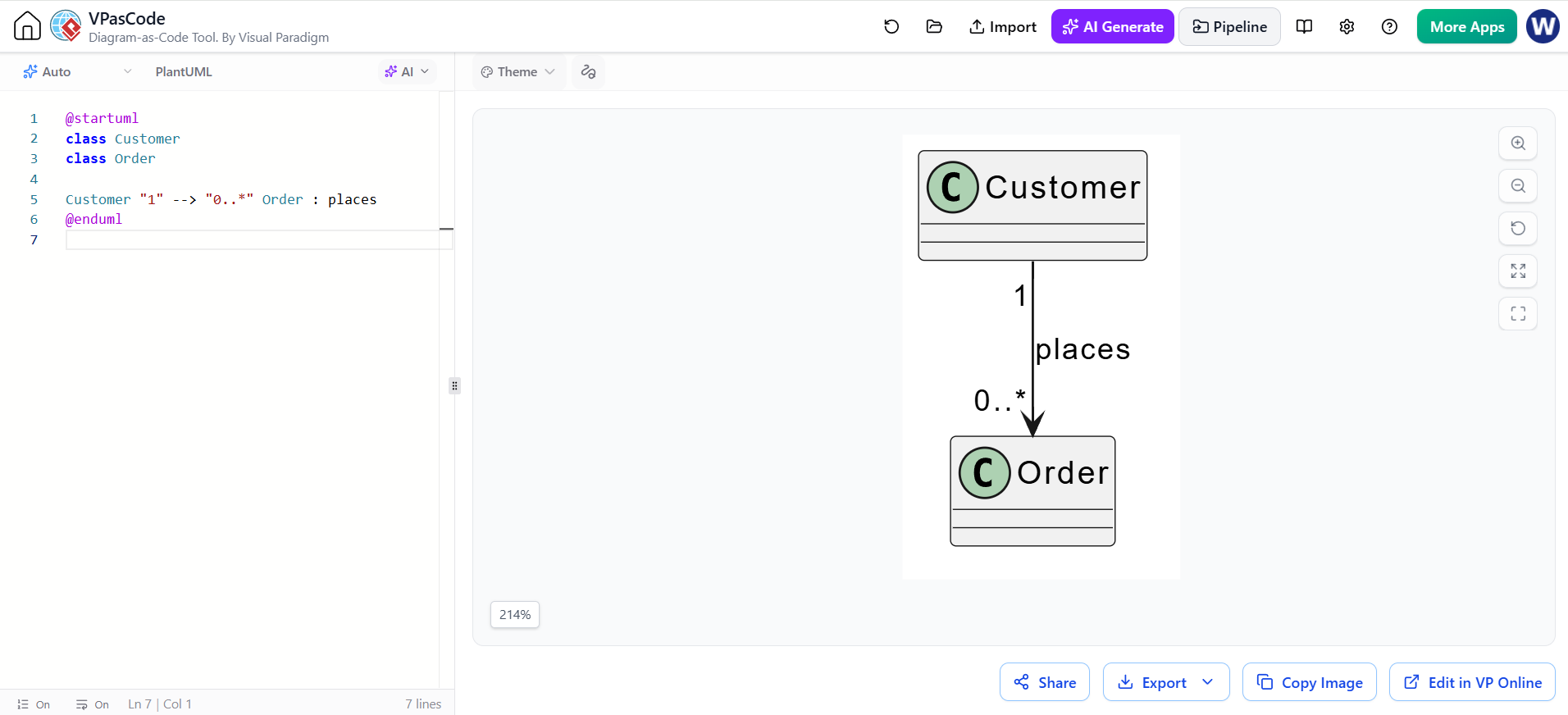
This tutorial explores the core concepts of UML Class Diagrams using the VPasCode tool (Visual Paradigm). We will analyze a specific scenario: modeling the relationship between a Customer and an Order. By understanding how to define classes and their associations via text, you gain precise control over your system’s logic.
Understanding the Building Blocks
The foundation of a class diagram lies in its ability to represent the static structure of a system. Let’s break down the syntax used in the VPasCode editor to create the diagram shown in our example.
1. Declaring Classes
Before establishing relationships, we must define the entities involved. In PlantUML, the syntax for a class is straightforward.
class Customer
class Order- class: This keyword explicitly tells the rendering engine to create a rectangular box representing a class.
- Customer / Order: These are the unique identifiers for the entities. In a real-world application, these would map directly to classes in your programming language (e.g., Java, C#).
2. Defining Associations
An association represents a link between two classes. In our example, a Customer “places” an Order. This is defined using a directional arrow.
Customer "1" --> "0..*" Order : placesThis line is the most complex part of the snippet, and it packs a lot of semantic meaning into a single string. It consists of three main components:
- The Source:
Customer(The class on the left). - The Relationship:
--> : places(A directed line indicating the flow or action, labeled “places”). - The Target:
Order(The class on the right).
Demystifying Multiplicity
The most critical concept in the snippet above is the notation surrounding the class names: "1" and "0..". This is known as Multiplicity.
Multiplicity specifies how many instances of a class participate in the association at a specific end. It answers the question: “How many objects of this type can be connected to one object of the other type?”
The “1” (One)
In the snippet Customer "1", the multiplicity is set to 1. This implies a strict requirement: For every Order created, there must be exactly one Customer who placed it. In database terms, this is a mandatory foreign key relationship.
The “0..” (Zero to Many)
In the snippet "0.." Order, the multiplicity is 0.. (read as “zero to infinity”). This is standard UML notation for “Many”. It signifies that a single Customer can place zero orders (a new user who hasn’t bought anything yet) or multiple orders (a loyal customer).
Visualizing the Logic
When the VPasCode engine processes this text, it renders the logic visually. The resulting diagram shows a line connecting the two boxes with the label “places” in the middle. The numbers “1” and “0..” appear at the respective ends of the line, acting as a visual contract of the system’s rules.
@startuml
class Customer
class Order

Customer "1" --> "0..*" Order : places
@enduml
Why Use Diagram-as-Code?
Using VPasCode or similar tools like PlantUML offers distinct advantages over graphical editors:
- Version Control: You can use Git to track changes to your architecture. Instead of binary diffs of image files, you see text diffs showing exactly which relationship was added or modified.
- Refactoring: Changing a class name or adding a new entity is as simple as editing a line of text, rather than moving boxes and redrawing connectors.
- Consistency: Text-based definitions ensure that your diagrams perfectly match your codebase structure.
Conclusion
By mastering the syntax of class, --> , and multiplicity markers like "1" and "0..", you can rapidly prototype and document complex system architectures. The VPasCode tool bridges the gap between abstract text and visual understanding, ensuring your team shares a clear vision of the “Customer” placing the “Order”.