


Visual Paradigm’s Animation Maker, also known as AniFuzion, is a powerful online tool that enables users to create engaging 2D and 3D animations without requiring advanced design skills or software installations. This platform allows for the rapid production of dynamic content, such as explainer videos, presentations, and interactive stories, directly within a web browser. Its intuitive interface and extensive library of pre-built elements make it an ideal solution for creating visual narratives that effectively communicate complex ideas. For instance, a simple car wash demonstration can be transformed into an animated explainer video using AniFuzion, showcasing the process in a clear and engaging manner. The tool’s capabilities extend beyond basic animations, offering features like AI-powered text-to-speech and automatic lip-sync, which enhance the realism and professionalism of the final output. This article will explore how to use AniFuzion to create a compelling car wash demo animation, highlighting the key features and workflows that make the process efficient and accessible.
Creating an animated car wash demo with AniFuzion begins with a clear understanding of the tool’s core functionalities. The platform provides a drag-and-drop interface that simplifies the process of arranging elements on the canvas. Users can easily select and position characters, props, and backgrounds to construct the desired scene. In the context of a car wash demo, this means placing a 3D character, such as a mechanic or a customer, next to a green car. The character can be customized to match the desired appearance, and the car can be enhanced with details like water droplets or a clean finish. The intuitive nature of the interface ensures that even individuals without prior animation experience can navigate the process with ease.
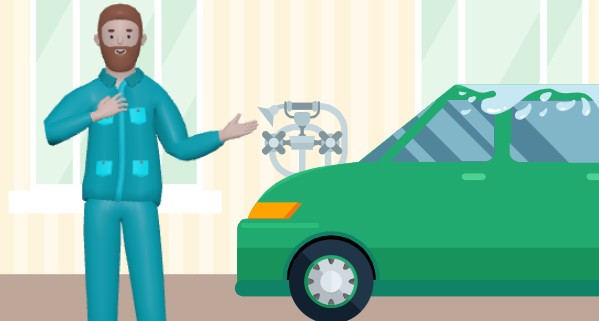
Once the basic elements are in place, the next step involves adding motion and interaction to the scene. AniFuzion offers a vast library of pre-built actions, including movements like waving, walking, or gesturing, which can be applied to the character to simulate the process of washing a car. These actions are designed to be easily accessible, allowing users to select and apply them with a few clicks. For a car wash demo, actions such as spraying water or scrubbing the car can be chosen to illustrate the steps involved. The platform also supports motion retargeting, enabling the transfer of motions from one character to another, which is useful for maintaining consistency across different scenes or characters.
Enhancing the animation with audio is another crucial aspect of creating an engaging car wash demo. AniFuzion’s AI Text-to-Speech (TTS) feature allows users to generate voiceovers directly from a script. This eliminates the need for external recording equipment or voice actors, streamlining the production process. The tool supports various accents and emotional tones, ensuring that the voiceover matches the intended mood of the animation. In the case of a car wash demo, a friendly and informative voiceover can guide the viewer through the process, explaining each step in detail. The automatic lip-sync feature ensures that the character’s mouth movements are perfectly synchronized with the audio, adding a layer of realism to the animation.
To further enrich the visual experience, AniFuzion provides a range of shape effects and animation presets that can be applied to text, shapes, and objects. These effects, such as fades, bounces, or transitions, can be used to highlight key points or add visual interest to the animation. For example, a text overlay explaining the benefits of a car wash can be animated to appear with a bounce effect, drawing the viewer’s attention. The platform also offers ready-to-use scenes, props, and templates, which can be quickly adapted to fit the desired context. This library of assets saves time and effort, allowing users to focus on the creative aspects of the animation rather than the technical details.
After completing the animation, users can preview their work in real-time to ensure that all elements are functioning as intended. The timeline feature allows for precise control over the sequence, duration, and layering of animations, ensuring a smooth and cohesive flow. Once satisfied, the animation can be exported as an MP4 video or an interactive flipbook, which can be shared via hyperlinks, embed codes, or social media platforms. This versatility in output options makes it easy to distribute the content across various channels, reaching a wider audience. The ability to create high-quality animations quickly and efficiently makes AniFuzion a valuable tool for educators, marketers, business professionals, and content creators who need to communicate ideas visually.
For those interested in exploring the capabilities of AniFuzion, a comprehensive guide is available to help users get started. The process begins with signing up for a Visual Paradigm Online account, which provides access to the animation tool. From there, users can create a new project and begin building their animation by adding characters, applying actions, and incorporating audio and effects. The platform’s intuitive design and extensive features make it easy to produce professional-quality animations, even for those with no prior experience. By leveraging the power of AniFuzion, users can bring their ideas to life in a dynamic and engaging way, transforming simple concepts into compelling visual stories.
Creating an animated car wash demo with AniFuzion is a straightforward process that combines ease of use with powerful features. The drag-and-drop interface, extensive library of characters and actions, AI-powered text-to-speech, and automatic lip-sync make it possible to produce high-quality animations quickly and efficiently. Whether for educational purposes, marketing campaigns, or personal projects, AniFuzion provides the tools needed to create engaging visual content. By following the steps outlined in this guide, users can create a compelling car wash demo that effectively communicates the benefits of the service in a fun and interactive way. For those ready to start creating their own animations, the next step is to visit the Visual Paradigm website and begin exploring the possibilities of AniFuzion.
Try Now: Explore AniFuzion Templates