
Business processes are often described in words, spreadsheets, or informal flowcharts. These formats can be easy to start with, but they may leave important questions unanswered: Who performs each step? What happens when a decision goes another way? Which tasks happen at the same time? How does the process respond when something fails?
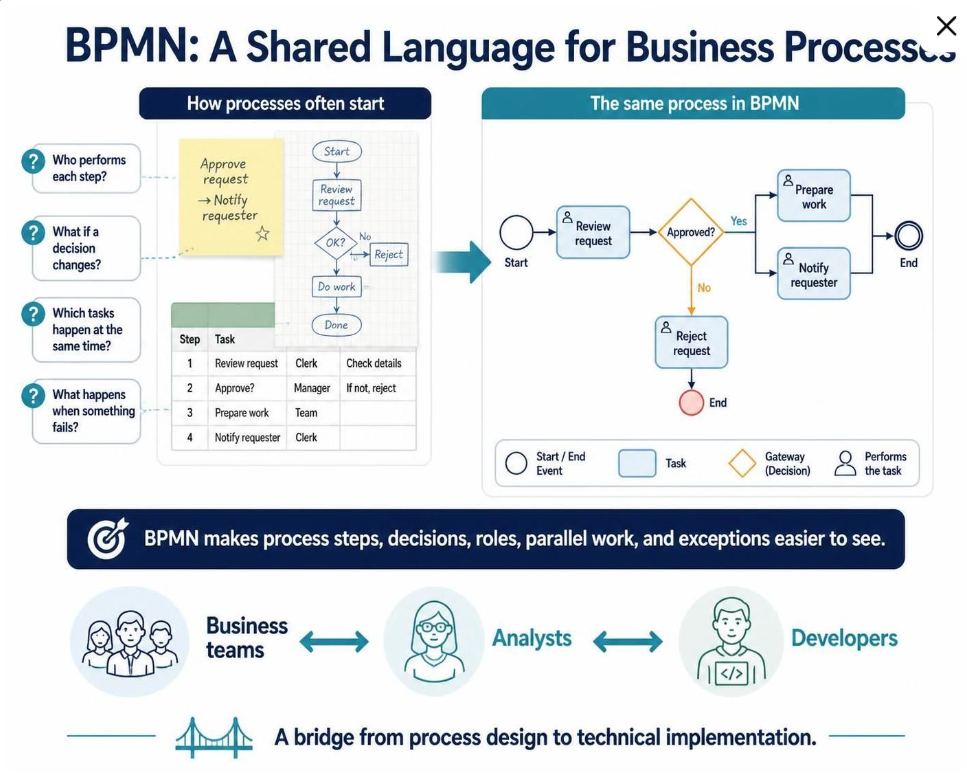
Business Process Model and Notation (BPMN) provides a shared visual language for describing processes. Its flowchart-like diagrams are intended to be understandable to business stakeholders while also being precise enough to support technical implementation. This makes BPMN useful as a bridge between people who design, manage, and automate work.
What BPMN helps explain
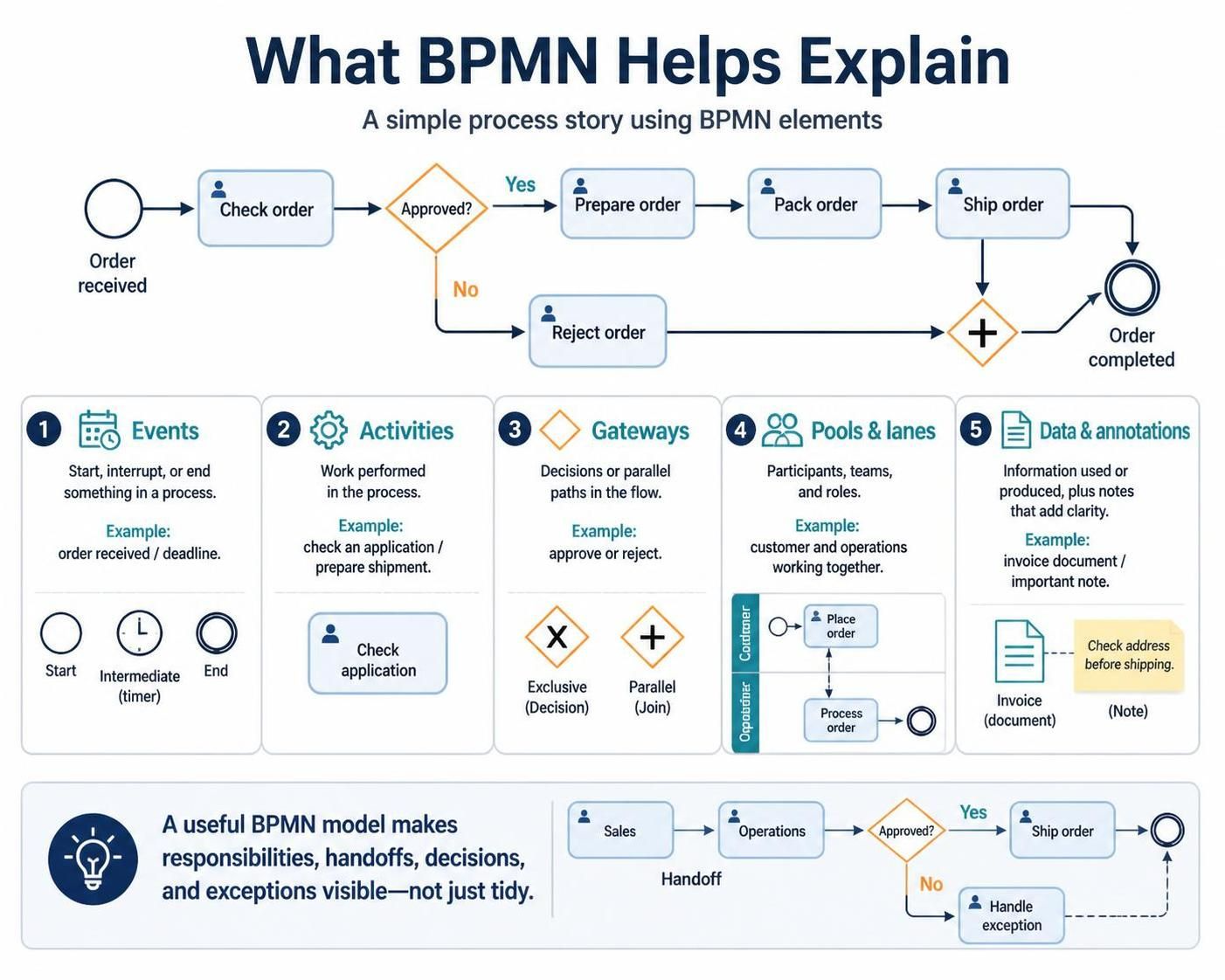
A BPMN diagram tells a story about how work proceeds from a trigger to an outcome. Its basic building blocks include:
-
Events that start, interrupt, or finish a process—for example, receiving an order or reaching a deadline.
-
Activities that represent work, such as checking an application or preparing a shipment.
-
Gateways that show decisions or parallel paths, such as approving versus rejecting a request.
-
Pools and lanes that identify participants, teams, or roles responsible for different parts of the process.
-
Data objects and annotations that provide context about information used or produced, or clarify the model.
The value of BPMN is not simply that it makes a process look tidy. A useful model makes responsibilities, handoffs, decision points, and exceptions visible enough to discuss. A diagram that omits these details may be attractive but still fail to represent how work actually gets done.
Common use cases
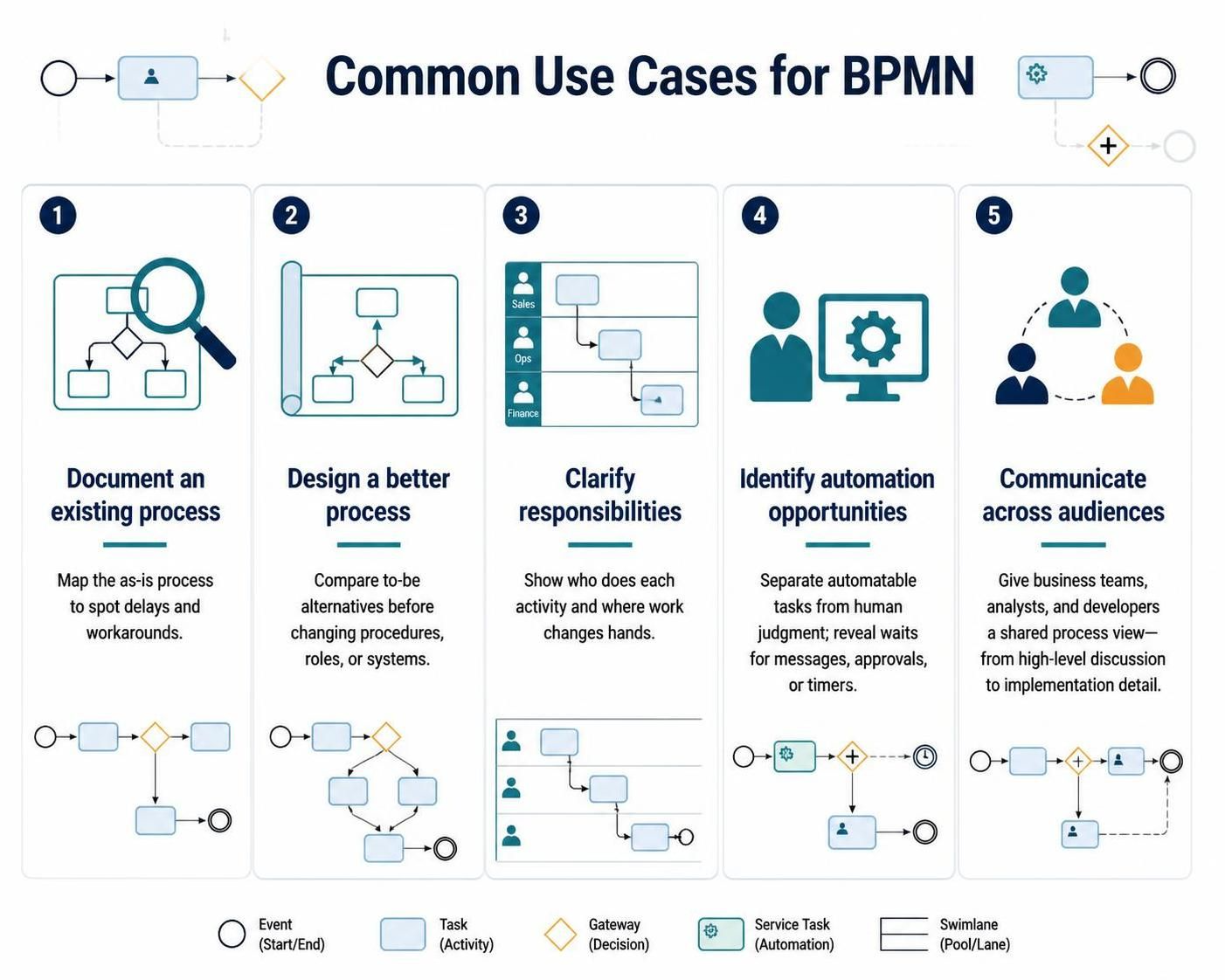
Documenting an existing process. Teams can map the current (“as-is”) process to understand how work moves today, where delays occur, and where people rely on informal workarounds.
Designing a better process. A proposed (“to-be”) model helps stakeholders compare alternatives before changing procedures, roles, or systems.
Clarifying responsibilities. Lanes can make it easier to see who performs each activity and where one team hands work to another.
Identifying automation opportunities. A model can distinguish tasks suitable for automation from tasks that require human judgment. It can also reveal where a system must wait for a message, approval, or timer.
Communicating across audiences. A high-level BPMN diagram can support discussion among business teams, analysts, and developers. More detailed models can describe behavior needed for implementation. BPMN is designed to support this range of process communication.
Example 1: Order fulfillment
Consider an online order. A simplified process might be:
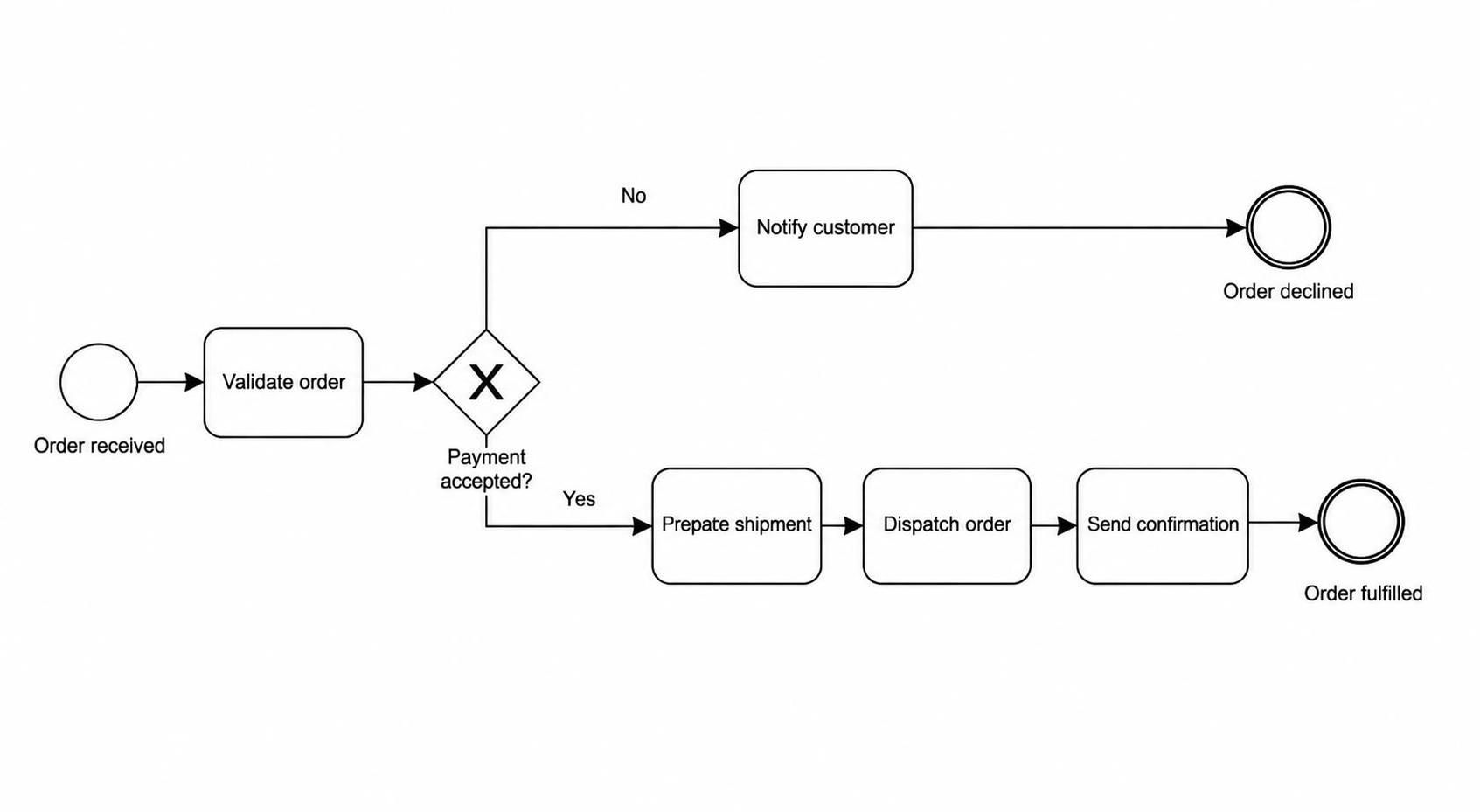
Start: Order received
        ↓
Validate order
        ↓
Gateway: Payment accepted?
   ├─ No → Notify customer → End: Order declined
   └─ Yes → Prepare shipment → Dispatch order → Send confirmation → End
This simple flow already makes a key decision visible: fulfillment depends on payment acceptance. A more detailed diagram could add lanes for the customer, sales system, and warehouse; a message event for the payment response; and a timer or exception path for orders that cannot be shipped on time.
The modeling question is not “How many BPMN symbols can we use?” It is “Which details matter to the people who will review, improve, or implement this process?”
Example 2: Employee onboarding
An onboarding process may begin when a new hire accepts an offer. Some activities happen in sequence, while others can occur in parallel:
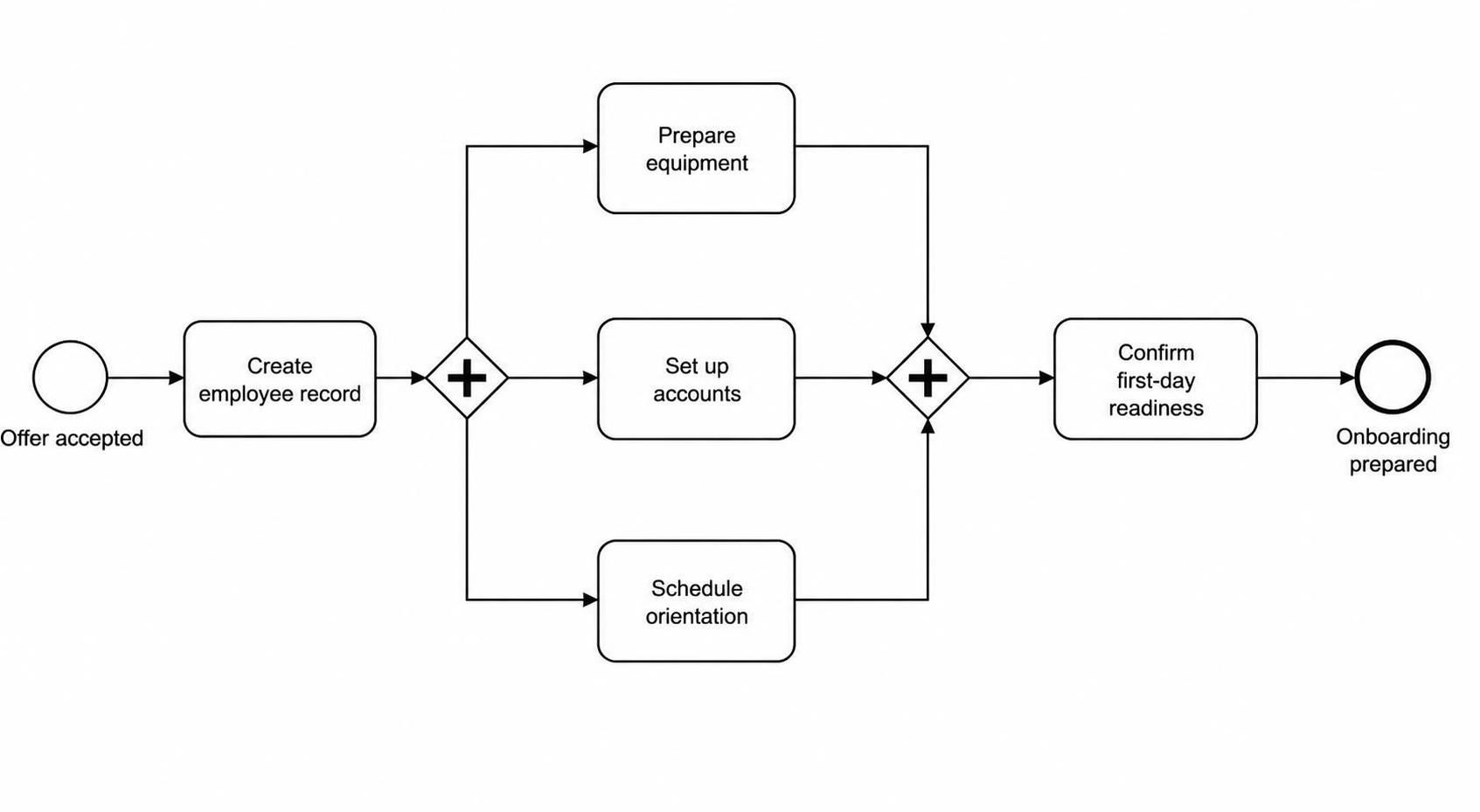
Start: Offer accepted
        ↓
Create employee record
        ↓
Parallel gateway
   ├─ Prepare equipment
   ├─ Set up accounts
   └─ Schedule orientation
        ↓
Join parallel work
        ↓
Confirm first-day readiness
        ↓
End: Onboarding prepared
The parallel gateway communicates that several tasks can proceed at the same time. If account setup must be completed before equipment configuration, that dependency should be shown rather than left implicit. Modeling parallel work can help teams identify bottlenecks and clarify which tasks truly need to wait for others.
Example 3: Expense reimbursement
A reimbursement process illustrates decisions and exception handling:
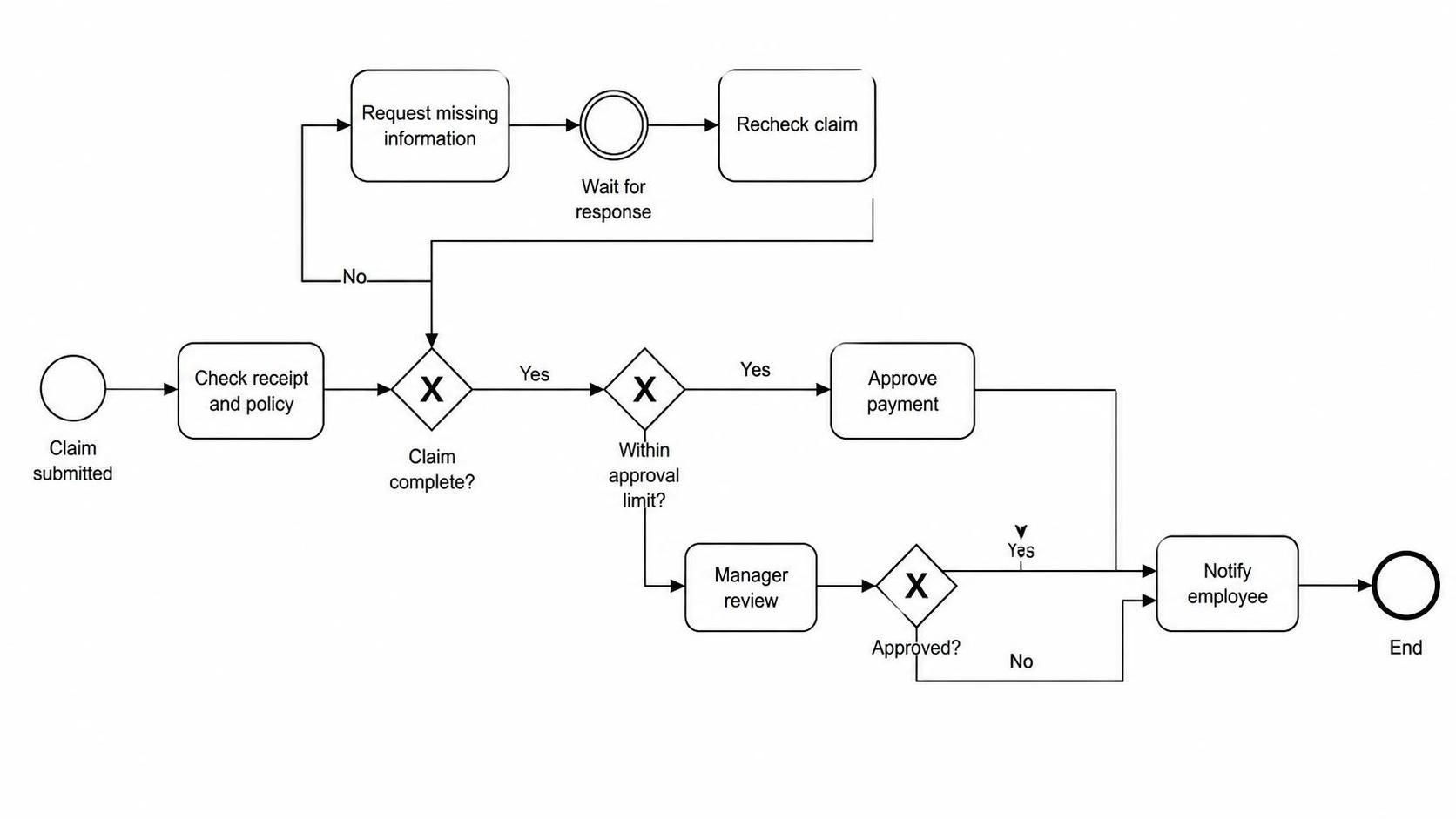
Start: Claim submitted
        ↓
Check receipt and policy
        ↓
Gateway: Claim complete?
   ├─ No → Request missing information → Wait for response
   │                                      ↓
   │                               Recheck claim
   └─ Yes → Gateway: Within approval limit?
                 ├─ Yes → Approve payment
                 └─ No → Manager review → Approve or reject
        ↓
Notify employee
        ↓
End
The loop makes resubmission visible, while the second gateway distinguishes routine claims from those requiring additional review. In a fuller model, the team might add a timer to represent a response deadline or a separate path for rejected claims.
Use cases and requirements
BPMN diagrams can complement use cases, but the two are not the same thing. A use case describes a goal from the perspective of an actor—such as “Submit an expense claim.” A BPMN process model describes the flow of work that may fulfill that goal, including activities, decisions, handoffs, and exceptions.
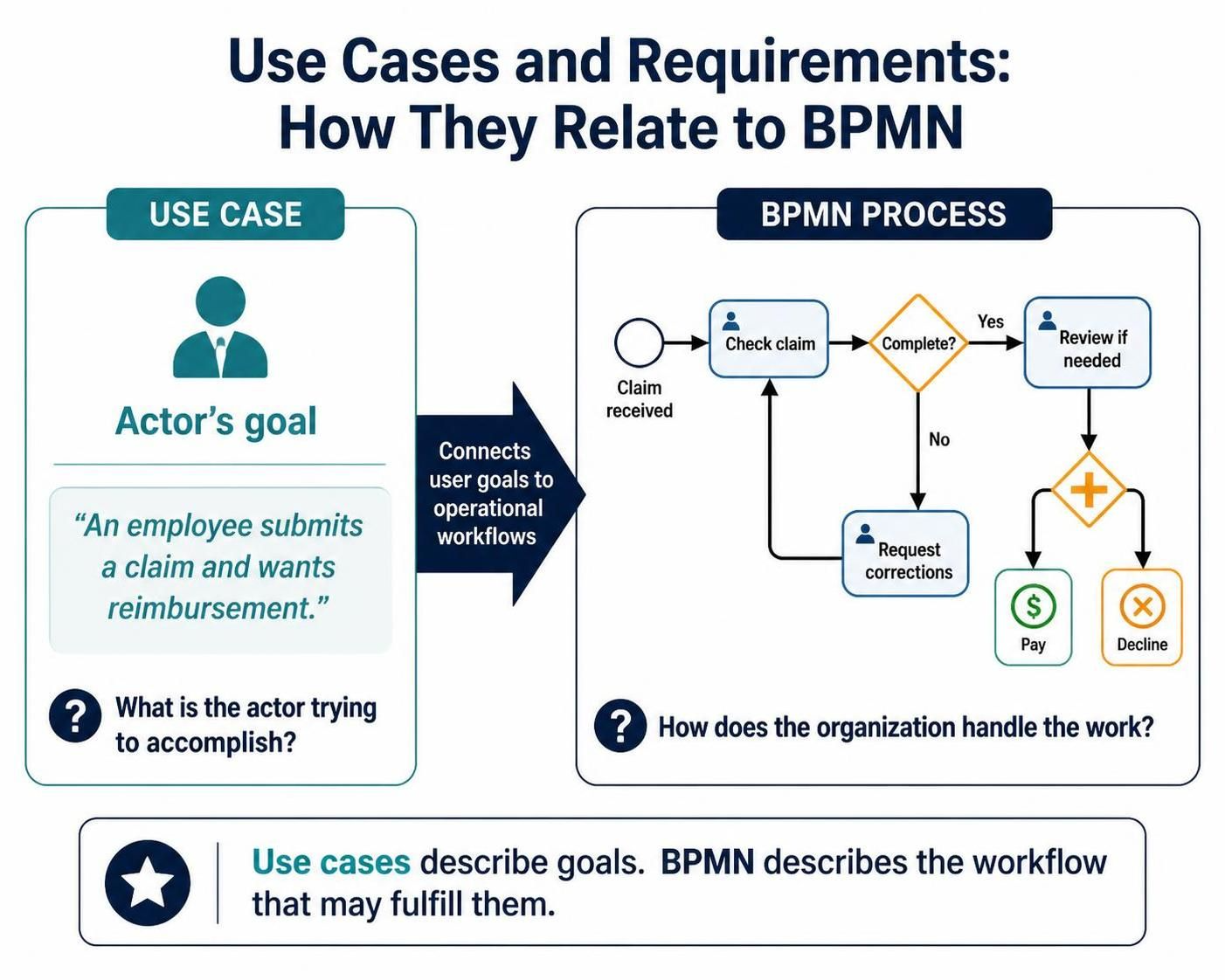
For example:
-
Use case: An employee submits a claim and wants reimbursement.
-
BPMN process: The claim is received, checked, returned for corrections if incomplete, reviewed if necessary, and either paid or declined.
Together, these views can connect user goals to operational workflows. The use case explains what the actor is trying to accomplish; the BPMN model explains how the organization handles the work.
Modeling practices that make diagrams useful
Start with the process boundary: identify what triggers the process and what counts as completion. Then give tasks clear, action-oriented names, such as “Verify customer address,” rather than vague labels like “Address.”
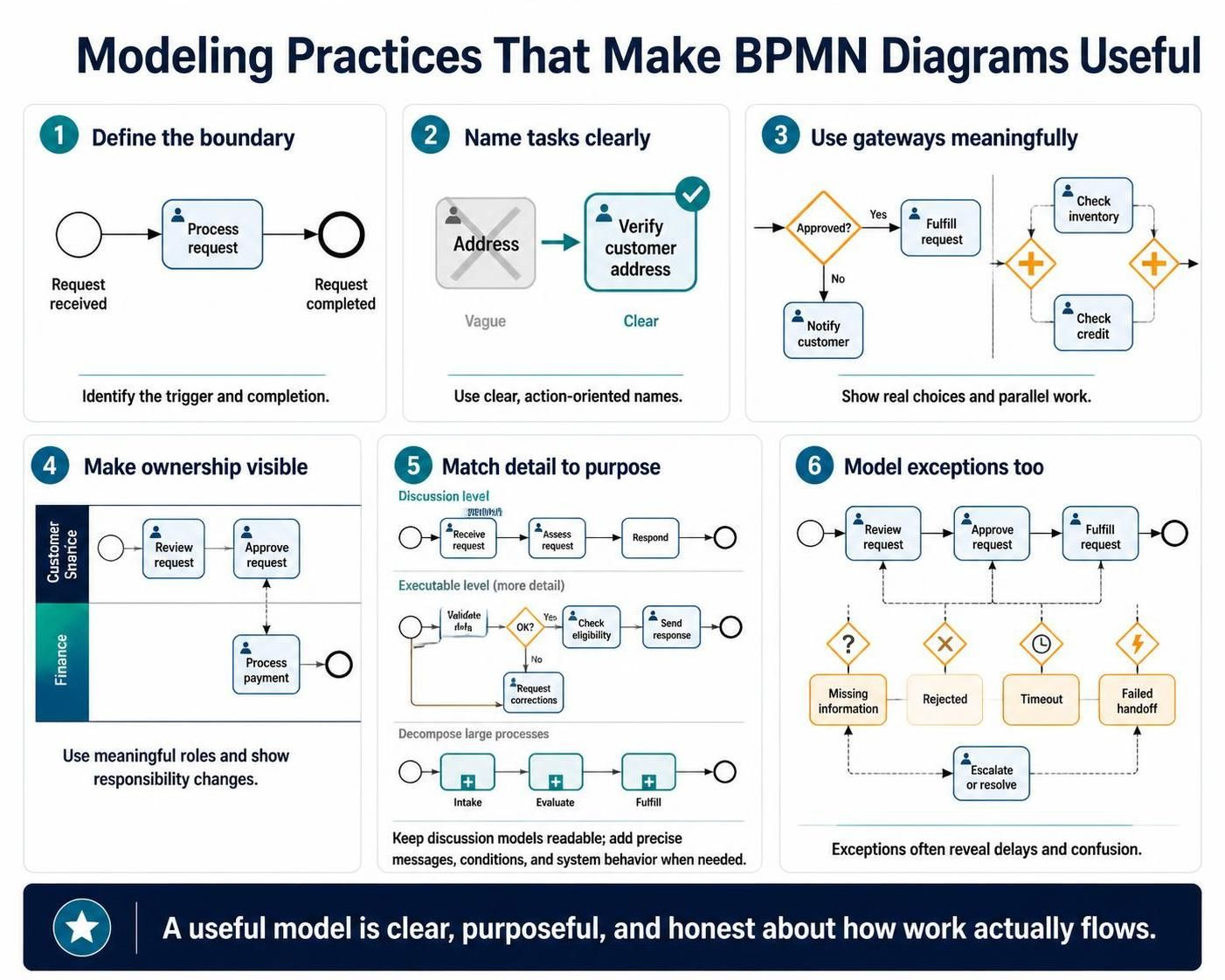
Use gateways to show actual choices or parallel work, not merely to decorate the diagram. Label decision paths where a reader might otherwise have to guess what “Yes” or “No” means. Assign lanes to meaningful roles or participants, and show handoffs where responsibility changes.
Keep the level of detail appropriate for the purpose. A discussion model should not be crowded with technical implementation details. An executable model, by contrast, may need more precise definitions of messages, conditions, and system behavior. Large processes are often easier to read when broken into linked subprocesses.
Finally, model exceptions as well as the “happy path.” Missing information, rejected approvals, timeouts, and failed handoffs are often where process delays and confusion arise.
Conclusion
BPMN is most useful when it helps people reason together about how work happens and how it could work better. Its diagrams can document current procedures, clarify responsibilities, compare proposed changes, and provide a foundation for automation. The strongest models are not necessarily the most elaborate; they are the ones that make the process clear to their intended audience and include the decisions and exceptions that matter.