
In BPMN, pools and lanes help answer two different questions: who is participating in the process, and who is responsible for each activity? A collaboration diagram then shows how those participants communicate. Getting these boundaries right makes a model easier to read and prevents internal handoffs from being confused with exchanges between independent participants.
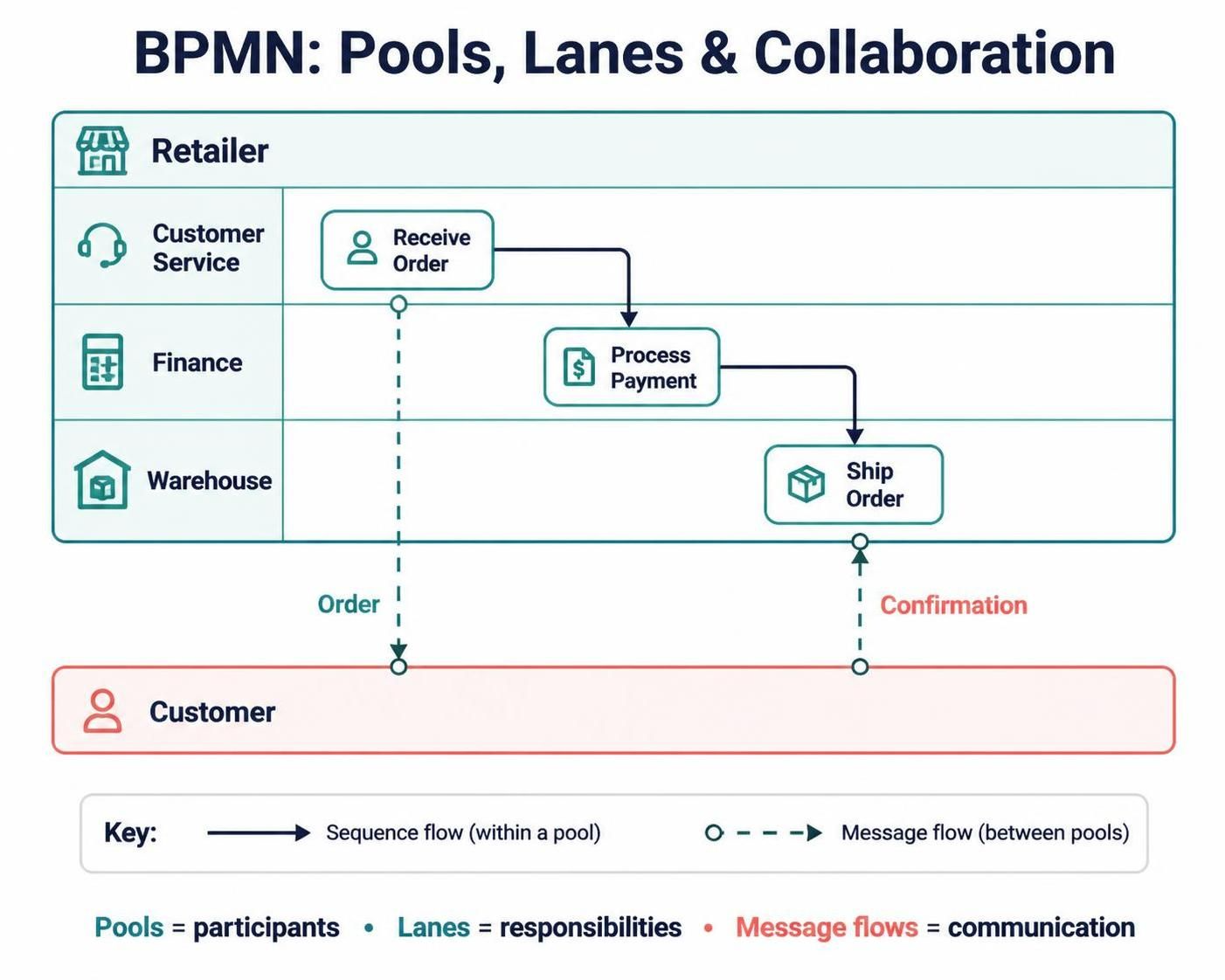
The core building blocks
Pool — a participant. A pool represents an entity taking part in a collaboration, such as a company, customer, supplier, or system. It marks the boundary around that participant’s process.
Lane — responsibility within a participant. Lanes subdivide a pool to show roles, teams, departments, or systems responsible for work. They organize activities; they do not create separate participants or independently define the process.
Collaboration diagram — interactions among participants. A collaboration diagram shows two or more participants and the messages they exchange. A participant’s process may be shown in detail, or its pool may be left collapsed when only its interaction with others is relevant.
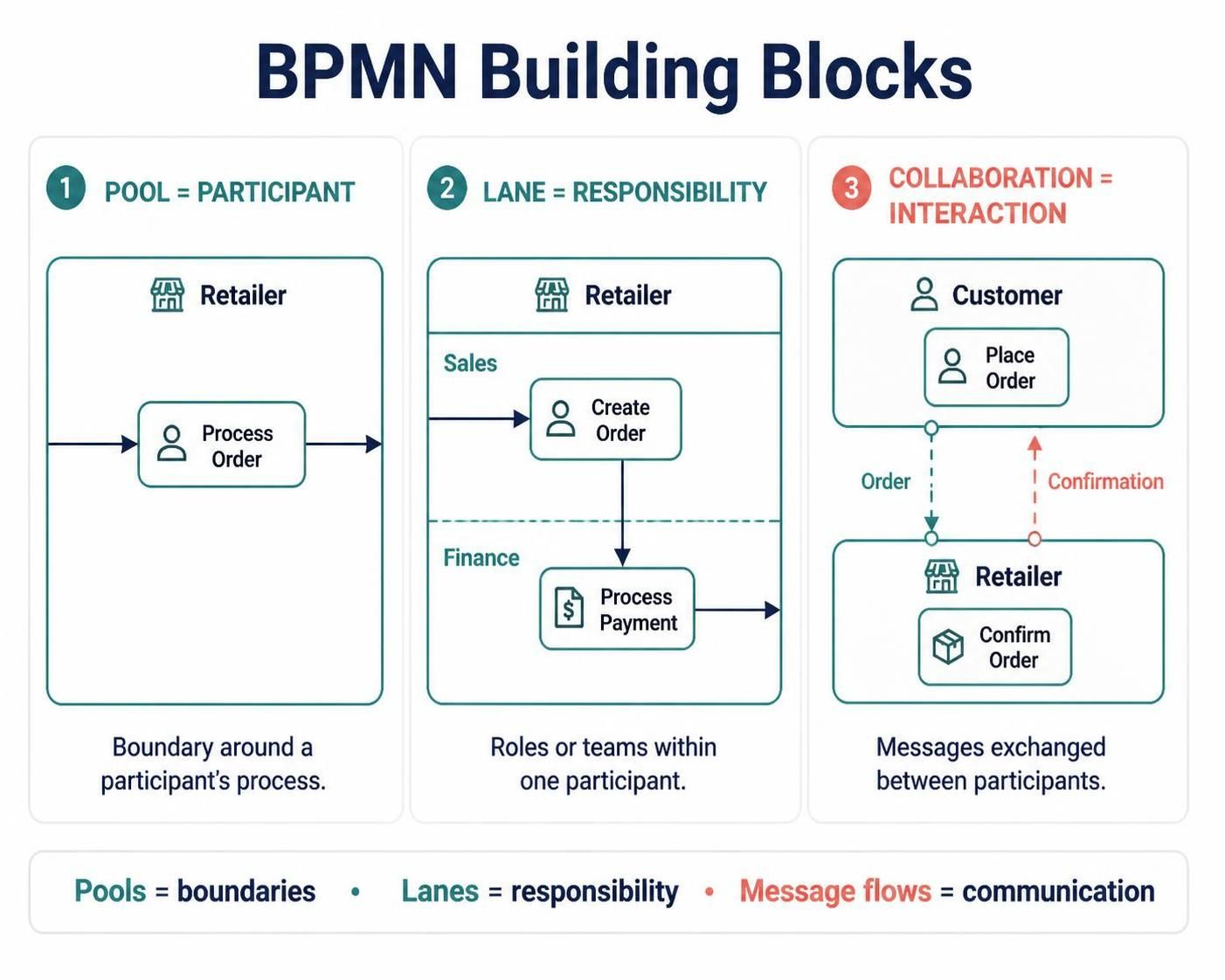
A useful shorthand is: pools show boundaries; lanes show responsibility; message flows show communication between participants.
Sequence flow versus message flow
These two connectors represent different kinds of relationships:
-
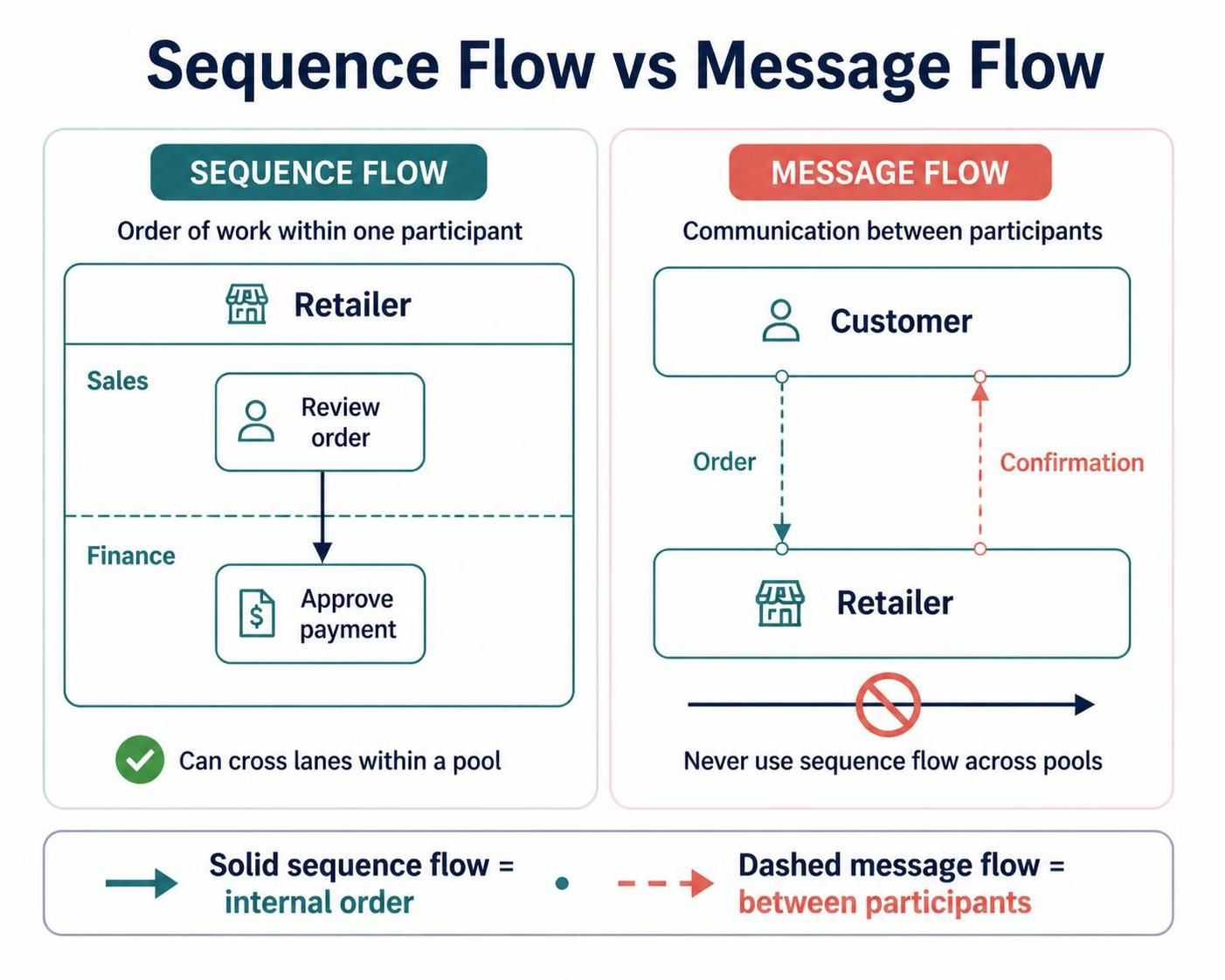
Sequence flow shows the order of work within one participant’s process. It can connect activities in different lanes of the same pool.
-
Message flow shows communication between separate participants—for example, a request, response, notification, or document exchange.
Do not draw sequence flows across pools. To show an exchange between participants, use a message flow instead.
Choosing the right structure
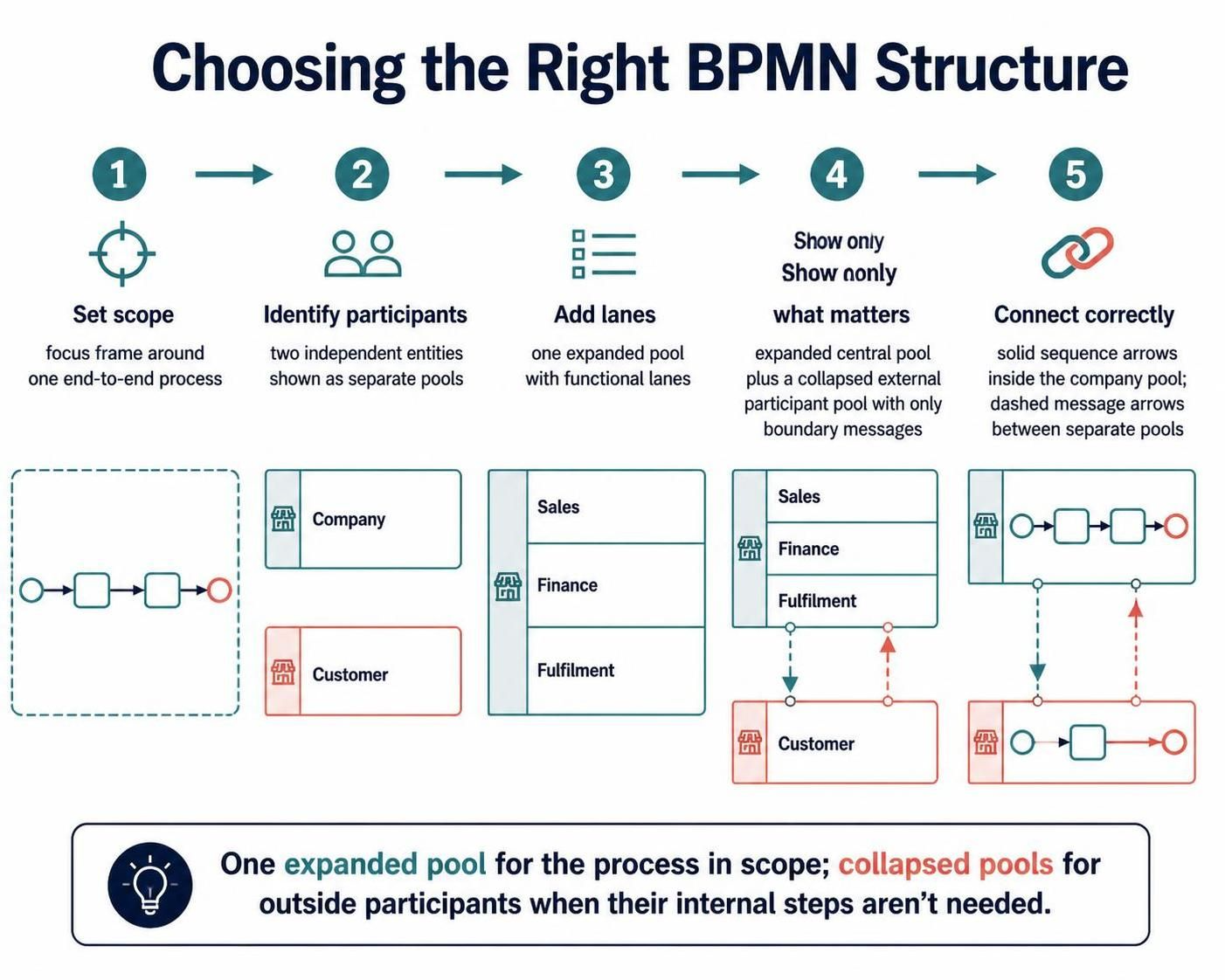
Start by identifying the process scope and its participants.
-
Set the scope. Decide which end-to-end process you are documenting and whose work is in view.
-
Identify independent participants. Use a separate pool when an entity has its own process boundary—for example, a customer interacting with a supplier.
-
Divide internal work into lanes. Use lanes for roles or teams within a participant, such as Sales, Finance, and Fulfilment.
-
Show only what adds value. If another participant’s internal work is outside your scope or unknown, use a collapsed pool and show the messages at its boundary.
-
Connect the flows correctly. Use sequence flows for the process’s internal order and message flows for exchanges between pools.
A practical rule of thumb is to keep one expanded pool for the process in scope and use collapsed pools for outside participants when their internal steps are not needed. This keeps the model focused without hiding important interactions.
Example: processing a customer order
Suppose a customer places an order with a retailer, the retailer checks stock and payment, and a warehouse ships the goods.
-
Customer pool: Show the customer’s order submission and receipt of confirmation if those steps matter to the model. Otherwise, use a collapsed Customer pool.
-
Retailer pool: Add lanes such as Customer Service, Finance, and Warehouse if they clarify responsibility.
-
Message flows: Connect the customer’s order to the retailer and the retailer’s confirmation back to the customer. If a separate supplier or payment service participates, represent it in its own pool and show the relevant messages.
-
Sequence flows: Within the retailer’s pool, connect tasks in their execution order—even when responsibility passes from one lane to another.
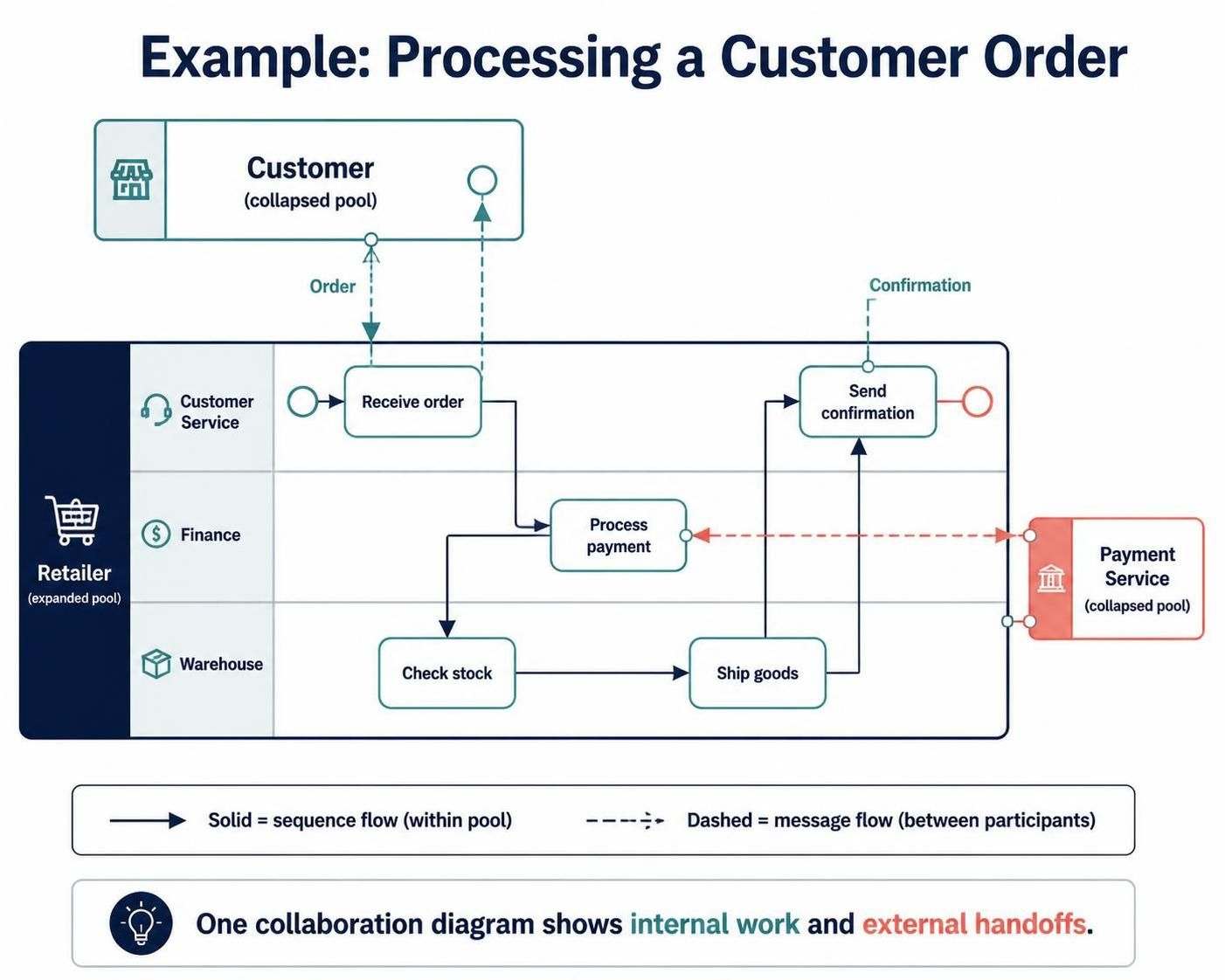
The diagram can reveal both the retailer’s internal workflow and the points where it depends on other participants. A collaboration diagram is especially useful when the timing and content of those exchanges matter.
Black-box and expanded pools
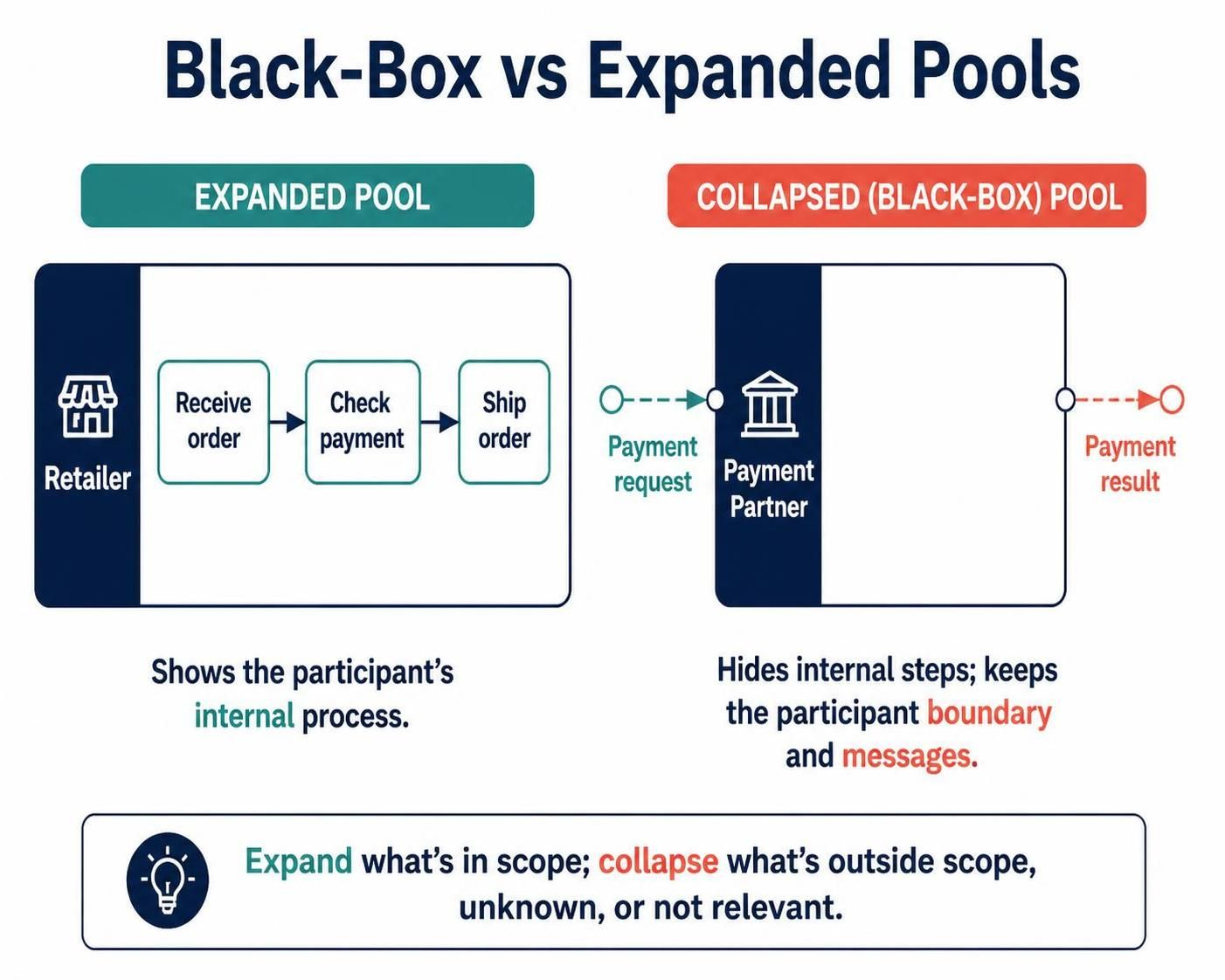
An expanded pool displays a participant’s process. Use it when you need to explain that participant’s internal workflow.
A collapsed pool hides the internal process while preserving the participant’s boundary and its message exchanges. Use it when the participant is outside the modeling scope, its process is unknown, or its internal details are not relevant to the audience. For example, a company may show its own order-handling process while representing a partner only by the messages the company sends and receives.
Lanes: naming and assigning work
Name lanes by stable responsibility, not by the current person doing the job. “Risk Analyst” or “Accounts Payable” will usually remain meaningful as staff change; an individual’s name can make the model quickly outdated. Make lane names specific enough to help readers identify ownership, but avoid adding subdivisions that do not clarify responsibility.
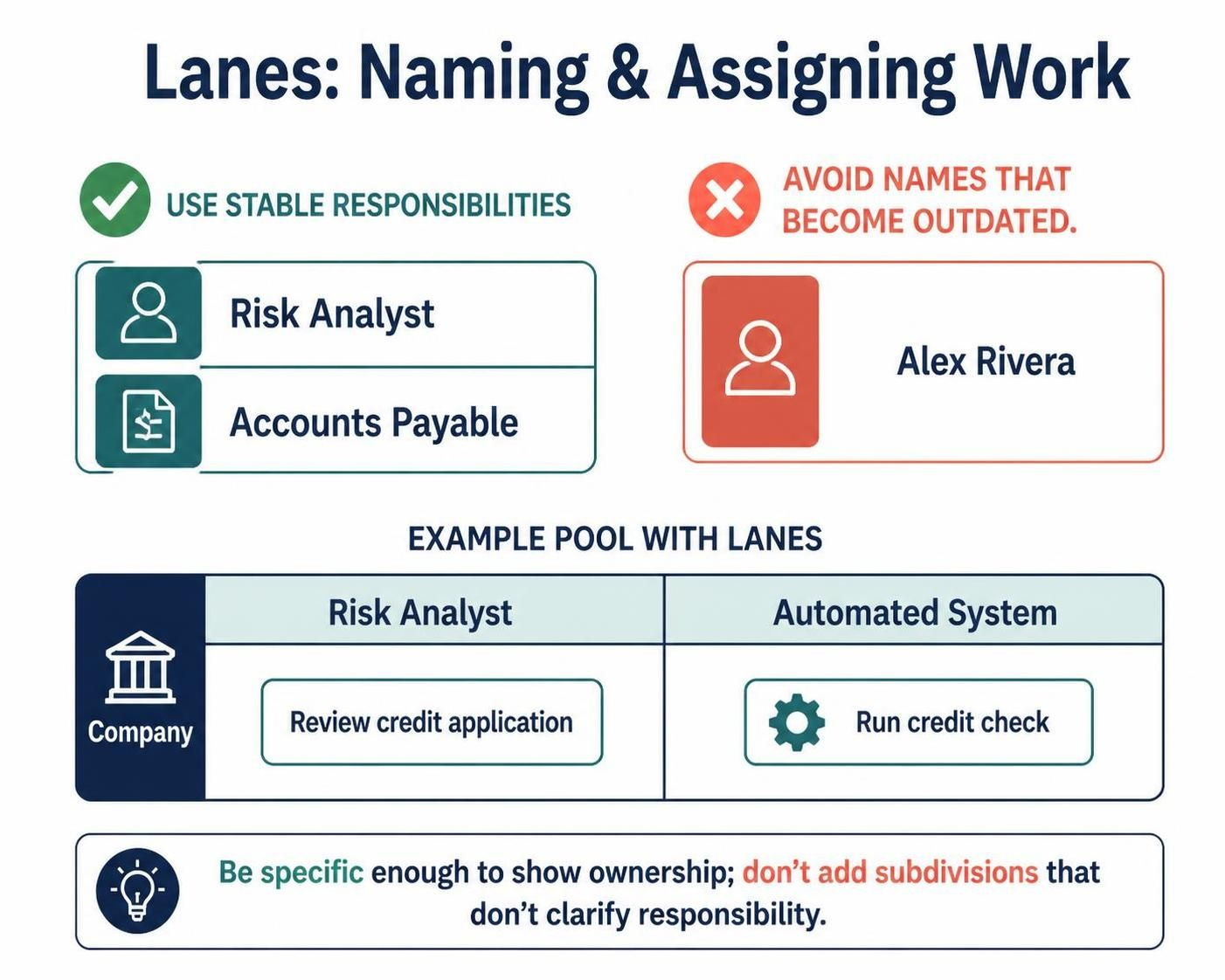
If a task is automated, make that clear in the model—for example, by assigning it to a system lane or using an appropriate automated task type. Choose the representation that best fits the purpose and conventions of your model.
Common modeling mistakes
-
Putting separate participants in lanes. If two parties have independent process boundaries and exchange messages, model separate pools.
-
Putting every internal team in a separate pool. Teams inside one participant generally belong in lanes when the goal is to show internal responsibility.
-
Connecting pools with sequence flows. Use message flows between participants.
-
Using message flows for internal handoffs. Use sequence flows within a pool, including when the flow crosses lanes.
-
Modeling another participant’s internal steps without a reason. Collapse its pool if only the interface matters.
-
Naming lanes after individuals. Prefer roles or functions so the model remains useful over time.
-
Adding detail without clarifying behavior or ownership. Keep the diagram at the level needed by its audience and purpose.
A quick review checklist
Before sharing a diagram, check that:
-
Each pool represents a participant in the collaboration.
-
Lanes clarify responsibilities within a participant.
-
Sequence flows stay within a participant’s process.
-
Message flows connect participants and represent meaningful exchanges.
-
Collapsed pools are used where internal details are outside scope.
-
The process boundary and lane names are clear to the intended readers.
The simplest reliable modeling habit is to decide who the participants are first, then assign internal work to lanes, and finally add the messages that connect participants. That keeps the diagram’s boundaries, responsibilities, and interactions distinct.
Tooling: Visual Paradigm BPMN Tool + AI Assistance
Visual Paradigm combines AI-assisted BPMN drafting with a visual modeling environment for refining diagrams. Describe the process in plain language—including participants, responsibilities, activities, handoffs, and decision points—and its AI tools can generate an editable BPMN diagram as a starting point. You can then refine the result in the editor or use the desktop application for more detailed modeling.
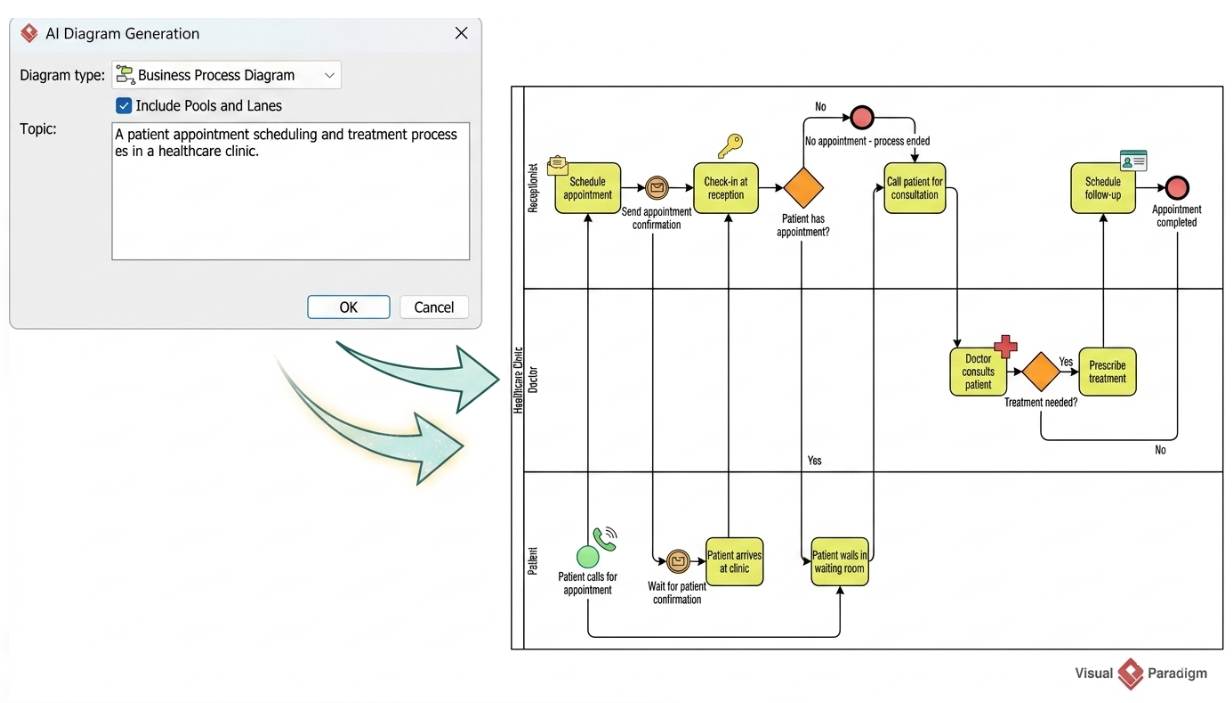
For a pools-and-lanes collaboration model, make the prompt explicit about the structure you want. For example:
Model an online order process. Use separate pools for the Customer and Retailer. In the Retailer pool, create Customer Service, Finance, and Warehouse lanes. Show the customer sending an Order and receiving a Confirmation using message flows. Within the Retailer pool, use sequence flows for checking stock, processing payment, shipping the order, and sending confirmation. Keep the Customer pool collapsed if its internal steps are not needed.
Treat the AI-generated diagram as a first draft, not a finished model. Check that independent participants are represented as separate pools, internal teams as lanes, sequence flows remain within a pool, and communication between pools uses message flows. Confirm that the task order and handoffs reflect the real process, then adjust labels and layout for your audience. Visual Paradigm describes its generated diagrams as editable and supports further manual refinement.
Conclusion
Pools, lanes, and collaboration diagrams work together to make BPMN processes easier to understand. Pools define who participates, lanes show who is responsible for work, and message flows reveal how participants communicate. Choose the process scope first, then use the simplest structure that clearly shows internal work and external handoffs. Keep the model focused, assign tasks to stable roles, and use sequence and message flows consistently. A clear diagram helps people see not only what happens, but who does it and where collaboration matters.