
Bridging Visual Modeling & VP AI Ecosystem: The Desktop to VPasCode Workflow
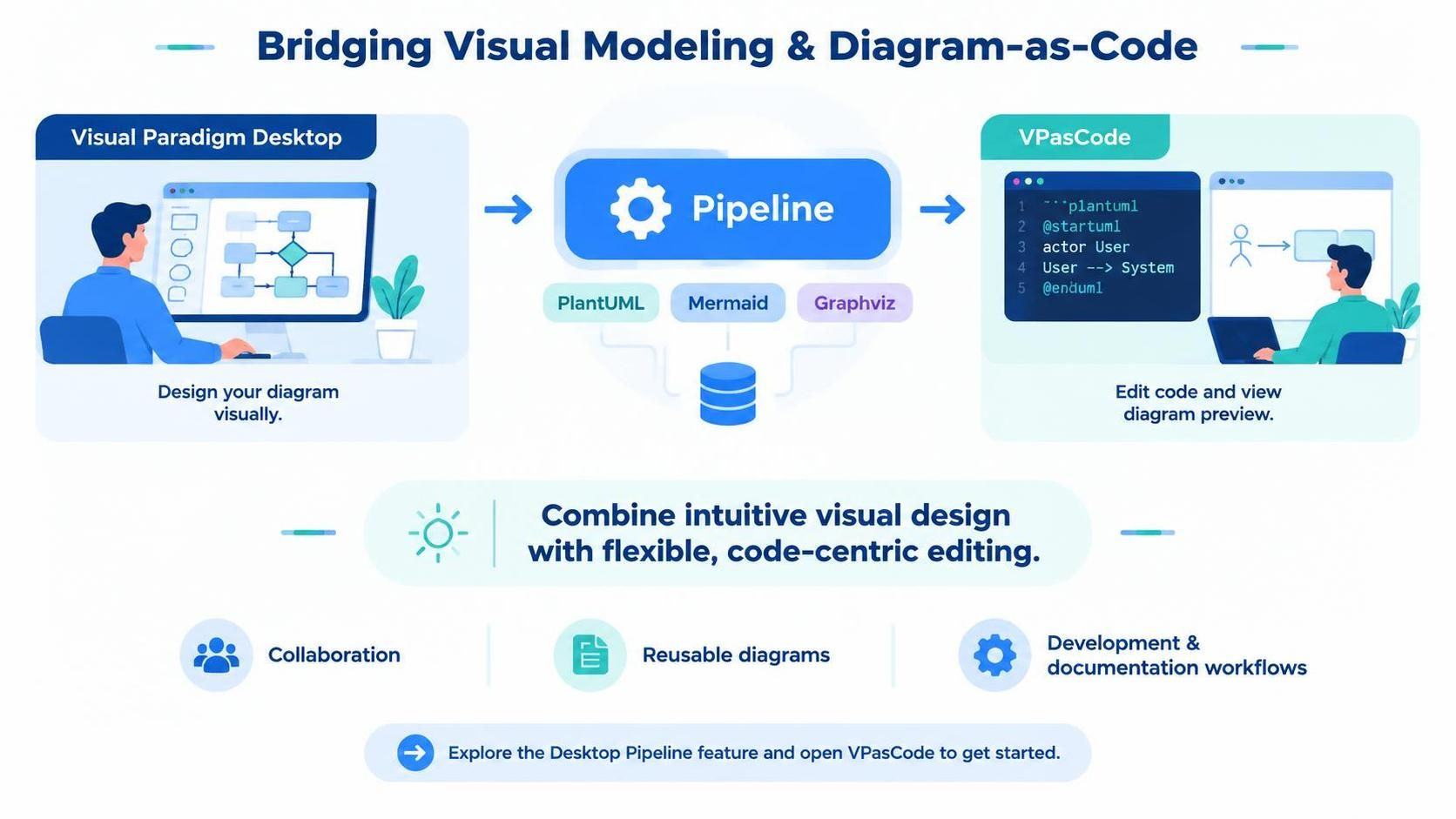
In the modern landscape of software development and system architecture, the dichotomy between “visual design” and “code-centric workflows” has often forced teams to choose between the two. However, the integration of Visual Paradigm Desktop with VPasCode via the Pipeline feature represents a paradigm shift. This workflow allows organizations to maintain the intuitive design capabilities of a graphical user interface while simultaneously gaining the power of version control, automation, and text-based editing found in diagram-as-code environments.
Step 1: The Foundation – Visual Paradigm Desktop
The journey begins at the source of creation. Visual Paradigm Desktop serves as the primary environment for designing complex system architectures. It is designed to be an intuitive, drag-and-drop workspace where modelers can rapidly visualize concepts without getting bogged down in syntax errors.
- Intuitive Design: Users can construct diagrams such as Sequence Diagrams, Class Diagrams, or Data Flow Diagrams using standard UML and system modeling notations.
- Central Repository: The diagrams are stored within the Visual Paradigm Desktop environment, ensuring that the “source of truth” remains a robust, structured model.
This stage is crucial for stakeholders who prefer visual interaction over code. It ensures that the model is accurate, complete, and ready for conversion.
Step 2: The Engine – The Pipeline
The bridge between the visual world and the code world is the Pipeline. This component acts as a central processing hub that facilitates the transformation of the visual model into a text-based format. It is the engine that drives the conversion process.
The Pipeline is not merely a file converter; it is a flexible orchestration tool that supports multiple industry-standard syntaxes. By routing the diagram through the Pipeline, teams can select the specific output format required by their downstream tools. The supported formats include:
- PlantUML: A powerful tool for creating UML diagrams using a simple text language.
- Mermaid: A JavaScript-based diagramming and charting tool that renders markdown-inspired text definitions.
- Graphviz: A tool for drawing graphs and diagrams using the DOT language.
Step 3: The Destination – VPasCode
The final stage of the workflow is VPasCode. Once the Pipeline has converted the visual diagram into code, it is ready to be viewed, edited, and managed within VPasCode. This environment is designed for developers and technical writers who prefer working with text files.
VPasCode transforms the static image into a living document. By editing the code directly, users can:
- Review Syntax: Ensure the diagram logic is sound and follows the specific rules of the chosen language (e.g., PlantUML).
- Version Control: Leverage the power of Git or other version control systems to track changes, manage branches, and collaborate on documentation.
- Automate: Integrate the diagram generation into CI/CD pipelines to automatically update documentation whenever the codebase changes.
The workflow is summarized below, illustrating the flow from visual creation to code-centric management:
Visual Paradigm Desktop (Design)
       |
       v
[Pipeline] (Conversion)
       |
       +---> PlantUML
       +---> Mermaid
       +---> Graphviz
       |
       v
VPasCode (Edit & Manage)
Key Benefits of the Workflow
This hybrid approach offers distinct advantages over traditional methods:
- Collaboration: It breaks down silos between architects and developers. Architects can design visually, while developers can review and modify the underlying code.
- Reusability: Diagram-as-code allows for the creation of templates and macros that can be reused across different projects, ensuring consistency in documentation.
- Integration: Diagrams become first-class citizens in the development process, stored alongside source code rather than as isolated image files.
Conclusion
By adopting the Visual Paradigm Desktop -> Pipeline -> VPasCode workflow, teams can effectively bridge the gap between design and development. This approach ensures that diagrams remain integral parts of the development lifecycle, enhancing communication and ensuring that documentation is always up-to-date and accessible.