
Mastering System Architecture: C4 Context Diagrams with VPasCode
In the realm of software architecture, clarity is currency. Before we dive into the complex internals of microservices, databases, and API gateways, we must first answer the fundamental question: What are we building, and who does it interact with? This is the exact purpose of the Context Diagram in the C4 model. It serves as the “Level 0” view, acting as the single source of truth for the system’s boundaries and its interactions with the outside world.
This tutorial guides you through the strategic value of Context Diagrams and demonstrates how to implement them using VPasCode within Visual Paradigm to create clean, professional documentation.
1. The Strategic Value of Context Diagrams
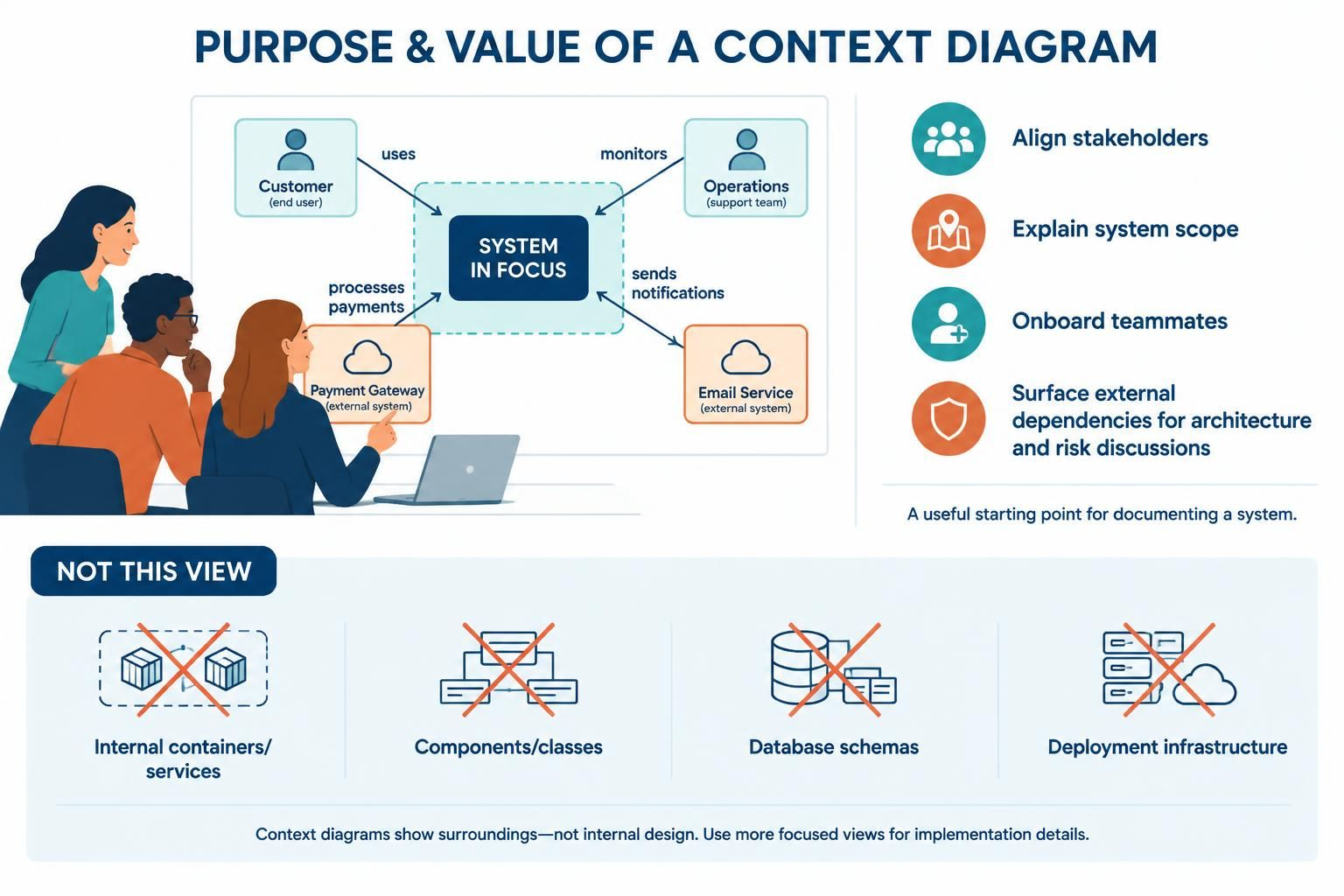
According to the C4 model, a context diagram provides a shared picture of the system’s purpose, users, and dependencies. It is the primary tool for aligning stakeholders who may not understand technical jargon but need to understand scope.
Key Benefits for Your Team
- Align Stakeholders: It forces a consensus on what the system does and who uses it, reducing scope creep.
- Explain System Scope: It clearly delineates the “System in Focus” from the rest of the world, defining the boundary of responsibility.
- Onboard Teammates: New developers can grasp the ecosystem of the application in minutes rather than days of reading documentation.
- Surface Dependencies: It identifies external risks. For example, if your system relies on a third-party Payment Gateway, that risk is immediately visible.
2. The Golden Rule: What NOT to Include
One of the most common mistakes architects make is trying to do too much in the Context Diagram. As illustrated in the “Not This View” section of the C4 methodology, you must not reveal internal design at this level.
If you find yourself drawing containers, internal microservices, database schemas, or deployment infrastructure (like Kubernetes pods or AWS EC2 instances), you are in the wrong view. These details belong in the Container or Component diagrams. The Context Diagram is about surroundings, not internals.
3. Implementation with VPasCode
Visual Paradigm’s VPasCode allows you to generate diagrams using natural language and code snippets. This ensures consistency in iconography and layout, adhering strictly to the C4 standard.
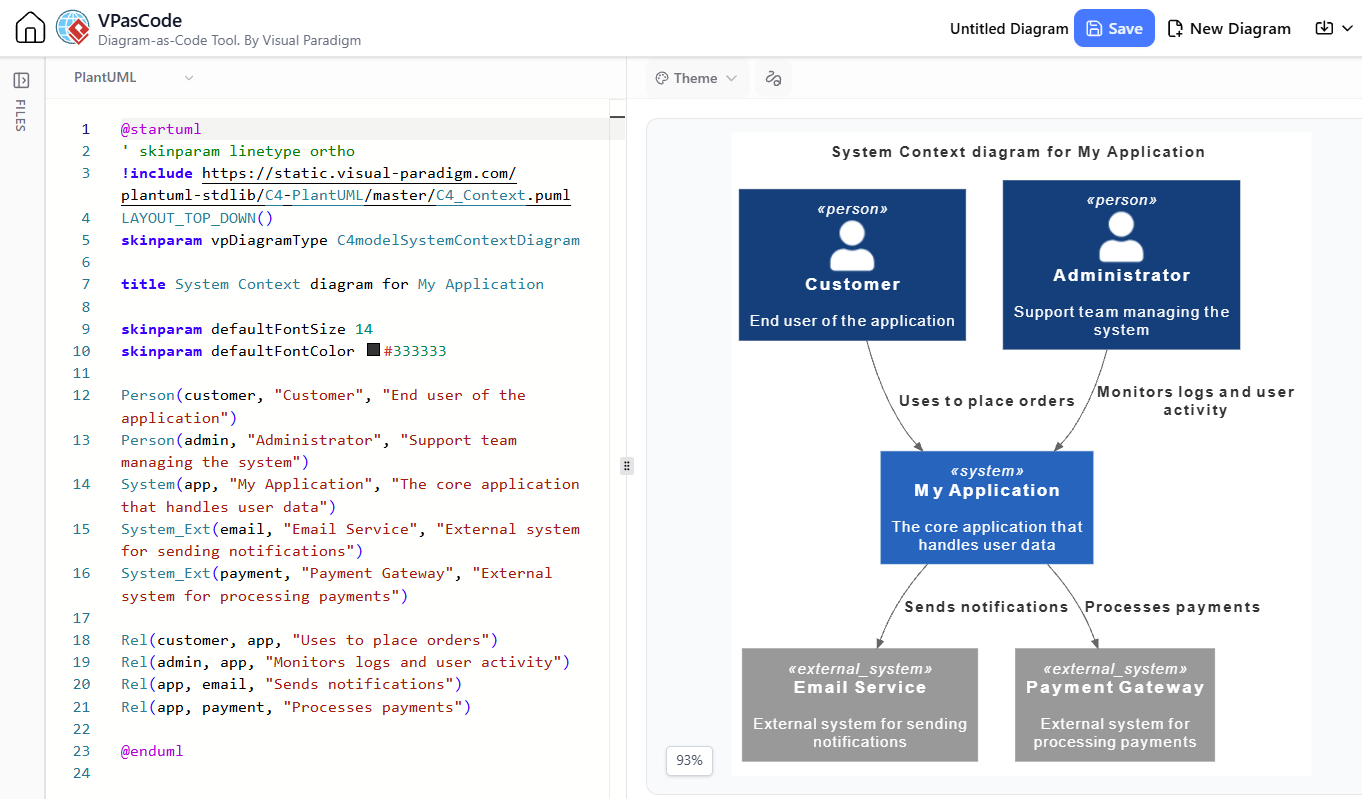
Below is the VPasCode syntax to generate a standard Context Diagram. This code defines the system in focus and its external relationships.
@startuml
' skinparam linetype ortho
!include https://static.visual-paradigm.com/plantuml-stdlib/C4-PlantUML/master/C4_Context.puml
LAYOUT_TOP_DOWN()
skinparam vpDiagramType C4modelSystemContextDiagram

title System Context diagram for My Application

skinparam defaultFontSize 14
skinparam defaultFontColor #333333

Person(customer, "Customer", "End user of the application")
Person(admin, "Administrator", "Support team managing the system")
System(app, "My Application", "The core application that handles user data")
System_Ext(email, "Email Service", "External system for sending notifications")
System_Ext(payment, "Payment Gateway", "External system for processing payments")

Rel(customer, app, "Uses to place orders")
Rel(admin, app, "Monitors logs and user activity")
Rel(app, email, "Sends notifications")
Rel(app, payment, "Processes payments")

@enduml4. Visualizing the Architecture
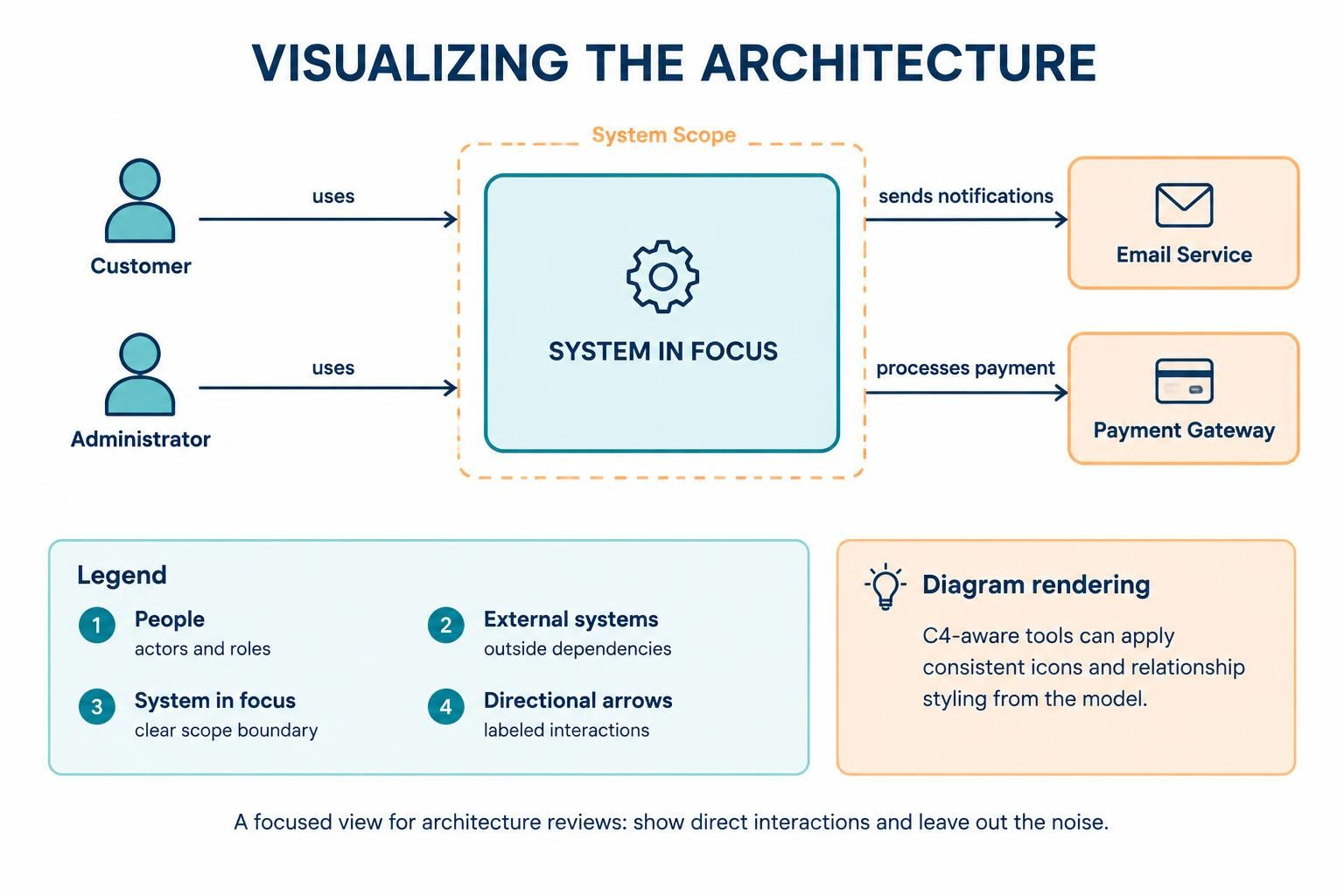
When you run the code above, Visual Paradigm will render a clean diagram featuring:
- Person Icons: Representing actors like Customers or Administrators.
- System Icons: Representing external systems like Email Services or Payment Gateways.
- The System in Focus: The central node, clearly marked as the boundary.
- Directional Arrows: Labeled relationships (e.g., “uses”, “sends notifications”) that show the flow of data.
This visual representation is exactly what you need for architecture reviews. It strips away the noise and focuses purely on the data flow between your system and the outside world.
Conclusion
Mastering the Context Diagram is the first step toward effective architectural communication. By strictly adhering to the “No Internal Design” rule and leveraging tools like VPasCode, you create a diagram that is not just a drawing, but a strategic asset that aligns your entire organization on the system’s purpose.