
Mastering Clarity: Flowcharts and Stepwise Refinement for AI and VPasCode
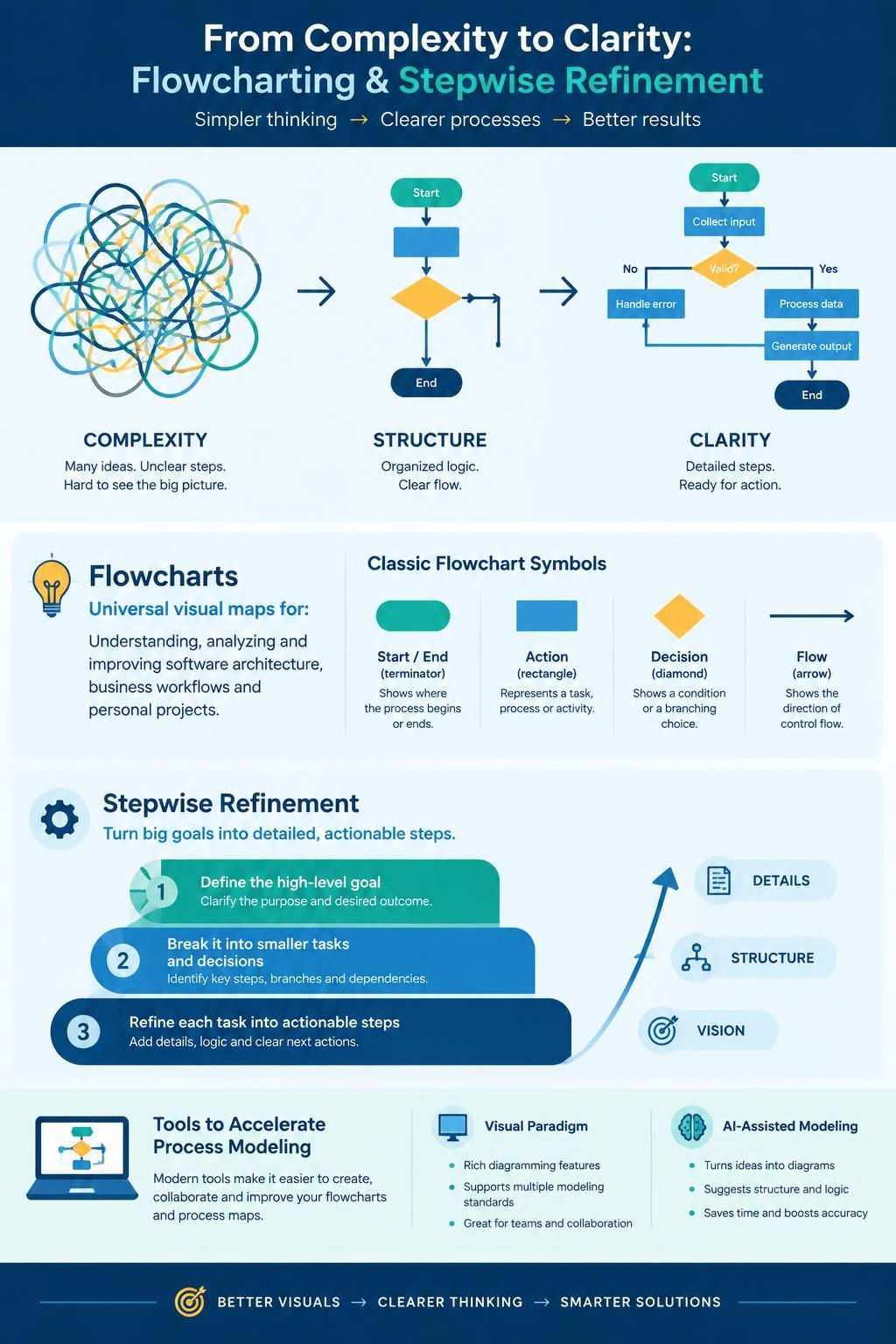
In a world where complexity is the norm, the ability to distill that complexity into clarity is a distinct competitive advantage. Whether you are architecting a distributed software system, optimizing a multi-step business workflow, or planning a complex personal project, understanding the precise sequence of actions and decisions is critical. This is where the art of Flowcharting and the methodology of Stepwise Refinement come into play.
The Journey: Complexity to Clarity
Many projects begin in a state of “Complexity”—a tangle of ideas, unclear steps, and hidden dependencies that make the big picture difficult to see. The goal of process modeling is to transform this chaos into “Structure” and ultimately into “Clarity.”
- Complexity: A state where many ideas exist, but the logical flow is obscured. It is hard to see the big picture or predict outcomes.
- Structure: By applying organized logic and clear flow, we create a visual map. This step transforms abstract thoughts into concrete, actionable sequences.
- Clarity: The final state where detailed steps are ready for execution. Teams can now analyze, understand, and improve the process with confidence.
Flowcharts serve as the universal language for this transformation. They turn the invisible into the visible, allowing stakeholders to validate logic before a single line of code is written or a business process is automated.
Stepwise Refinement: Turning Goals into Action
One of the most powerful techniques for creating these structured maps is Stepwise Refinement. This approach allows you to turn a high-level, vague goal into a detailed, actionable set of instructions. Instead of trying to solve the entire problem at once, you break it down iteratively.
The Three Stages of Refinement
- Define the High-Level Goal:
Start by clarifying the purpose and the desired outcome. What is the “Start” and what is the “End”? This sets the context for the entire process.
- Break It Down:
Identify the key steps, branches, and dependencies. Move from the abstract to the concrete by asking: “What are the major milestones required to get from A to B?”
- Refine Each Task:
Add details, logic, and clear next actions. This is where the “Details” layer is built upon the “Structure” and “Vision” foundations. You define the specific decisions and actions required for every sub-task.
Decoding the Visual Language: Classic Flowchart Symbols
To communicate effectively, we must speak the language of standard symbols. Visual Paradigm and similar tools adhere to these conventions to ensure that any professional can read your diagrams.
- The Terminator (Oval/Rounded Rectangle):
These symbols mark the beginning and the end of the process. They represent the entry and exit points of your logic.
- The Action (Rectangle):
Rectangles represent a task, a process, or an activity. This is where work is actually done—be it processing data, calculating a value, or sending a notification.
- The Decision (Diamond):
Diamonds represent a branching choice or a condition. Here, the flow splits based on a Yes/No (or True/False) question. This is crucial for handling logic like “Is the input valid?”
- The Flow (Arrow):
Arrows show the direction of control flow, connecting the symbols and guiding the eye through the sequence of events.
Accelerating Modeling with Modern Tools
While the concepts are timeless, the tools we use have evolved. Modern platforms like Visual Paradigm have shifted the focus from manual drawing to high-level strategy.
Visual Paradigm & VPasCode
Visual Paradigm offers rich diagramming features that support multiple modeling standards. However, its true power lies in its integration with VPasCode and AI features.
- AI-Assisted Modeling: AI tools can suggest structure and logic based on natural language prompts, effectively acting as a junior architect to help you draft the initial “Structure” of your diagram.
- VPasCode: This tool bridges the gap between coding and modeling. It allows for the precise definition of logic that can be directly translated into executable code, ensuring that your “Detailed Steps” are actually implementable.
By mastering these concepts and tools, you bridge the gap between high-level strategy and detailed execution. The result is better visuals, clearer thinking, and ultimately, smarter solutions.