
Master Project Planning with AI Chatbot & VPasCode Diagram as Code
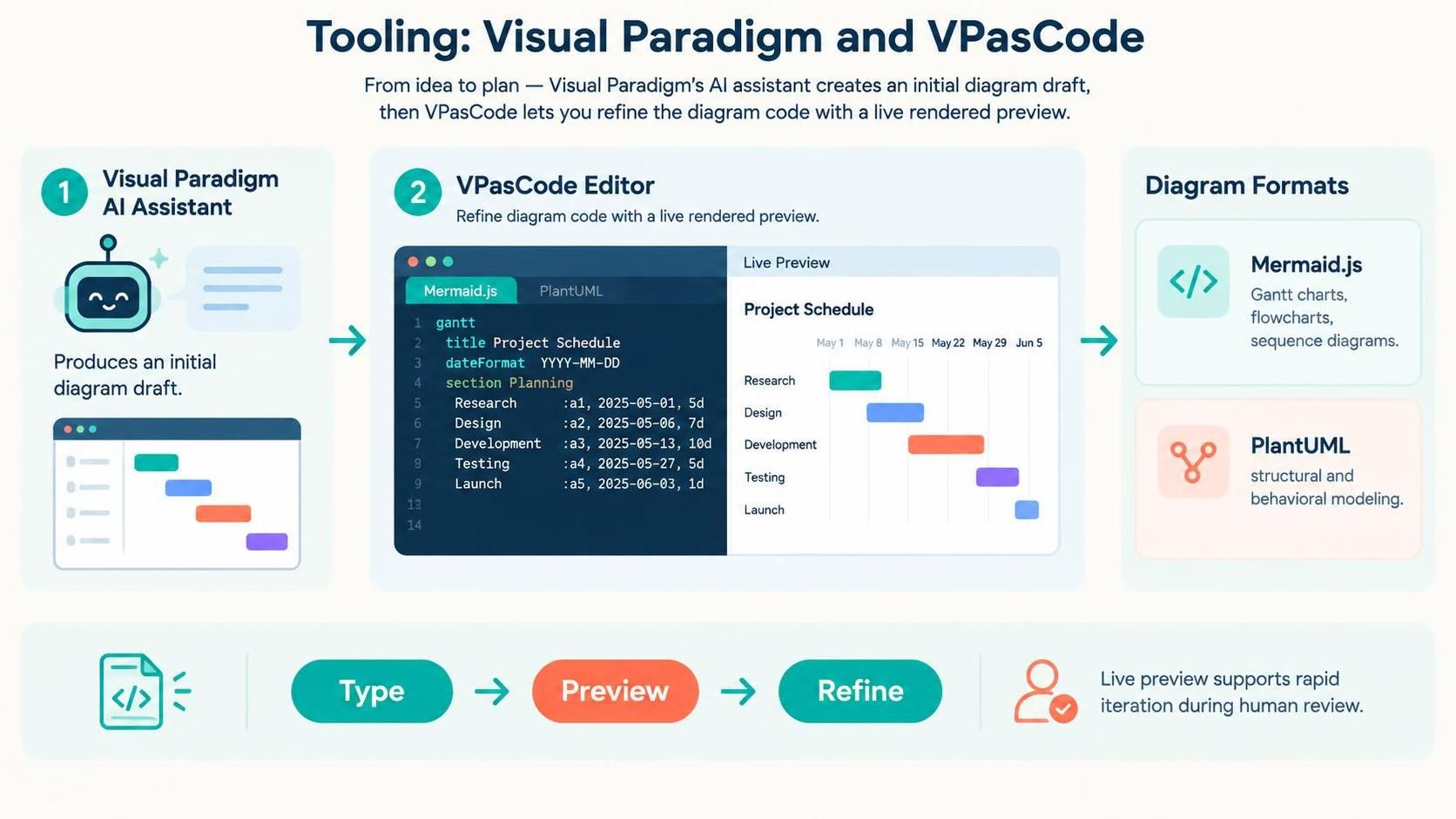
In the modern landscape of project management, the ability to rapidly translate abstract ideas into structured visual plans is critical. This tutorial explores the sophisticated architecture of the Visual Paradigm ecosystem, specifically focusing on the synergy between its AI-driven assistants and the powerful VPasCode tool. By combining Natural Language Processing with “Diagram as Code” methodologies, teams can achieve a streamlined workflow from initial concept to final project schedule.
The Architecture of Modern Modeling: From Text to Visuals
The core innovation discussed here is the shift from manual drag-and-drop diagramming to a code-centric approach. This architecture is driven by three primary components:
- The Visual Paradigm AI Assistant: This acts as the creative engine. It leverages Large Language Models (LLMs) to understand user requirements and generate an initial draft of the diagram based on text prompts.
- VPasCode Editor: This is the specialized interface that bridges the gap between text and visual diagrams. It allows users to view and edit the underlying code of the diagram.
- Live Preview Engine: A rendering engine that instantly translates code changes into visual updates, supporting rapid iteration.
Step-by-Step: The “Type, Preview, Refine” Workflow
This methodology replaces the traditional “Draw and Adjust” loop with a more efficient “Type, Preview, Refine” cycle. This approach is particularly beneficial for Gantt charts and complex project schedules where precision in dates and dependencies is required.
Phase 1: The AI Draft
The process begins with the Visual Paradigm AI Assistant. Instead of manually placing bars on a timeline, the user provides a text description or a prompt regarding the project scope. The AI analyzes this input and produces an initial diagram draft. This serves as a high-fidelity starting point, eliminating the “blank page” syndrome.
Phase 2: The VPasCode Editor (Diagram as Code)
Once the AI generates the draft, the workflow moves to the VPasCode Editor. Here, the visual diagram is represented as readable code. This “Diagram as Code” philosophy offers several advantages:
- Precision: It is easier to correct a date string in code than to resize a graphical bar.
- Version Control: Code can be managed with Git, allowing teams to track changes to the project plan over time.
- AI Friendliness: The code serves as a structured format that AI agents can easily parse, edit, and optimize.
Phase 3: Live Preview and Human Review
The defining feature of the VPasCode environment is the Live Preview. As you type the code on the left, the diagram renders instantly on the right. This allows for rapid iteration during the “Human Review” phase. You can tweak a task duration or change a dependency, and see the impact immediately without the latency of manual rendering.
Supported Modeling Languages
Visual Paradigm’s VPasCode is agnostic to specific syntax standards, supporting multiple industry-standard diagramming languages. This flexibility ensures that the tool can handle both simple scheduling and complex structural modeling.
Mermaid.js for Project Scheduling
Mermaid.js is a JavaScript-based diagramming and charting tool that renders Markdown-inspired text definitions to create and modify diagrams dynamically. In the context of project management, it is the preferred language for Gantt charts, flowcharts, and sequence diagrams.
Consider the following Mermaid.js snippet used to generate a project schedule:
gantt
    title Project Schedule
    dateFormat  YYYY-MM-DD
    section Planning
    Research      :a1, 2025-05-01, 5d
    Design        :a2, after a1, 7d
    Development   :a3, after a2, 10d
    Testing       :a4, after a3, 5d
    Launch        :a5, after a4, 1d
In this example, the gantt keyword initiates the chart, dateFormat sets the time resolution, and section creates a logical grouping for tasks. Dependencies are defined using simple text logic (e.g., after a1).
PlantUML for Structural Modeling
For more complex architectural needs, PlantUML is supported. It is a powerful standard for structural and behavioral modeling, often used for UML diagrams, component diagrams, and network topologies.
Why Visual Paradigm? Benefits and Standouts
Visual Paradigm stands out in the crowded project management and modeling market due to its unique integration of AI and code-based editing.
- Seamless AI Integration: Unlike tools that treat AI as a separate chatbot, Visual Paradigm embeds the AI directly into the diagramming workflow, allowing for immediate generation and modification.
- Live Rendering: The instant feedback loop provided by the Live Preview environment reduces the cognitive load on the planner, allowing them to focus on logic rather than layout mechanics.
- Hybrid Approach: By supporting both visual interfaces and code editors, it caters to both non-technical stakeholders and power users who prefer the precision of text-based definitions.
Conclusion
By adopting the Visual Paradigm ecosystem and leveraging VPasCode, project managers can transform their planning process. The combination of AI-generated drafts and code-based refinement creates a robust, efficient, and highly accurate workflow. Whether you are plotting a simple timeline or designing a complex system architecture, the ability to “Type, Preview, and Refine” ensures that your project plans are always up-to-date and perfectly aligned with your vision.