


Introduction
In today’s fast-paced software development landscape, mastering Unified Modeling Language (UML) is essential for architects, developers, and product managers who need to communicate complex system designs effectively. Yet, traditional UML learning methods—relying on textbooks, static diagrams, and memorization—often create barriers to rapid comprehension and practical application.
This case study explores how artificial intelligence is revolutionizing UML education through conversational, interactive learning. By examining Visual Paradigm Online’s AI Chatbot, we demonstrate how AI-powered tools can transform abstract modeling concepts into tangible, visual knowledge—enabling learners to achieve proficiency faster, with greater confidence and deeper understanding. Whether you are a student preparing for certification, a professional refreshing modeling skills, or a team lead onboarding new members, this AI-driven approach offers a scalable, engaging pathway to UML mastery.
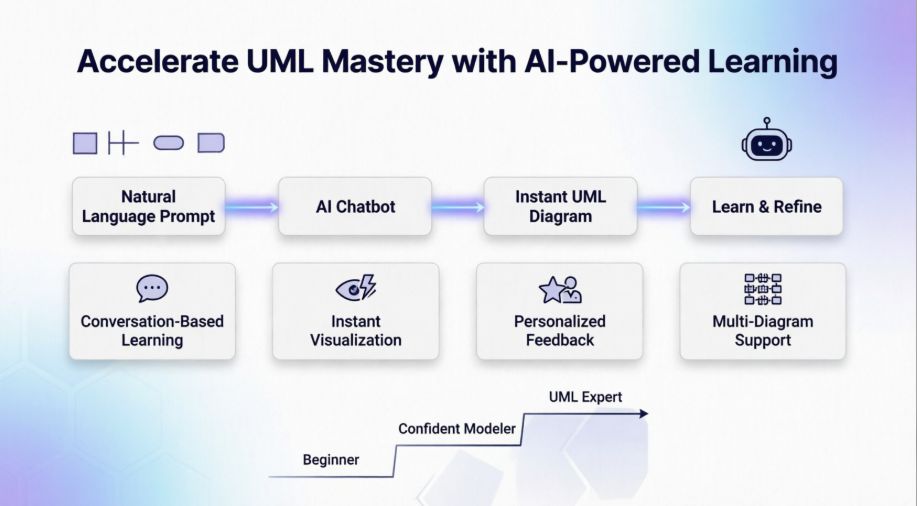
The Challenge: Why UML Learning Feels Overwhelming
UML comprises fourteen diagram types, each with distinct symbols, relationships, and semantic rules. Beginners often struggle with:
-
Cognitive overload: Memorizing notation for class, sequence, use case, activity, and component diagrams simultaneously
-
Abstract thinking gaps: Understanding relationships like aggregation vs. composition without visual context
-
Limited practice opportunities: Static examples in textbooks don’t allow for experimentation or iterative refinement
-
Feedback delays: Without expert guidance, learners may reinforce incorrect modeling patterns
These challenges slow progress and reduce retention—making traditional UML education inefficient for time-constrained professionals.
The Solution: AI Chatbot as an Interactive Learning Partner
Visual Paradigm’s AI Chatbot reimagines UML education as a dynamic, conversational experience. Instead of passively consuming content, learners actively construct knowledge by describing systems in natural language and receiving instant visual feedback.
Learning UML Through Conversation
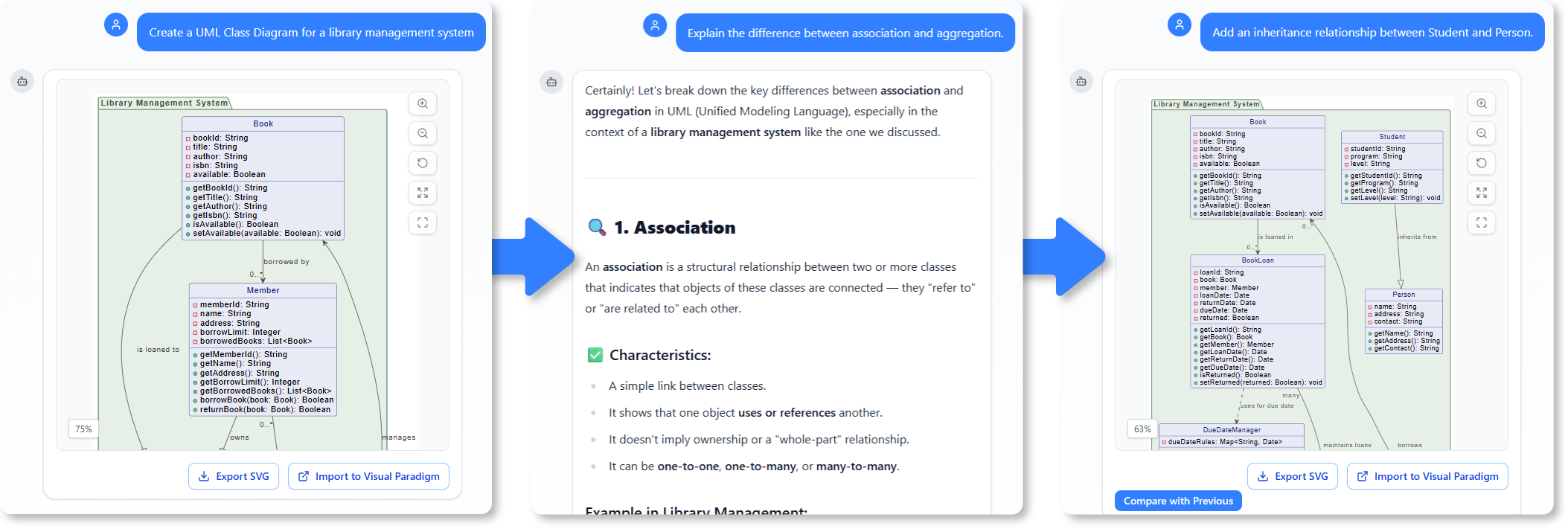
The chatbot enables learning by doing. Users type intuitive prompts such as:
-
“Create a UML Class Diagram for a library management system.”
-
“Explain the difference between association and aggregation.”
-
“Add an inheritance relationship between Student and Person.”
The system not only generates the corresponding diagram but also provides contextual explanations—clarifying why elements connect in specific ways. When diagrams are updated, the “Compare with Previous” feature highlights changes, reinforcing conceptual understanding through visual iteration.
Instant Visualization of Abstract Concepts
Abstract UML relationships—dependencies, generalizations, compositions—become concrete when visualized in real-time. By describing a scenario, learners see concepts materialize instantly.
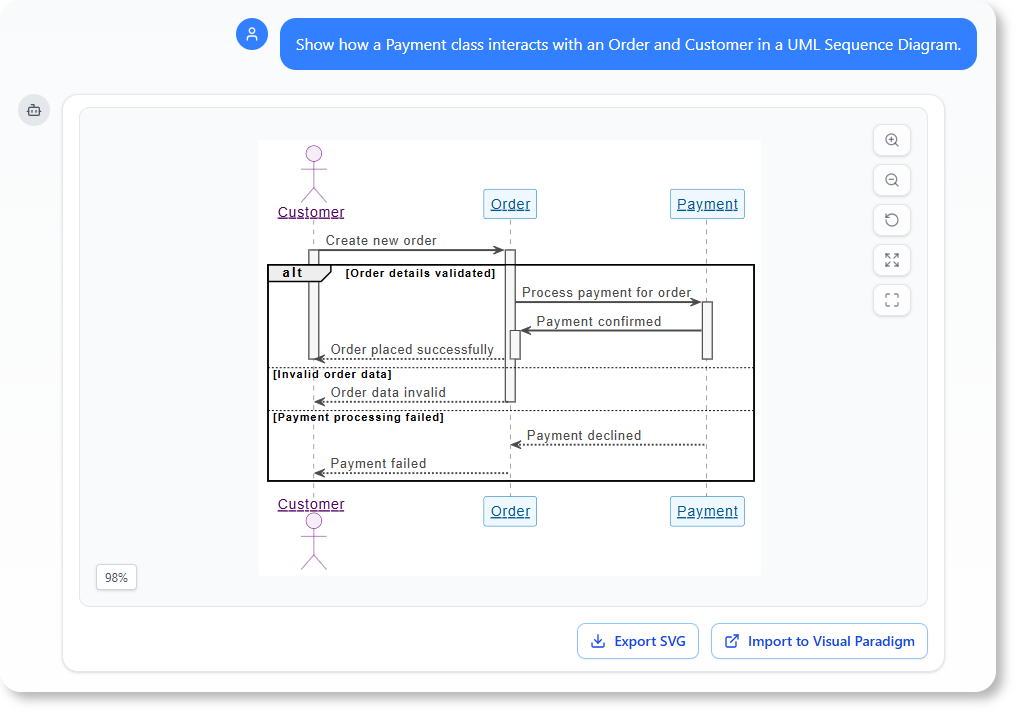
Example prompt:
“Show how a Payment class interacts with an Order and Customer in a UML Sequence Diagram.”
Within seconds, the AI Chatbot produces a sequence diagram that clarifies object communication step-by-step—strengthening both comprehension and long-term retention through multimodal learning.
Guided Practice with Personalized Feedback
The chatbot functions as an on-demand UML tutor. After generating a diagram, learners can ask reflective questions:
-
“Does this design follow UML best practices?”
-
“How can I improve the clarity of this class diagram?”
-
“What alternative patterns could model this workflow more efficiently?”
The AI reviews the model and offers constructive suggestions—mirroring the guidance of an experienced mentor while enabling self-paced, judgment-free practice.
Mastering Multiple Diagram Types Seamlessly
UML’s versatility spans structural, behavioral, and architectural perspectives. The AI Chatbot supports all major diagram types within a unified interface:
-
Structural: Class, Object, Component, Deployment diagrams
-
Behavioral: Use Case, Sequence, Activity, State Machine diagrams
-
Architectural: C4, ArchiMate, SysML frameworks
Prompt ideas for exploration:
-
“Generate a UML Use Case Diagram for an online banking app.”
-
“Create an Activity Diagram showing the order fulfillment process.”
-
“Make a Component Diagram for a microservices-based e-commerce platform.”
This versatility helps learners connect different modeling perspectives while maintaining a consistent, tool-agnostic practice environment.
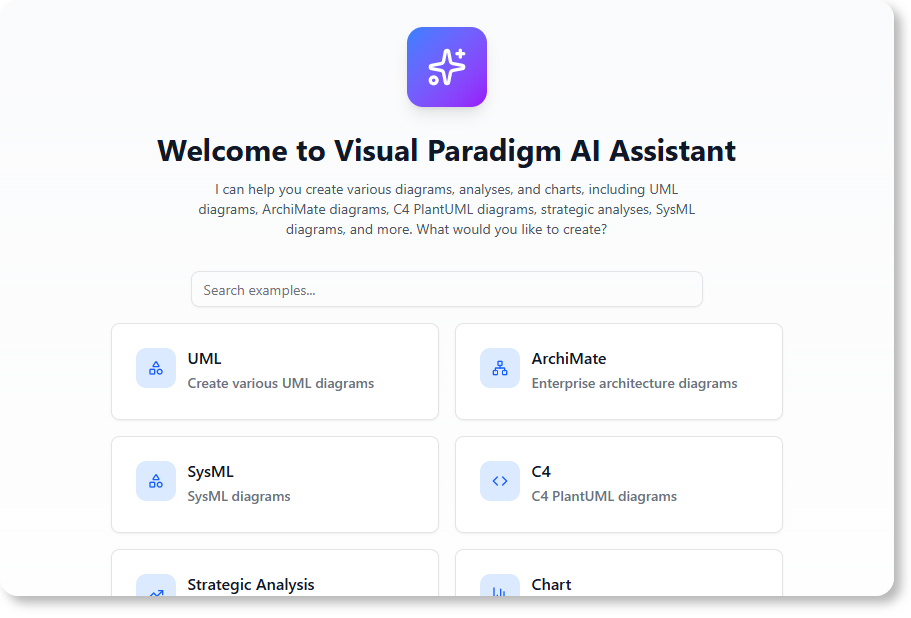
Technical Integration: Seamless Workflow for Professional Use
Beyond education, the AI Chatbot integrates smoothly into professional modeling workflows:
-
Cloud-Based Accessibility: Access the chatbot directly via VP Online without installation
-
Desktop Synchronization: Desktop license holders can launch the chatbot within their workspace (Tools > AI Chatbot)
-
Direct Import & Editing: Generated diagrams import as fully editable files for refinement in professional projects
-
Unified Account Sync: Work seamlessly across web and desktop environments without manual file transfers
This integration ensures that learning transitions naturally into production use—reducing context-switching and accelerating project delivery.
Real-World Application Scenarios
Scenario 1: Onboarding New Team Members
A software team uses the chatbot to create standardized onboarding materials. New hires interactively explore system architecture by prompting: “Show the component diagram for our authentication service.” The AI generates the diagram and explains key interfaces—reducing ramp-up time by 40%.
Scenario 2: Certification Preparation
A student preparing for OMG-certified UML exams uses the chatbot for targeted practice. By iteratively refining diagrams based on AI feedback, they build muscle memory for notation rules and relationship semantics—improving exam readiness through active recall.
Scenario 3: Cross-Functional Collaboration
Product managers, developers, and QA engineers co-create use case diagrams via shared prompts like “Model the user journey for password reset.” The chatbot’s instant visualization aligns stakeholder understanding early in the design process, minimizing miscommunication.
Conclusion
AI is not merely automating diagram creation—it is fundamentally transforming how UML is learned, practiced, and applied. Visual Paradigm Online’s AI Chatbot exemplifies this shift by turning passive study into an interactive, conversational journey. Learners gain the ability to visualize abstract concepts instantly, receive personalized feedback in real-time, and explore multiple diagram types within a unified, intuitive interface.
For organizations, this approach scales expertise development while maintaining modeling standards. For individuals, it demystifies UML and builds confidence through hands-on experimentation. As software systems grow increasingly complex, the ability to model them clearly becomes a critical competitive advantage—and AI-powered learning is the catalyst that makes this mastery accessible to all.
By embracing conversational AI as a learning partner, we move beyond memorization toward true understanding: where every prompt is a practice session, every diagram is a learning moment, and every iteration brings us closer to modeling excellence.
References
- Visual Paradigm AI Chatbot Features: Official feature page describing the AI Chatbot’s capabilities for instant diagram generation and conversational modeling assistance.
- Comprehensive Review: Visual Paradigm’s AI Diagram Generation Features: Independent review analyzing the practical applications and effectiveness of Visual Paradigm’s AI-powered diagram tools.
- Unlock Your Team’s Potential: The Complete Guide to Visual Paradigm AI Chatbot: Comprehensive guide exploring team collaboration benefits and implementation strategies for the AI Chatbot.
- Visual Paradigm AI Chatbot: Turn Your Ideas into Diagrams Instantly: Blog post detailing how natural language prompts can be transformed into professional diagrams through AI assistance.
- Visual Paradigm AI Chatbot Platform: Direct access to the cloud-based AI Chatbot interface for conversational diagram creation and modeling.
- Visual Paradigm AI Chatbot Demo Video: Video demonstration showcasing real-time diagram generation and conversational refinement capabilities.
- AI Chatbot Tool Overview: Dedicated resource page explaining the AI Chatbot’s integration with desktop applications and workflow synchronization features.