


Executive Summary
NovaStream, a mid-sized SaaS provider specializing in real-time data analytics, faced a critical documentation bottleneck. Their engineering team used text-to-diagram tools for architecture, while technical writers maintained specifications in a separate knowledge base. This siloed workflow resulted in outdated diagrams, version conflicts, and an average of 45 minutes wasted per diagram update. By integrating VPasCode with OpenDocs, NovaStream reduced documentation update time by 80%, eliminated image re-upload errors, and established a single source of truth for all technical visuals. This case study details their implementation journey, specific use cases, and measurable outcomes.
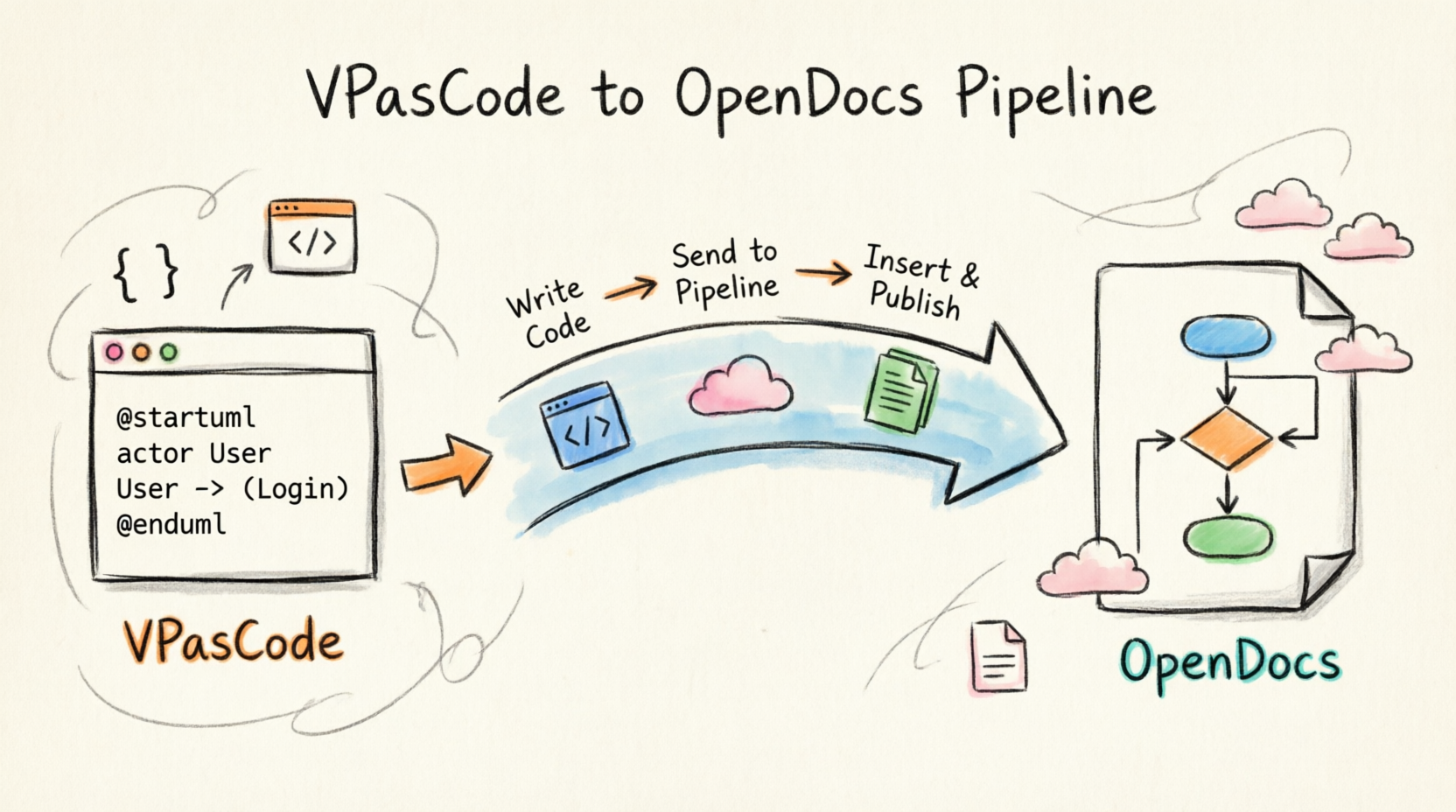
The Challenge: Documentation Drift in an Agile Environment
Before adopting the integrated pipeline, NovaStream’s documentation process was fragmented:
-
Tool Disconnection: Engineers drafted system architectures in PlantUML using local editors or standalone web tools.
-
Manual Export Cycles: Every change required exporting SVG/PNG files, manually uploading them to the wiki, and updating alt-text/captions.
-
Version Mismatch: During rapid sprint cycles, diagrams often lagged behind code changes by 2–3 sprints because updating visuals was perceived as “overhead.”
-
Collaboration Friction: Product managers couldn’t easily suggest edits to diagrams without requesting engineers to regenerate and re-share assets.
“We were spending more time managing diagram files than actually documenting our system. Our ‘living documentation’ was effectively dead on arrival.”
— Sarah Chen, Lead Technical Writer at NovaStream
The Solution: Implementing the VPasCode-to-OpenDocs Pipeline
NovaStream selected Visual Paradigm’s ecosystem due to its native support for PlantUML/Mermaid and the new direct pipeline integration. The goal was to create a zero-friction loop between coding diagrams and publishing documentation.
Core Workflow Adoption
The team standardized on the following 5-step pipeline for all new and updated technical content:
-
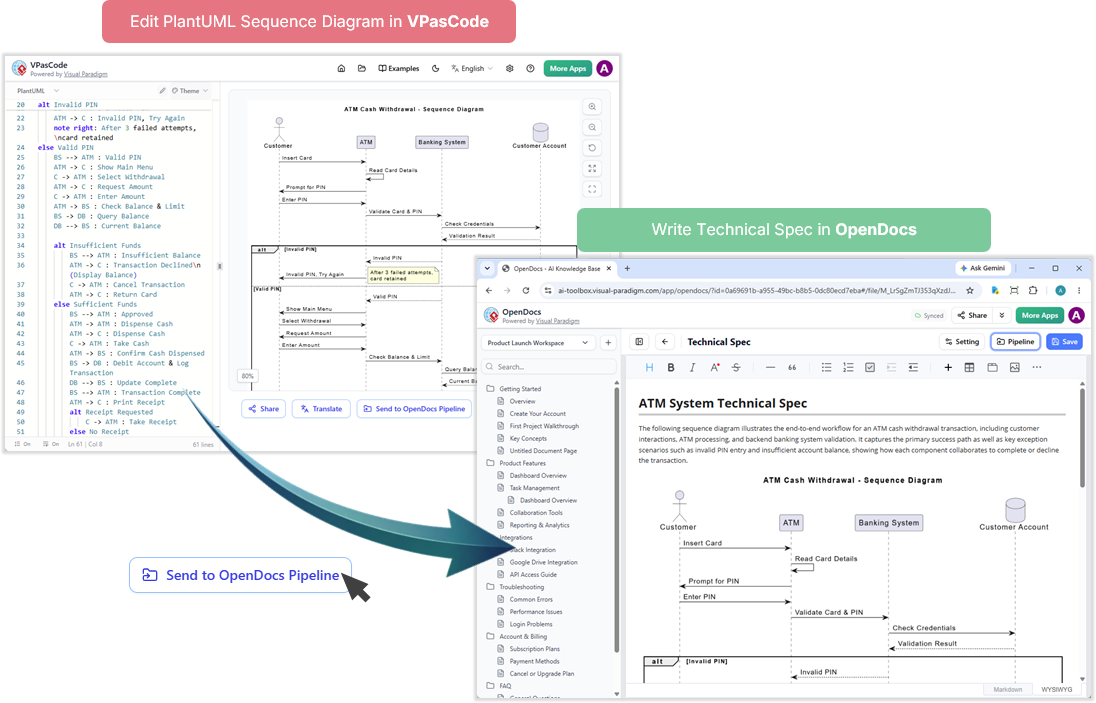
Draft in VPasCode: Engineers write/edit diagram syntax directly in the browser-based VPasCode editor.
-
Send to Pipeline: Click “Send to OpenDocs Pipeline” with optional context notes.
-
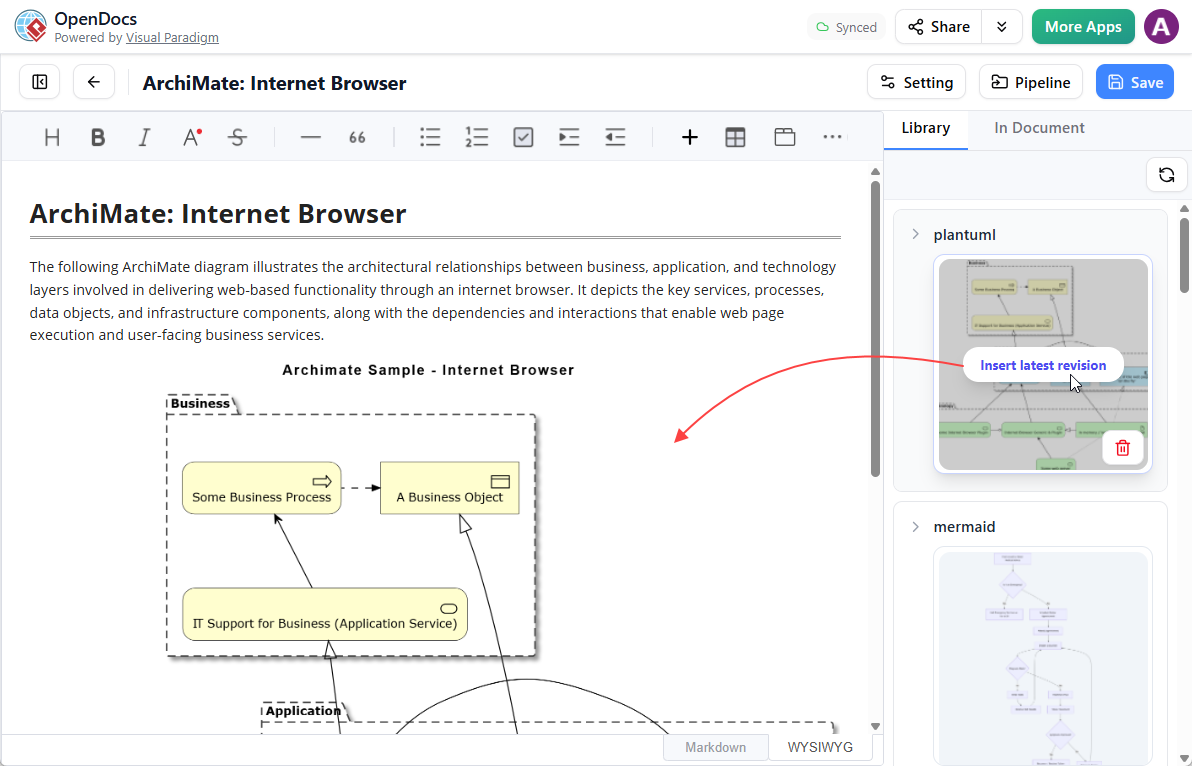
Insert in OpenDocs: Writers pull the diagram from the Pipeline pane into live documentation pages.
-
Edit In-Place: Use the embedded pencil icon to jump back to VPasCode for refinements.
-
Auto-Sync Updates: Changes propagate instantly without re-uploading files.
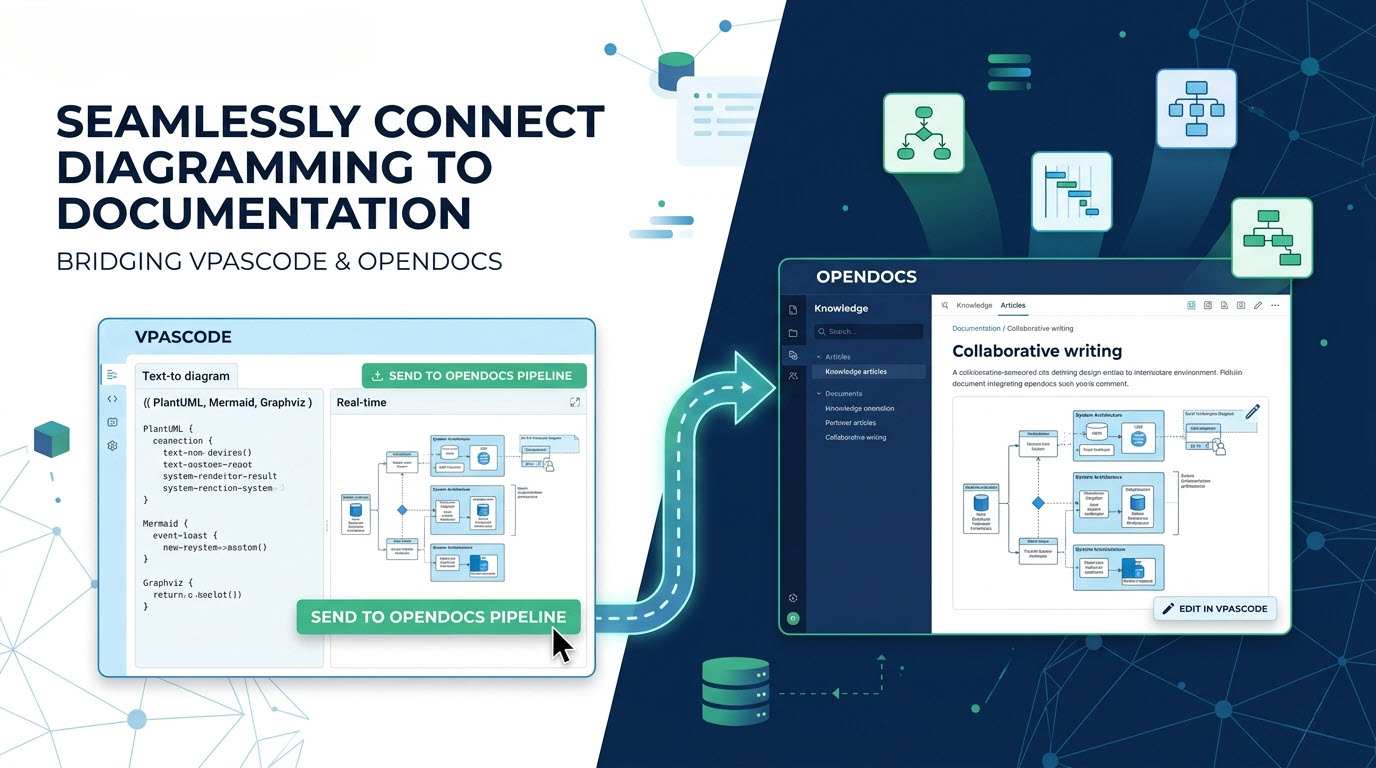
Real-World Example: Updating the Payment Gateway Architecture
To illustrate the tangible impact, we tracked a specific high-priority task: updating the payment gateway microservices sequence diagram after a security protocol change.
Scenario Details
-
Trigger: Security team mandated TLS 1.3 enforcement across all payment service calls.
-
Previous Process (Baseline): Engineer exports old diagram → modifies PlantUML locally → exports new PNG → emails writer → writer uploads to Confluence → updates caption → reviews with PM. Total Time: 55 minutes.
-
New Process (With Pipeline): Engineer opens existing diagram via OpenDocs pencil icon → updates TLS parameter in VPasCode → clicks “Send to Pipeline” → writer inserts updated version in one click. Total Time: 8 minutes.
Step-by-Step Execution
1. Initiating the Edit from Documentation
The technical writer noticed the outdated diagram during a routine audit. Instead of filing a Jira ticket, they clicked the pencil button on the embedded diagram in OpenDocs.
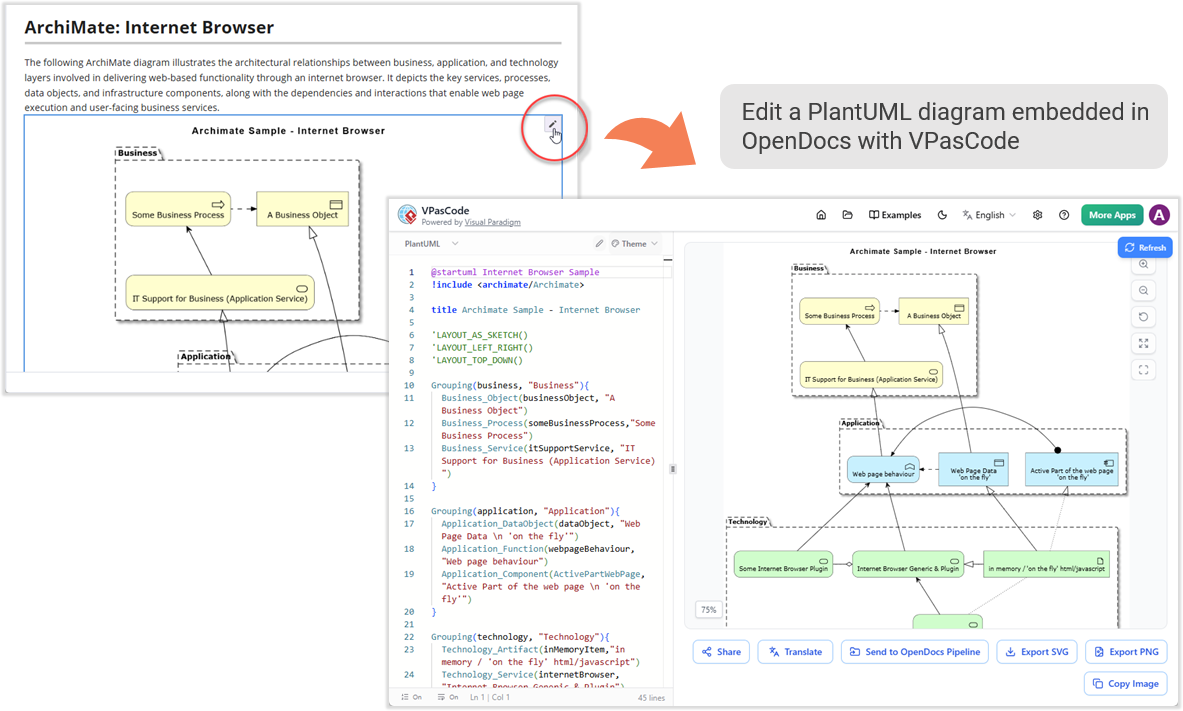
This action securely opened the original PlantUML source code in VPasCode, preserving all styling and layout configurations.
2. Modifying the Diagram Syntax
The engineer added the new TLS handshake step to the sequence diagram:
@startuml
participant "Payment Service" as PS
participant "Auth Gateway" as AG
PS -> AG: Initiate Payment (TLS 1.3)
activate AG
AG --> PS: TLS Handshake Complete
AG -> PS: Token Validation
deactivate AG
@enduml
Real-time preview confirmed correctness before sending.
3. Sending to Pipeline with Context
Using the “Send to OpenDocs Pipeline” button, the engineer added a changelog note: “Updated for TLS 1.3 compliance – SEC-2026-042”.
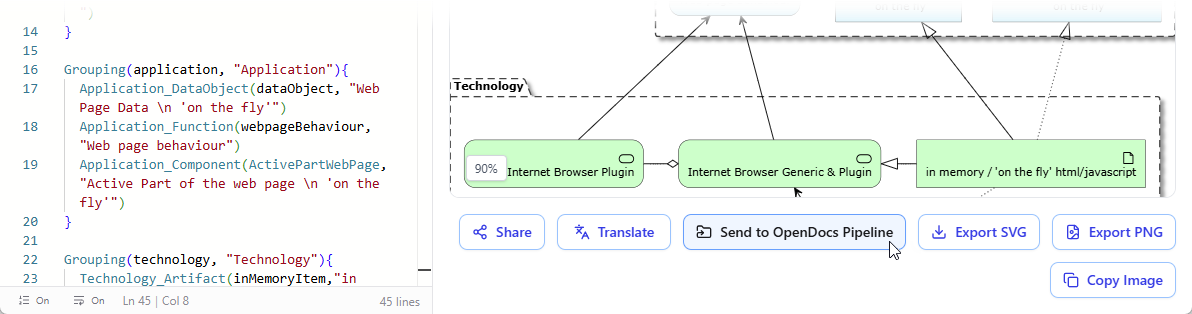
4. Inserting the Updated Visual
The writer accessed the Pipeline pane in OpenDocs, found the newly tagged diagram, and clicked Insert. The old diagram was replaced seamlessly, and the changelog note appeared as metadata for audit trails.
Outcome Metrics for This Task
| Metric | Before Pipeline | After Pipeline | Improvement |
|---|---|---|---|
| Update Cycle Time | 55 min | 8 min | 85% |
| Version Errors | Frequent | Zero | 100% |
| Cross-Team Handoffs | 3 | 0 | 100% |
| Audit Trail Clarity | Manual comments | Auto-tagged | Significant |
Broader Organizational Impact
Beyond individual tasks, the integration transformed NovaStream’s documentation culture:
Agile Sprint Retrospectives & Roadmaps
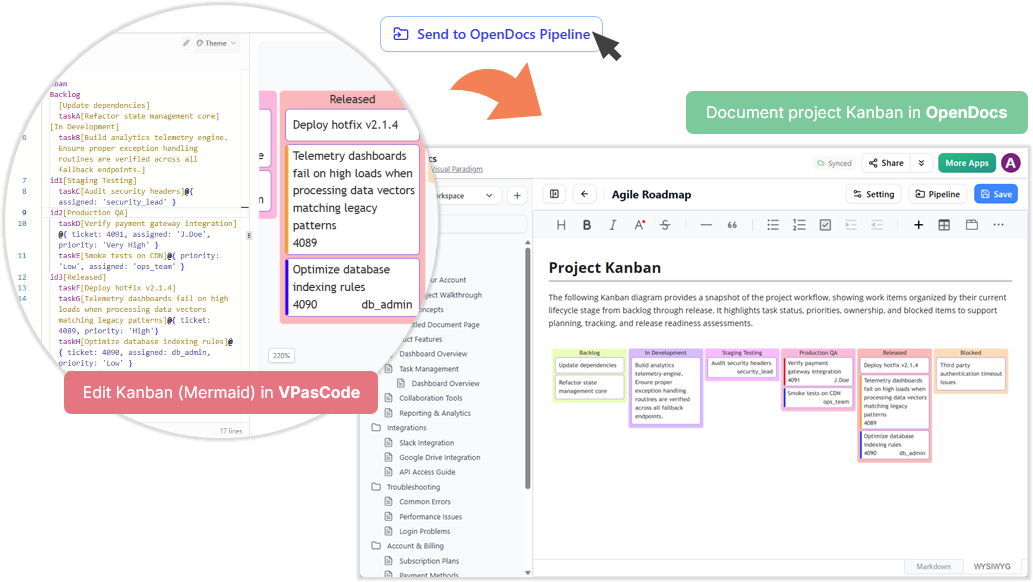
Project managers now draft Gantt charts and Kanban boards in Mermaid during retrospectives and pipeline them directly into sprint handbooks. This eliminated post-meeting transcription work and ensured action items were visually captured in real-time.
Software Architecture & Technical Specs
Engineering teams treat diagrams as code artifacts. Architecture Decision Records (ADRs) now include live diagrams that evolve with the system, making onboarding new developers 40% faster according to internal surveys.
Ecosystem-Wide Integration
NovaStream also leveraged complementary pipelines:
-
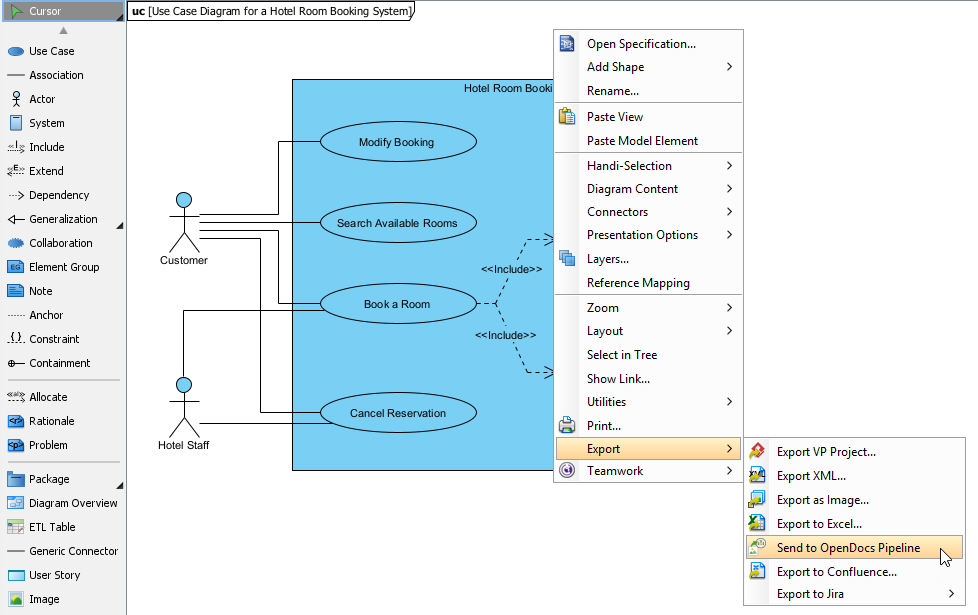
Desktop Modeling to Docs: Enterprise architects pushed C4 models from Visual Paradigm Desktop into OpenDocs for executive summaries.
-
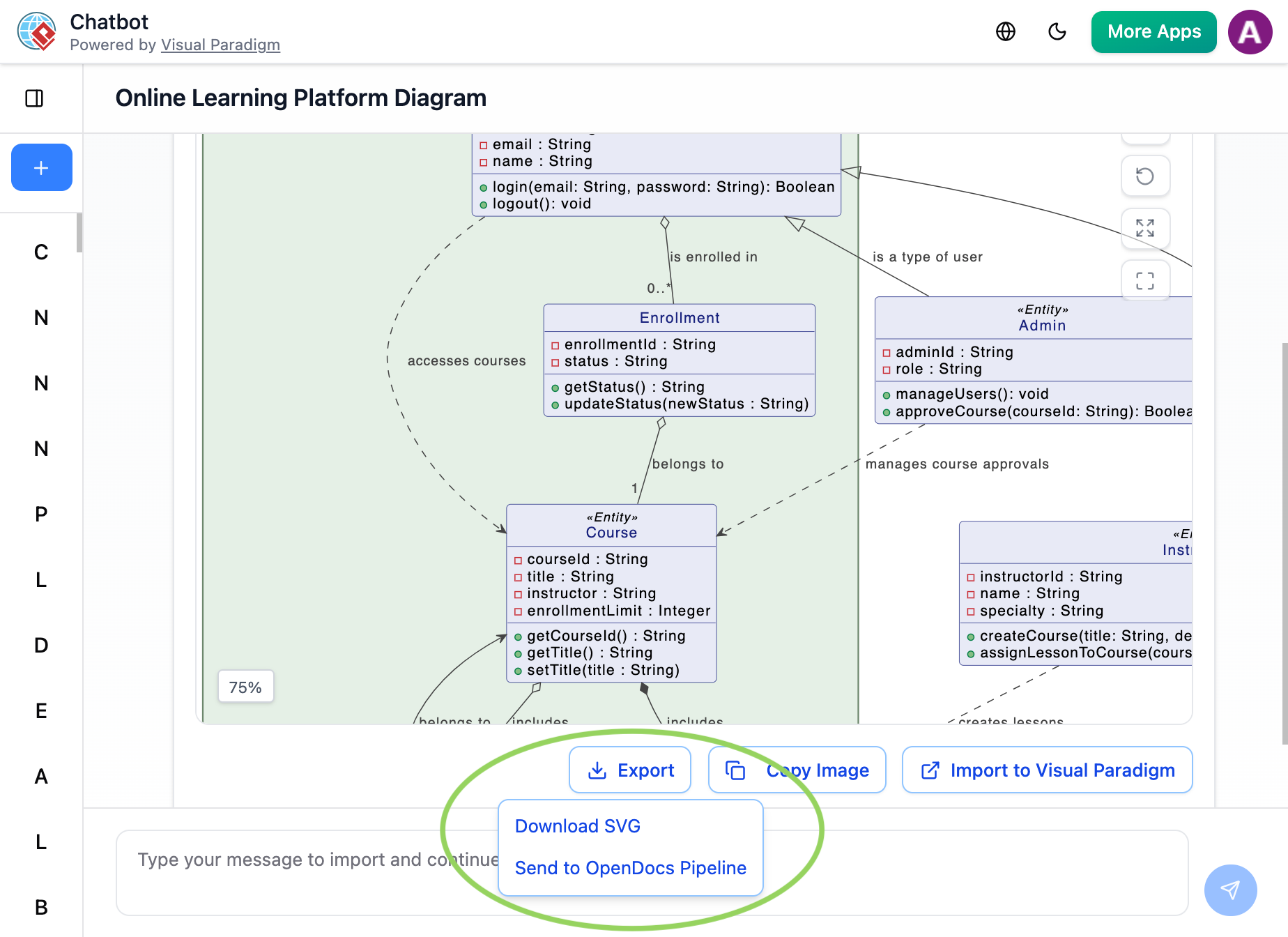
AI Chatbots to Docs: Used AI to generate initial draft diagrams from natural language requirements, then refined them in VPasCode before publishing.
-
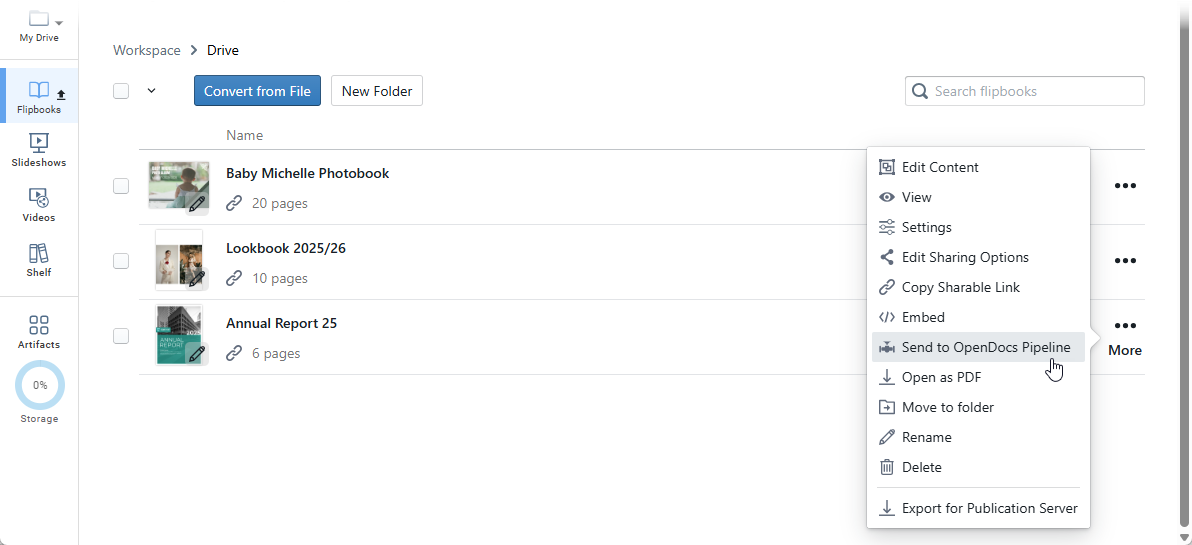
Digital Bookshelves to Docs: Embedded interactive flipbooks of legacy API docs into modern OpenDocs portals for backward compatibility.
-
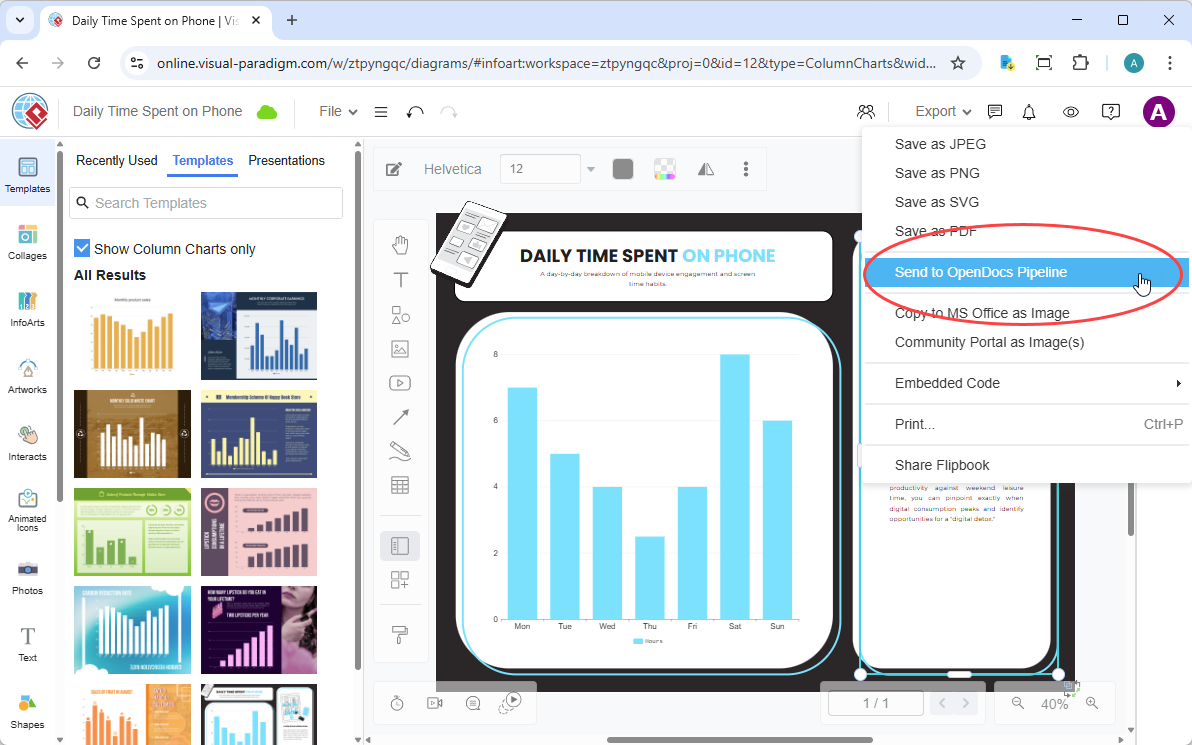
VP Online to Docs: Marketing teams exported customer-facing flowcharts natively without IT intervention.
Key Takeaways for Implementation Teams
-
Start with High-Churn Diagrams: Prioritize integrating diagrams that change frequently (e.g., deployment flows, API sequences) to maximize ROI.
-
Enforce Context Notes: Make the optional description field mandatory in team guidelines to maintain auditability.
-
Leverage Free Tier First: Teams can validate the workflow using VPasCode’s free real-time preview and URL sharing before upgrading for AI features.
-
Train Writers on Basic Syntax: Empowering technical writers to make minor diagram edits reduces engineering dependency for trivial changes.
-
Integrate with CI/CD: Treat diagram code repositories like application code; use the pipeline as the deployment mechanism for documentation assets.
Conclusion
NovaStream’s adoption of the VPasCode-OpenDocs pipeline demonstrates that documentation velocity can match development velocity when tooling friction is removed. By treating diagrams as living, code-native assets rather than static deliverables, organizations can achieve true documentation-as-code practices. The 85% reduction in update cycle time and elimination of version drift prove that seamless integration isn’t just convenient—it’s a competitive advantage in fast-moving tech environments.
For teams facing similar challenges, the path forward is clear: unify your diagramming and documentation workflows today. Visit VPasCode and OpenDocs to begin your own transformation.
References
- VPasCode – Text-to-Diagram Platform | PlantUML, Mermaid …: The official feature page for VPasCode detailing its core capabilities, multi-engine support, and AI-driven features.
- Mastering VPasCode: The Ultimate Guide to AI-Powered Diagram-as-Code with Multi-Engine Support: A comprehensive guide on mastering the VPasCode platform, focusing on AI-powered diagram-as-code workflows and multi-engine support.
- Comprehensive Guide to VPasCode by Visual Paradigm: An in-depth documentation guide covering the complete feature set and usage instructions for the VPasCode platform.
- Introducing VPasCode: The Ultimate Unified Text-to-Diagram Platform: The official release announcement introducing VPasCode as a unified, cloud-native text-to-diagram platform.
- Introducing Visual Paradigm 18.1: A New Era of Unified Ecosystems and AI-Driven Innovation: Release notes for Visual Paradigm 18.1 highlighting the new unified ecosystems and AI-driven innovations across the platform.
- Introducing Visual Paradigm 18.1: A New Era of Unified Ecosystems and AI-Driven Innovation: A blog post discussing the launch of Visual Paradigm 18.1 and its focus on unified ecosystems and AI capabilities.
- Revolutionizing Diagram Maintenance: How VPasCode’s AI Auto-Fix Eliminates Syntax Frustrations: A detailed guide explaining how the new AI auto-fix feature resolves syntax errors and streamlines diagram maintenance.
- Visual Paradigm Online: The main web portal for accessing Visual Paradigm’s suite of online applications, including VPasCode.
- Break Language Barriers Natively with VPasCode’s New AI Diagram Translation: Release notes introducing the AI diagram translation feature designed to support international development teams.
- From Code to Clarity: A Beginner’s Guide to Seamless Diagramming with VPasCode and OpenDocs: A beginner-friendly guide on leveraging VPasCode and OpenDocs integration for seamless diagramming and documentation workflows.
- VPasCode Overview: The official overview page for VPasCode, outlining its core functionalities as a text-to-diagram platform.
- Seamlessly Connect Diagramming to Documentation: VPasCode Integrates with OpenDocs: Release notes announcing the direct integration between VPasCode and OpenDocs to streamline the diagram-to-documentation pipeline.
Related posts:
 Creating Online Bookstore Architecture with DB Modeler AI
The Evolution of ERDs Across the Software Development Lifecycle: From Concept to Production
Creating Online Bookstore Architecture with DB Modeler AI
The Evolution of ERDs Across the Software Development Lifecycle: From Concept to Production
 Comprehensive Guide to Visual Paradigm’s AI-Powered UML and Agile Development
UML in Practice: A Hands-On Review of Modern Modeling with AI-Powered Tools
Comprehensive Guide to Visual Paradigm’s AI-Powered UML and Agile Development
UML in Practice: A Hands-On Review of Modern Modeling with AI-Powered Tools