
Mastering Knowledge Architecture with VP OpenDocs: 5 Pillars of System Design
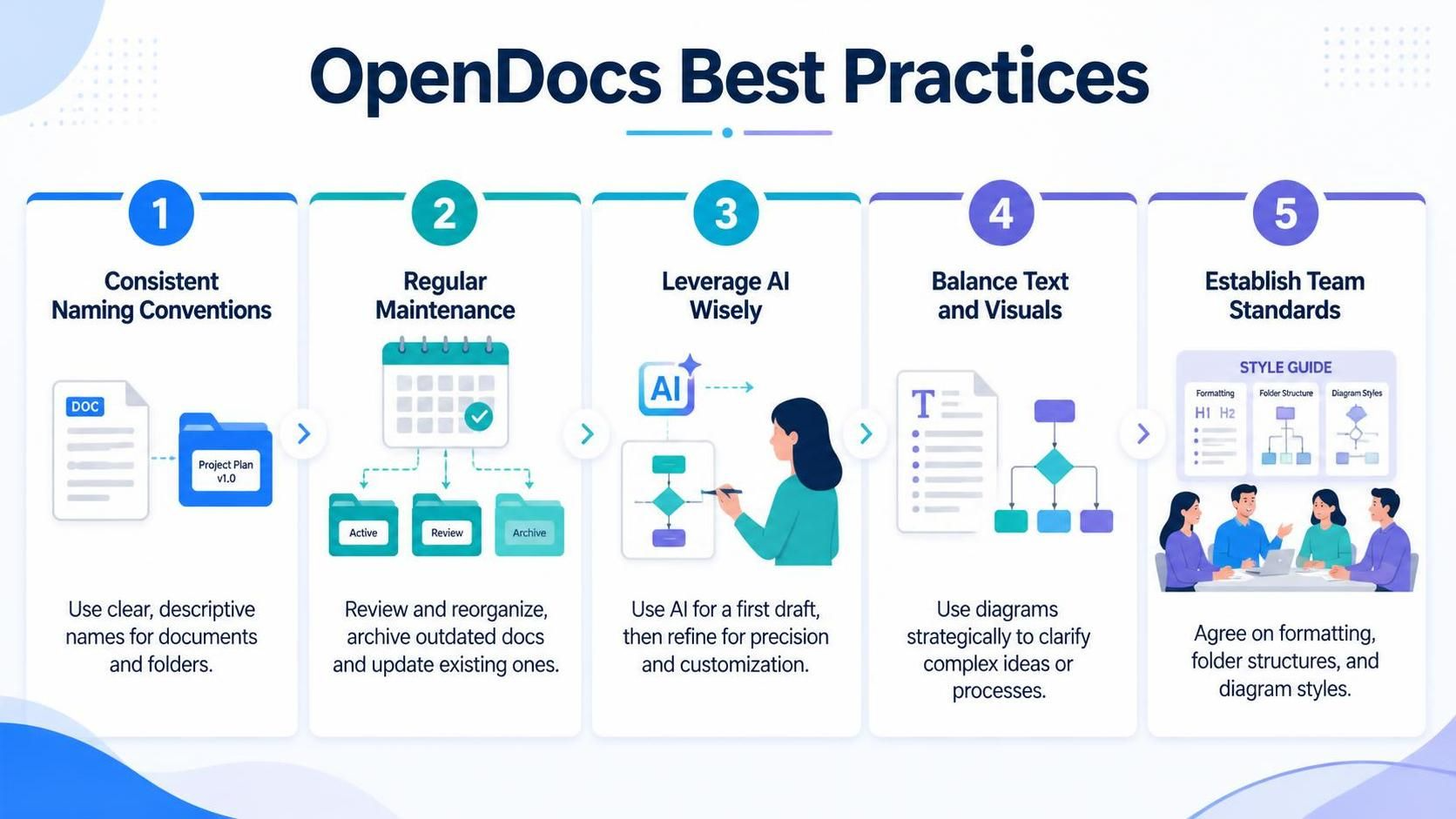
In the realm of modern knowledge management, the friction between textual documentation and visual modeling has long been a barrier to efficiency. Visual Paradigm’s OpenDocs addresses this by creating a unified ecosystem where Markdown editing meets professional diagramming. This tutorial explores the five pillars of effective system architecture and documentation management as defined by OpenDocs, moving beyond simple file storage to a structured, intelligent workflow.
1. The Foundation: Consistent Naming Conventions
The first step in architecting a robust knowledge base is establishing a rigorous naming protocol. In technical environments, files are often indexed by search algorithms or version control systems; therefore, ambiguity leads to “data rot” where information becomes inaccessible.
- Clarity over Creativity: Avoid cryptic acronyms like “projfinalv2.doc.” Instead, use descriptive identifiers such as
ProjectPlanv1.0Spec.doc. - Folder Hierarchy: Structure your directory tree logically. A flat structure of hundreds of files is inefficient. Use the OpenDocs folder system to group related artifacts.
2. Lifecycle Management: Regular Maintenance
A knowledge base is a living organism, not a static archive. The diagram illustrates a crucial workflow for maintaining system integrity: the lifecycle of a document.
- Review Cycle: Schedule periodic audits of your documentation. What was accurate last year may be obsolete today.
- Archiving: When a document reaches the end of its active lifecycle, move it to an
Archivefolder. This keeps your active workspace clean and focused. - Updating: Refine existing documents to reflect current system states. OpenDocs allows you to maintain a single source of truth without cluttering the user interface.
3. The AI Advantage: Leveraging Intelligence Wisely
One of the most transformative features of the OpenDocs ecosystem is the integration of Artificial Intelligence (AI) into the diagramming process. However, AI should be viewed as an accelerator, not a replacement for human precision.
Workflow Strategy
- Generate the Draft: Use the AI diagram generator to create an initial structure. This handles the tedious setup of connectors and basic shapes.
- Refine for Precision: Once the draft is generated, manually intervene to correct logic errors or customize the visual style.
- Customize: Ensure the diagram aligns with your specific domain requirements, which AI might miss without explicit context.
4. Visual Hygiene: Balancing Text and Visuals
A common pitfall in system documentation is the “Wall of Text” syndrome. While Markdown is powerful for text, it lacks spatial context. OpenDocs promotes a hybrid approach:
- Strategic Visualization: Do not force a diagram for every concept. Reserve visual modeling for complex processes, state machines, or architectural flows.
- Clarity: Use diagrams to clarify text-heavy concepts. A well-placed flowchart can explain a 500-word paragraph in seconds.
5. Organizational Governance: Establishing Team Standards
For teams collaborating on complex projects, consistency is the key to scalability. OpenDocs facilitates the creation of a “Style Guide” that enforces uniformity across the organization.
Key Standards to Define
- Formatting Standards: Agree on font sizes, header styles (H1, H2), and color palettes.
- Folder Structures: Create a standard template for project directories to ensure every team member knows where to find assets.
- Diagram Styles: Define standard shapes and connector styles (e.g., BPMN, UML, ERD) to ensure diagrams are readable by all stakeholders.
Conclusion
Visual Paradigm’s OpenDocs represents a significant evolution in how we manage technical knowledge. By seamlessly integrating writing and visualization, and enhancing both with AI assistance, it provides a flexible platform that adapts to your workflow. Whether you are managing complex projects or documenting technical systems, these best practices will help you maintain clarity amidst growing information volumes.