
From Text to Blueprint: Mastering VP AI Chatbot Workflow with VP OpenDocs
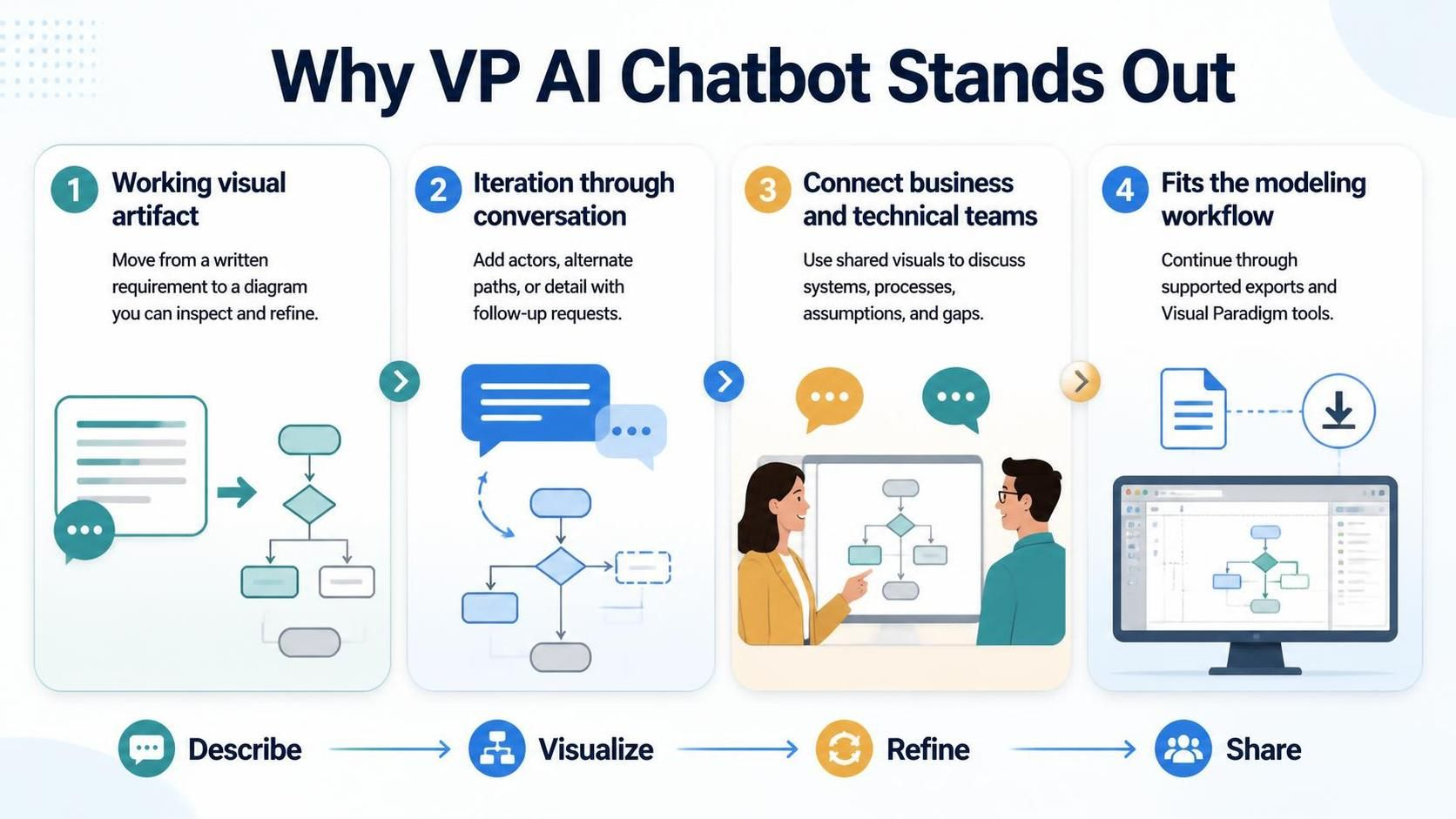
The landscape of systems analysis and design is undergoing a paradigm shift. Traditionally, the gap between business requirements (written text) and technical implementation (diagrams) was bridged by manual effort, often leading to miscommunication and syntax errors. Enter the VP AI Chatbot, a tool that redefines this process by making it conversational, visual, and collaborative.
This tutorial explores the architecture of this new workflow, moving from the initial “Describe” phase to the final “Share” phase, and explains how to leverage this technology to create high-fidelity visual artifacts.
The Core Philosophy: Dialogue-Driven Modeling
Unlike traditional modeling tools that require users to know specific syntax or drag-and-drop mechanics, VP AI Chatbot adopts a “Chat-First, Visual-Second” approach. The system is designed to act as a bridge between business language and technical logic.
The workflow is divided into four critical stages:
- Working Visual Artifact: Converting written requirements into inspectable diagrams.
- Iteration through Conversation: Refining logic via natural language prompts.
- Connecting Teams: Using visuals as a shared context for stakeholders.
- Fitting the Workflow: Integrating into existing professional toolchains.
Step-by-Step: The Describe-Visualize-Refine-Share Pipeline
1. Describe: The Input Phase
The journey begins with the user describing a process. This is not a formal specification document but a natural language description. The AI parses this text to identify actors, actions, decision points, and data flows.
Example Input:
“A customer places an order. The system checks inventory. If stock is available, it creates an invoice. If not, it triggers a backorder process.”
2. Visualize: The Translation Engine
Here, the VP AI Chatbot acts as the rendering engine. It translates the parsed entities into standard UML or BPMN diagrams. This step removes the “syntax barrier”—users don’t need to know how to draw a diamond shape for a decision node; the AI handles the visual representation immediately.
The output is a working visual artifact. This is crucial because it allows the user to inspect the logic immediately. Does the arrow flow correctly? Is the decision node branching as expected?
3. Refine: Iteration via Conversation
This is where the VP AI Chatbot distinguishes itself from generic LLMs. Instead of starting over, you refine the diagram through follow-up requests. This is an iterative loop of Visualize → Refine.
Common Iteration Scenarios:
- Adding Actors: “Add a manager role who approves orders over $1000.”
- Handling Exceptions: “What happens if the inventory check fails? Show a fallback path.”
- Detailing: “Expand the ‘Create Invoice’ step to show the database interaction.”
4. Share: Collaboration and Integration
Once the model is refined, it serves as a shared visual language. The diagram becomes the single source of truth for the team. The workflow concludes with the ability to export these artifacts into standard formats (like Visio, Excel, or PDF), ensuring the model fits into the broader enterprise modeling workflow.
Technical Architecture: How It Works
The underlying architecture of the VP AI Chatbot combines Large Language Models (LLMs) with strict visual syntax rules. When you input text, the system performs the following logical steps:
- NLP Parsing: The text is analyzed to identify entities (Nouns) and actions (Verbs).
- Logic Mapping: The AI maps these entities to specific diagram elements (e.g., “Customer” → Actor, “Check Inventory” → Process, “If stock” → Decision).
- Syntax Generation: The AI generates the code (e.g., PlantUML or Mermaid) required to render the diagram.
- Rendering: The code is executed to display the visual artifact.
Practical Application: A Simple Sequence
Let’s look at how a simple interaction evolves into a robust diagram.
- User: “Create a sequence diagram for a login system.”
- System: Generates a basic login flow (User → App → DB).
- User: “Add a step for ‘Two-Factor Authentication’ if the password is correct.”
- System: Updates the diagram, inserting a decision node for 2FA and a new interaction line.
Conclusion
The VP AI Chatbot represents a maturation of AI in the engineering sector. It moves beyond simple text generation to become a functional modeling assistant. By eliminating syntax barriers and focusing on the “logic itself,” it empowers Product Managers, Developers, and Analysts to collaborate more effectively, turning requirements into blueprints with unprecedented speed.